AboutTermsPrivacyContact
 
Updating
Denon 2016 AVR Remote

Denon 2016 AVR Remote

Released: 2016-01-28
© 2016 D&M Holdings.
Denon 2016 AVR Remote - QR Code
Version 3.4.1
4+
Download on the App Store
Version 3.4.1
4+
Download on the App Store
Released: 2016-01-28
© 2016 D&M Holdings.

iPhone Screenshots

Screenshot
Screenshot
Screenshot
Screenshot
Screenshot

iPad Screenshots

Screenshot
Screenshot
Screenshot
Screenshot
Screenshot

Description

Say hello to the Denon 2016 AVR Remote! This brand new app for iPhone and iPad will give you an unprecedented level of command and control over your 2014/2015/2016/2017/2018/2019/2020 model year network ready Denon AV Receivers (due to hardware differences, older models are not supported with this app. Please check the model compatibility list below; if your model is not listed, please download our previous “Denon Remote App”). Along with many new features, the graphics and user interface have been completely overhauled.
Control the basic functions of your Denon product with power, volume, input and settings.
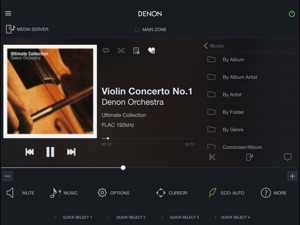
Our new playback system allows you to easily build your own personal music playlists on the fly with the ability to Drag & Drop files into your queue, or tap to “Play Now”, “Play Next”, “Play Next and Replace Queue” or “Add to End of Queue”. You can then save your queue as a playlist for easy recall.
The AVR-X6300H and AVR-X4300H are the best AVR’s that we have ever built! They are hot off of the production line, and for the first time ever come equipped with our HEOS Wireless Multi-Room technology. Make sure that you download the HEOS app AND the Denon AVR 2016 Remote App to take advantage of intuitive HEOS wireless multi-room control, Music Streaming services, and seamless App switching.
With the new Denon 2016 AVR Remote, your iOS device just became an integral part of your home entertainment experience.
Compatible Denon Models (*1, *2)
2020 New Models
Network AV Receiver: AVR-X6700H, AVR-X4700H, AVR-X3700H, AVR-X2700H, AVR-S960H
2019 Models
Network AV Receiver: AVR-X3600H, AVR-X2600H, AVR-X1600H, AVR-S950H, AVR-S750H, AVR-S650H, DRA-800H
2018 Models
Network AV Receiver: AVR-X6500H, AVR-X4500H, AVR-X3500H, AVR-X2500H, AVR-X1500H, AVR-S940H, AVR-S740H, AVR-S640H
2017 Models
Network AV Receiver: AVR-X8500H, AVR-X6400H, AVR-X4400H, AVR-X3400H, AVR-X2400H, AVR-X1400H, AVR-S930H, AVR-S730H
2016 Models
Network AV Receiver: AVR-X6300H, AVR-X4300H, AVR-X3300W, AVR-X2300W, AVR-X1300W, AVR-S920W, AVR-S720W
2015 Models:
Network AV Receiver: AVR-X6200W, AVR-X4200W, AVR-X3200W, AVR-X2200W, AVR-X1200W, AVR-S910W, AVR-S710W
2014 Models:
Network AV Receiver: AVR-X7200W, AVR-X7200WA
*Not compatible with Denon models other than the above models.
Main feature:
•All brand new designed screen graphics
•Powerful queue playback system for Music Server and music files stored in your mobile device
•Fast Thumbnail Browsing for Internet Radio and Music Server
•On the fly HEOS app switching for network browsing and control for HEOS built-in AVRs
•ECO Mode setting
•Option settings (Sleep Tone, Channel Level etc.) and Selected Setup Features
•Denon Blu-ray Player Control when your Denon AVR is connected to Denon Blu-ray DBT-xx13 series with HDMI cable
•Viewing User manuals
•Multi-Language Support (English, French, German, Spanish, Dutch, Italian, Swedish, Japanese, Simplified Chinese, Russian and Polish.) (*3)
Notes:
*1: A firmware update for your Denon product is may be needed, please update the firmware via the system setup menu. (General > Firmware) If the App doesn't work well, please try to reboot your mobile device, unplug the power cord of the main unit and reinsert into the power outlet or check your home network.
*2: Please set "Network Control" to "ON" in your product via the system setup menu to use this app. (Network > Network Control)
*3: The OS language setting is automatically detected; when not available, English is selected.

What's New in Version 3.4.1

•Bug fixes and performance improvements
Notes:
*Your Denon product may require a firmware update to work with this app. Please update the firmware via the system setup menu. (General > Firmware) If the App doesn't work well, please try to unplug the power cord of the main unit and reinsert into the power outlet or check your home network.

Seller

Name

D&M Holdings Inc.

Information

Developer

Categories

Version

3.4.1

Size

322 MB

Game Center

No

VPP Device Licensing

Yes

Rating

Rated: 4+

Compatibility

iOS 9.0 or later

Devices

iPhone 4S, iPhone 5, iPhone 5c, iPhone 5s, iPhone 6, iPhone 6 Plus, iPhone 6s, iPhone 6s Plus, iPhone SE, iPhone 7, iPhone 7 Plus, iPhone 8, iPhone 8 Plus, iPhone X, iPhone XR, iPhone XS, iPhone XS Max, iPhone 11, iPhone 11 Pro, iPhone 11 Pro Max, iPhone SE (2nd generation), iPad 2 (Wi-Fi), iPad 2 (3G), iPad (3rd Generation) (Wi-Fi), iPad (3rd Generation) (4G), iPad (4th Generation) (Wi-Fi), iPad (4th Generation) (4G), iPad (5th Generation) Wi-Fi, iPad (5th Generation) Wi-Fi + Cellular, iPad (6th generation) Wi-Fi, iPad (6th generation) Wi-Fi + Cellular, iPad Pro, iPad Pro (Cellular), iPad Pro (9.7-inch), iPad Pro (9.7-inch) (Cellular), iPad Pro 12.9-inch (2nd generation), iPad Pro 12.9-inch (2nd generation) Wi-Fi + Cellular, iPad Pro (10.5-inch), iPad Pro (10.5-inch) Wi-Fi + Cellular, iPad Pro (11-inch), iPad Pro (11-inch) Wi-Fi + Cellular, iPad Pro 12.9-inch (3rd generation), iPad Pro 12.9-inch (3rd generation) Wi-Fi + Cellular, iPad Air, iPad Air (Cellular), iPad Air 2, iPad Air 2 (Cellular), iPad Air (3rd generation), iPad Air (3rd generation) Wi-Fi + Cellular, iPad mini (Wi-Fi), iPad mini (4G), iPad mini Retina, iPad mini Retina (Cellular), iPad mini 3, iPad mini 3 (Cellular), iPad mini 4, iPad mini 4 (Cellular), iPad mini (5th Generation), iPad mini (5th Generation) Wi-Fi + Cellular, iPad (7th generation) Wi-Fi, iPad Pro 11-inch (2nd generation), iPad Pro 11-inch (2nd generation) Wi-Fi + Cellular, iPad Pro 12.9-inch (4th generation), iPad Pro 12.9-inch (4th generation) Wi-Fi + Cellular, iPad Air4, iPad Air4Cellular, iPad EighthGen, iPad EighthGenCellular, iPod touch (5th generation), iPod touch (6th Generation), iPod touch (7th generation)

Languages

English, Chinese, Dutch, French, German, Italian, Japanese, Polish, Russian, Spanish, Swedish

App Store: Customer Ratings

Ratings & Reviews

1.5 of 5 (131 Ratings)

App Store: Customer Reviews

2020-09-04

App no longer detects receiver

A once solid app is now a certified dud. DM Holdings must have stopped dev support of this app. The lack of DENON support feedback in the App Store further solidified this theory.
Moviebuff979
Version 3.4.0
2020-09-01

Won't Work Anymore

Worked perfectly for months until all of a sudden it wouldn't connect anymore. Made sure the reciever was connected to the internet with an Ethernet cable as well. Extremely dissapointing.
rmf757
Version 3.4.0
2020-08-19

Useless

This app worked reasonably well for 1.5 yrs. The parade happened a couple of months ago and nothing connects. I tried all recommendations in the reviews with no success. Don’t bother with it, an excercise in frustration.
Cfh1961
Version 3.4.0
2020-06-20

App no longer connecting to my Denon since the upgrade 2 days ago

App no longer connecting to my Denon device since the upgrade 2 days ago!
MrDressup
Version 3.4.0
2020-04-19

Thanks for nothing

There should be a way to roll back to previous versions. This app is trash and now HEOS + this doesn’t work anywhere in my home.
Jdfort
Version 3.3.3
2020-04-17

App does not work

I’ve power cycled, reset to original settings and followed all Denon’s trouble shooting recommendations... the app finds my receiver after 2 minutes of searching and then promptly freezes. Every time.
Brent6514
Version 3.3.3
2020-04-15

Excellent App

We’ve been using this app for almost one year now and it is easily the best app for any stereo receiver on the market. Denon has always been known as a maker of quality stereo products and this app is no exception.
This app has never crashed and works exactly like the original remote. There are tons of options when you look under the hood of Denon products. You won’t be disappointed with this app.
left888
Version 3.3.3
2020-03-21

Works great

Just got it today, didn’t know it existed, all the functions work great
UPDATE: stopped working. Does not detect it anymore, sucks, I liked it.
Worked for a week
Bignthik
Version 3.3.3
2020-01-20

Total garbage app

Thought it would be nice to be able to tweak my new S650H from my phone, what a disappointment. Constant disconnects, horrible confusing navigation, audio jumping around when tapping the current sound mode, subwoofer level not changing even though the values are changing on the receiver itself. What a buggy mess! Good thing this wasn’t a huge selling feature for me or the receiver would be going back!
winnipegrock
Version 3.3.2
2019-12-28

Non-functional

Cannot get to work with AVR-X2500H at all despite multiple reboots and attempts with multiple devices.
DGD44
Version 3.3.2
2019-12-20

😒

Incredibly slow, the manual equalizer doesn't work half the time, app crashes all the time; it has generally been an ungroovy experience. i'm DenoT enjoying this app
Ryland SD
Version 3.3.2
2019-12-19

Try Demo Mode to get live mode back

For those of you getting the no network error on ios13 I tried demo mode and went to add my receiver and it somehow kicked back into normal working mode. YMMV
wOOge
Version 3.3.2
2019-12-18

Lousy ‘upgrade’

Sounds like this latest ‘upgrade’ has rendered the app useless. Back to the remote control until Denon can fix this mess. Was working perfectly fine before.
Leapin Lanny
Version 3.3.2
2019-11-17

Pretty good....

But Subwoofer level in the app doesn’t seem to work. Shows the levels changing on screen but no difference. Have to into the AVR750H settings on the receiver to make it work
bigsbydapicka
Version 3.3.1
2019-11-12

Last update

New update a couple of days ago fixed the crashing issue - now the equalizer won’t work - greyed out. Receiver Firmware is up to date.
fifester
Version 3.3.1
2019-11-11

Crashes on iPad

Whenever I choose an option for example if I go to the menu and choose >Inputs>Hide sources and then turn off a source such as Media Player the app crashes on my iPad. The strange thing is it doesn’t crash on my iPhone. This is just one example it crashes with many options on the iPad.
p/o'd
Version 3.3.1
2019-11-10

Doesn’t work. Crashes

App loads up but never able to find my receiver x4400. It’s hardwired in and on same network. Disappointing to say the least.
Phinx404
Version 3.3.0
2019-11-08

Buggy!

The latest release is nearly unusable: it crashes every time I attempt to power on my X3500H. If I power it on using the remote, the app frequently remains clueless that the receiver is turned on. I’m not sure what bugs were fixed in this release, but a host of new ones have been introduced.
dhdydhrhdhdhhfhdhd
Version 3.3.0
2019-11-07

This app continually crashes.....

I have been using the older Denon Remote app for years on older receivers. I just purchased a new AVR-4500H, and wanted to control the receiver with my IOS devices. I downloaded the app on both my iPhone X and my iPad Air. I went to do something simple, and the app simply crashed (disappeared). I found this quite strange, so I continued to play with the app, and it simply continues to crash, rendering it almost useless. This is happening on both my iPhone and iPad, so it is definitely something to do with the underlying base code shared between the two devices. I just update the firmware on my 4500H, so maybe that has caused an incompatibility between my IOS devices and the 4500H.
I hope Denon fixes these issues and makes an update available, because as it sits now, the app is utterly useless.
grp57
Version 3.3.0
2019-11-07

Broken

App closes when using airplay from my iDevices (iPhone XR and iPad 10.2” both running latest app version and iOS version. Useless when trying to adjust receiver functionality while listening to airplay and it closes immediately after opening it.
Worked fine before the latest version update. Please fix it.
nsshull
Version 3.3.0
2019-11-07

Work well and smoothly with my AVR-X4400H

Had trouble in the past, now it is realy responsive!
BrunoBi
Version 3.3.0
2019-11-07

Bug in latest version

Since update a week ago, app crashes when trying to turn receiver on or off. AVR-S720W
trickyJimbo
Version 3.3.0
2019-11-05

Crash

I’ve been using this app for years and, while it’s not perfect and has some usability issues, it had worked pretty well. Now I can’t power my amp on or off without the app crashing, and worse yet, it never actually powers the Amp on.
This has killed the usability for me as I exclusively use the app so that I can keep the equipment protected from my little kids.
Please, FIX THIS.
iamchiletoo
Version 3.3.0
2019-11-05

bug

the app will exit when selecting AVR info
Howells Chan
Version 3.3.0
2019-11-04

New version crashes every time

Needs a fix - my AVR 4300, with latest firmware, crashes every single time I hit the power button or try to call up the menu. The app actually worked fine until this latest version but now it’s useless. Hoping for a fix soon as the suggested fix of unplugging the power cord didn’t work. The fact that this is a suggested fix doesn’t inspire confidence...
DougE.
Version 3.3.0
2019-11-04

Craaaaash!

Crashing often while powering in receiver or switching sources
coopin
Version 3.3.0
2019-11-03

Crashes when trying switch it on or off

After the latest update the app crashes whenever the on/off button is clicked in the app. Ridiculous.
Andrey Storov
Version 3.3.0
2019-10-31

App now crashing. Was ok

The app was fine until the latest update. Now crashes if you’re using airplay from the same ipad. Had to delete it v
makeintosh
Version 3.3.0
2019-10-30

Crashes

App worked prior to update today, now just crashes when I try to power device on or off.
futani
Version 3.3.0
2019-10-22

Excellent !

I’ve bought a second hand AVR S730H and the remote was missing. I was worried after ready all the bad reviews about the app. I’ve hooked up the speakers and the AVR receiver to my home network (internet). I was able to configure the AVR within minutes having access all the parameters needed to start enjoying my new purchase.
The app doesn’t show so « LAG » but other than that I working and doing what the regular remote would do.
Dumbleman666
Version 3.2.0
2019-10-14

Very unreliable

I’m very disappointed in this app. It does not connect with the device. It’s frustrating.
ATOP77
Version 3.2.0
2019-10-02

Good when it works

As most people mentioned, the app fails to connect.
I followed the steps that the developer suggests: Network - Network control - Always On.
For my device however, I just managed to connect when I turned the network control off
Mpompolas
Version 3.2.0
2019-09-25

Work nice

... went working.... I will say never working ... will probably never buy any Denon product
Lotbiniere
Version 3.2.0
2019-09-14

Great... when it works

Every time I open this app there’s about a 20% chance that it finds my AVR-S720W. Receiver is currently hardwired but I’ve tried it on wifi with no better results.
Bluwrld
Version 3.2.0
2019-08-08

Same issue as everyone else

Come on Denon!! I’ve purchased two of your receivers both have the same issue with this app. Firmware updated, app updated still no connection anymore (used to work ok). Fix your stuff!!! RETURN YOUR DENON AMPS if you can - useless that they haven’t fixed known issues for SO LONG!
steveth6
Version 3.2.0
2019-06-26

Slow and inconsistent

The latest update keeps losing the IP address of the receiver. When it does it takes forever to load. Very disappointing for a tech company to have such a lousy app
4CranialSound
Version 3.2.0
2019-06-11

Works nicely

Has been using it with no problem but suddenly cannot connect with any other app such as Simple Radio after iOS 13 updates.
detail matters
Version 3.1.1
2019-06-04

Connection

Literally almost never connects. Very disappointing
sagarussell
Version 3.1.1
2019-06-01

Junk app!

Since either the app or the receiver got updated, this app won’t even find the receiver to connect to!
Wabbadabbadoo
Version 3.1.1
2019-04-15

Good when it works...

This app is effective when it works, but is so hit and miss. So many times I’ve launched the app and it says there’s no receiver detected. Search for the receiver and nothing is found. Very frustrating and completely unreliable. Every update I hope that it’s fixed but always disappointed.
Bum-tickler
Version 3.1.0
2019-04-10

App stopped working, inexplicably

Super frustrating experience with this app. It was working with our x1300w receiver for a year. Then a month ago stopped working, will no longer recognize our receiver. Nothing changed otherwise.
drewj123
Version 3.0.3
2019-03-24

Worst app ever

You’d think when you spend 2 grand on a receiver the app would work seemlessly
Not so
I’ll never buy denon again
crusherclark
Version 3.0.3
2019-03-17

Horrible app!

Ive been waiting for updates for min hopes of a stable and working app. Needless to say, I will not be buying a Denon receiver again. Likely moving towards a Yamaha receiver as I’ve waited too long for this app to work!
likemelong
Version 3.0.3
2019-03-16

Crap

Just a waste of time installing. Only works occasionally if it wants too.
badstude
Version 3.0.3
2019-02-01

Useless

Doesn’t recognize my device anymore. Did for the first week or two but now the receiver and app are useless
buddylynneal
Version 3.0.2
2019-01-22

Used to work...

Giving it 1 stars, when it worked it showed great promise but ever since the firmware upgrade the app doesn’t see my AVR-730H. I’ve restarted, deleted reinstalled and followed all directions to resolve to no avail. Very disappointed.
Light_duty
Version 3.0.2
2019-01-10

Intermittently stops working

When it’s working with the AVR 8500 it an ok app. The problem is it intermittently stop working and the only way to get it to working again is to unplug the Receiver for at least 10 seconds and power it up again. I’m doing this every couple of days. I love this Receiver but this app is a big disappointment. Also own Pioneer Receiver and their app works flawlessly. Denon take the time to look at these reviews it costing your company money. A home theatre receiver without a good working app is a serious problem.
marquest32
Version 3.0.2
2019-01-03

Gone

Truth is this will likely be the demise of the company. If they cannot enter into this high tech market with quality interfaces they might as well pack it in. My hardware (reviver) is going back tomorrow.
everythinktaken
Version 3.0.2
2019-01-01

Useless

Doesn’t work with my new AVRX-3500H
dirk991
Version 3.0.2