Description
• "There’s no better option than oneSafe Pix." [Luke Patrick - The iPhone App Review]
• "For guaranteed protection, you deserve nothing less than the absolute best." [AppDictions.com]
• "oneSafe Pix from Lunabee is a brilliant application to keep the images and videos safe." [Randy - WhatsmyApps.com]
IRON-CLAD FILE PROTECTION - oneSafe Pix app is your secure vault for secret pictures and private videos. Finally, there's an easy way to safeguard your personal photos from prying eyes. Works with Touch ID now to reach new levels of simplicity and security! And now, you can also synchronize your encrypted data over iCloud - between your iPhone and iPad - with Apple's brand new CloudKit technology.
With oneSafe Pix, your private images and personal videos are now burglarproof. From the trusted makers of oneSafe, the app features hardware encryption and AES 256 bit encryption, the strongest level protection available today on mobile platform. Lock your vault with the touch of a button and rest assured that your private information stays that way.
PROTECT WHAT IS YOURS
Unlike other photo security apps, oneSafe Pix is quick and easy to set up. Just choose a 4-digit PIN, password, or visual pattern. The vault automatically locks when you leave the app. And icing on the cake: you can activate Touch ID to simplify the opening of the vault!
oneSafe Pix takes the security of your photos very seriously. To be absolutely sure your photos and videos are safe, the app features an option for double protection. Put your most valuable information in this "vault within a vault" and it will only be accessible after entering a second password.
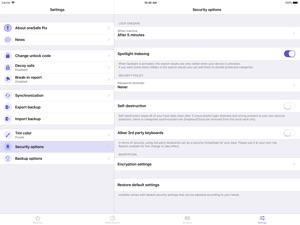
Also, the app gives you state-of-the-art security options such as autolock, self-destruction, a decoy safe, and break-in reports.
EASILY KEEP PHOTOS+VIDEOS ORGANIZED and SYNCHRONIZED
Adding photos to your secret vault is easy - you can take new pictures and videos, choose from your library, or import them. A full screen mode makes viewing your pictures and videos more enjoyable.
Inside oneSafe Pix, you'll find handy categories already set up for you in common categories such as friends, selfies, family, holidays, and video - just drop your photos and videos in to secure them. Add or edit categories to meet your needs, and even change the theme.
Use the Smart Views to find your photos and videos quickly. Mark them as Favorites so you can locate them easily later. Or, find photos using the built-in search tool.
STAY SAFE AND SECURE
Features of the oneSafe Pix app include:
• Safeguard photos and videos - Protect your important files with industry-leading AES 256 bit encryption
• Easy to use - Adding photos and videos is simple and you can lock the vault with the touch of a button or Touch ID !
• Double protection - A highly secure area protected by a second password keeps your most valuable information safe
• Be organized - Group your photos into custom folders, and search or find favorites easily
• Synchronization over iCloud (using CloudKit technology) to synchronize your photos and videos between your iPad and iPhone
• Advanced features - Enjoy state-of-the-art protection with autolock, self-destruction, a decoy safe, break-in reports, and more
oneSafe Pix is the only app you'll need to protect your important photos and videos. Try it today!