Updating
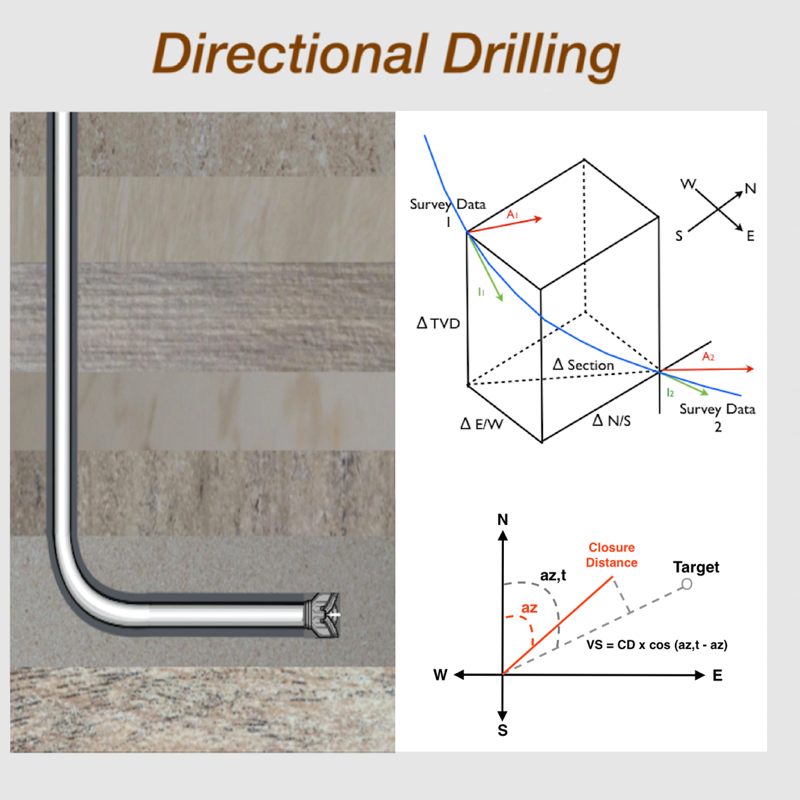
Directional Drilling
Released: 2015-03-04
© Copyright (c) 2015 Carlos Moura. All rights reserved.


iPhone Screenshots


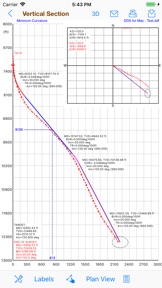

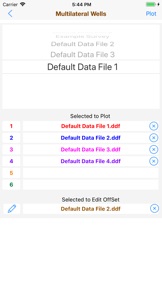
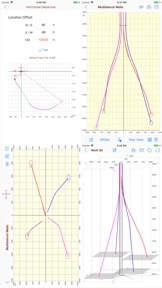

Description
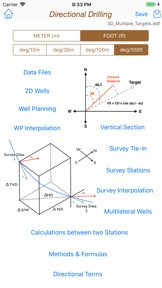
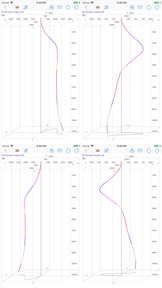
The Directional Drilling provides the useful tools for the drilling of oil wells with well planning, survey data, multilateral wells, plotting in vertical section, plan view and in X-Y-Z (3D), easy tools to create 2D wells and also to calculate 3D sections, calculations between two survey stations and formulas.
This app is designed for both iPhone and iPad. You can download it on your iPhone and also on your iPad.
Please, before you buy, make sure this app will be useful to you. Visit our website at www.wellcontrol.com.br and check the "User Guide".
This app was developed based on existing spreadsheets. There is no comparison with any other software.
Our goal was to create a low-cost application with the help of experts to share with drilling engineers, technicians, drillers, students and teachers of drilling engineering.
There is no intention to replace the professional softwares.
You can contribute with suggestions for improvements, correcting the translation to english, reporting bugs and spreading it to your friends.
Features:
1. Well Planning with Multiple Sections (Minimum Curvature);
2. Ability to work with data files;
3. Directional Survey: Edit, Add, Insert and Remove Survey Data;
4. Calculations Methods:
- Tangential
- Balanced Tangential
- Minimum Curvature (default)
- Radius of Curvature
- Angle Averaging
5. Print Reports;
6. Survey Data Calculations in 5 methods;
7. Formulas of the Methods;
8. Ability to work with length units: foot and meter (metre);
9. Vertical Section View, Plan View and X-Y-Z plotting.
10. Ability to Multilateral wells plotting limited to 6 wells.
11. Easy tool to create 2D Wells (Type I, II and Horizontal).
12. Easy tool to calculate 3D sections on well planning.
13. Sharing data files via email, iCloud and iTunes.
14. Import Well Planning (MD,Inclination,Azimuth) from CSV text format file;
15. Export Well Planning (MD,Inclination,Azimuth,Quadrant,TVD,HD,VSection,N/S,E/W,DLS,BUR,TRN) to CSV text format file;
16. Import Survey Data from CSV text format file;
17. Export Survey Table to CSV text format file;
18. Sharing data files with iPad, iPhone and iPod Touch via iCloud, iCloud Drive, AirDrop or email.
19. Well Planning Interpolations;
20. Ability to get a simulated survey (steps 10m, 30m, 100m or 100ft) from Well Planning interpolations;
User Guide: Download at http://www.wellcontrol.com.br
DISCLAIMER:
These tools & materials are provided 'as is' without warranties of any kind, express or implied.
Please verify the tools provided by this application by yourself before you use them. Ensure you understand the impact of using these tools.
Any use you choose to make of these tools & materials is undertaken by you entirely at you own risk.
What's New in Version 3.1
- Fixed sequence on exporting to CSV Text Format to: MD, INC, AZI, TVD, NS, EW,...
- Changed expression from "CSV Text" to "Import/Export" on views "Well Planning" and "Survey Stations"
Seller
Name
Carlos Moura
Information
Developer
Categories
Version
3.1
Size
20.4 MB
Game Center
No
VPP Device Licensing
Yes
Rating
Rated: 4+
Compatibility
iOS 10.0 or later
Devices
iPhone 5, iPhone 5c, iPhone 5s, iPhone 6, iPhone 6 Plus, iPhone 6s, iPhone 6s Plus, iPhone SE, iPhone 7, iPhone 7 Plus, iPhone 8, iPhone 8 Plus, iPhone X, iPhone XR, iPhone XS, iPhone XS Max, iPhone 11, iPhone 11 Pro, iPhone 11 Pro Max, iPhone SE (2nd generation), iPhone 12, iPhone 12 Pro, iPhone 12 Pro Max, iPhone 12 mini, iPad (4th Generation) (Wi-Fi), iPad (4th Generation) (4G), iPad (5th Generation) Wi-Fi, iPad (5th Generation) Wi-Fi + Cellular, iPad (6th generation) Wi-Fi, iPad (6th generation) Wi-Fi + Cellular, iPad Pro, iPad Pro (Cellular), iPad Pro (9.7-inch), iPad Pro (9.7-inch) (Cellular), iPad Pro 12.9-inch (2nd generation), iPad Pro 12.9-inch (2nd generation) Wi-Fi + Cellular, iPad Pro (10.5-inch), iPad Pro (10.5-inch) Wi-Fi + Cellular, iPad Pro (11-inch), iPad Pro (11-inch) Wi-Fi + Cellular, iPad Pro 12.9-inch (3rd generation), iPad Pro 12.9-inch (3rd generation) Wi-Fi + Cellular, iPad Air, iPad Air (Cellular), iPad Air 2, iPad Air 2 (Cellular), iPad Air (3rd generation), iPad Air (3rd generation) Wi-Fi + Cellular, iPad mini Retina, iPad mini Retina (Cellular), iPad mini 3, iPad mini 3 (Cellular), iPad mini 4, iPad mini 4 (Cellular), iPad mini (5th Generation), iPad mini (5th Generation) Wi-Fi + Cellular, iPad (7th generation) Wi-Fi + Cellular, iPad Pro 11-inch (2nd generation), iPad Pro 11-inch (2nd generation) Wi-Fi + Cellular, iPad Pro 12.9-inch (4th generation), iPad Pro 12.9-inch (4th generation) Wi-Fi + Cellular, iPad Air (4th Generation) (Wi-Fi), iPad Air (4th Generation) (Wi-Fi + Cellular), iPad (8th generation) Wi-Fi, iPad (8th generation) Wi-Fi + Cellular, iPod touch (6th Generation), iPod touch (7th generation)
Languages
English
App Store: Customer Ratings
Ratings & Reviews
0.0 of 5 (No rating)
App Store: Customer Reviews
No Entry