AboutTermsPrivacyContact
 
Updating
Batch Resize

Batch Resize

Released: 2017-01-27
© 2017 - 2021 Codenia
Batch Resize - QR Code
Version 5.3
4+
Download on the App Store
Version 5.3
4+
Download on the App Store
Released: 2017-01-27
© 2017 - 2021 Codenia

iPhone Screenshots

Screenshot
Screenshot
Screenshot
Screenshot
Screenshot
Screenshot

iPad Screenshots

Screenshot
Screenshot
Screenshot
Screenshot
Screenshot
Screenshot

Description

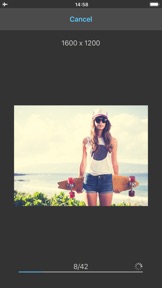
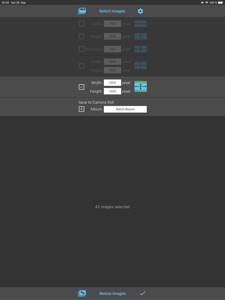
This app allows you to resize up to 500 images at once to whatever size in pixels you like, quickly and easily.
You can specify the output format using one of the following four resize modes:
1. Fixed width (Proportional height)
2. Fixed height (Proportional width)
3. Maximum pixel (Proportional width or height)
4. Aspect Fill: Scale the image to fill the output size (Some parts will be clipped)
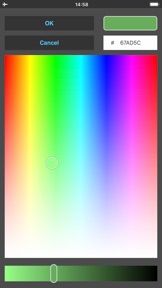
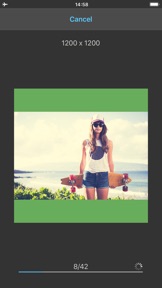
5. Aspect Fit: Scale the image to fit the output size (Some parts will be filled with the defined color)
Batch Resize gives you the option to save the resized images in Camera Roll and additionally in a custom album.
The maximum output size for 32 bit devices is limited to 4000 x 4000 pixels and for 64 bit devices to 8000 x 8000 pixels.

What's New in Version 5.3

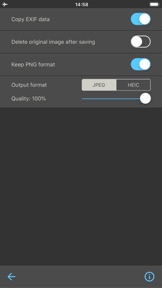
The PNG format and transparency is now preserved.

Seller

Name

Vitalij Schaefer

Information

Categories

Version

5.3

Size

14.7 MB

Game Center

No

VPP Device Licensing

Yes

Rating

Rated: 4+

Compatibility

iOS 11.0 or later

Devices

iPhone 5s, iPhone 6, iPhone 6 Plus, iPhone 6s, iPhone 6s Plus, iPhone SE, iPhone 7, iPhone 7 Plus, iPhone 8, iPhone 8 Plus, iPhone X, iPhone XR, iPhone XS, iPhone XS Max, iPhone 11, iPhone 11 Pro, iPhone 11 Pro Max, iPhone SE (2nd generation), iPhone 12, iPhone 12 Pro, iPhone 12 Pro Max, iPhone 12 mini, iPad (5th Generation) Wi-Fi, iPad (5th Generation) Wi-Fi + Cellular, iPad (6th generation) Wi-Fi, iPad (6th generation) Wi-Fi + Cellular, iPad Pro, iPad Pro (Cellular), iPad Pro (9.7-inch), iPad Pro (9.7-inch) (Cellular), iPad Pro 12.9-inch (2nd generation), iPad Pro 12.9-inch (2nd generation) Wi-Fi + Cellular, iPad Pro (10.5-inch), iPad Pro (10.5-inch) Wi-Fi + Cellular, iPad Pro (11-inch), iPad Pro (11-inch) Wi-Fi + Cellular, iPad Pro 12.9-inch (3rd generation), iPad Pro 12.9-inch (3rd generation) Wi-Fi + Cellular, iPad Air, iPad Air (Cellular), iPad Air 2, iPad Air 2 (Cellular), iPad Air (3rd generation), iPad Air (3rd generation) Wi-Fi + Cellular, iPad mini Retina, iPad mini Retina (Cellular), iPad mini 3, iPad mini 3 (Cellular), iPad mini 4, iPad mini 4 (Cellular), iPad mini (5th Generation), iPad mini (5th Generation) Wi-Fi + Cellular, iPad (7th generation) Wi-Fi + Cellular, iPad Pro 11-inch (2nd generation), iPad Pro 11-inch (2nd generation) Wi-Fi + Cellular, iPad Pro 12.9-inch (4th generation), iPad Pro 12.9-inch (4th generation) Wi-Fi + Cellular, iPad Air (4th Generation) (Wi-Fi), iPad Air (4th Generation) (Wi-Fi + Cellular), iPad (8th generation) Wi-Fi, iPad (8th generation) Wi-Fi + Cellular, iPad Pro 11-inch (3rd generation), iPad Pro 11-inch (3rd generation) Wi-Fi + Cellular, iPad Pro 12.9-inch (5th Generation), iPad Pro 12.9-inch (5th Generation) Wi-Fi + Cellular, iPod touch (6th Generation), iPod touch (7th generation)

Languages

English, Chinese, Dutch, French, German, Italian, Japanese, Korean, Portuguese, Russian, Spanish

App Store: Customer Ratings

Ratings & Reviews

4.0 of 5 (36 Ratings)

App Store: Customer Reviews

2020-12-26

Duping bug with recent update?

I absolutely love this app and it's more than worth the price. I use it almost every day and it's been a lifesaver!
There does seem to be a bug, unsure whether this is already known, but since the last update, I've noticed that it's randomly making doubles of images. This threw me off a few times, and I had to tediously go through images side by side to figure out what was going on.
If I have 100 images on my photo roll to resize, I'll import them into the app, like usual. But once I resize them, it will then somehow duplicate the images to, let's say, 103. I would then have to go through the pics to pinpoint which of the images were being doubled.
Definitely a bit frustrating when you're sometimes going through 200+ images at a time. It would be fantastic if this could soon be fixed :D
RaptorRainedeer
Version 4.6
2020-01-26

Doesn’t resize - just rescales

I need to actually resize to fit the entire image in a fixed frame. An option to NOT maintain aspect ratio would make this 5 stars.
LJR-OTT
Version 3.9
2019-01-06

Rapetisser

J'ai rapetissées les photos et imprimées et vraiment de piètre qualité! Je supprime cette app! Perte de temps grrr...!
Lady Phoenix 2
Version 2.4