Description
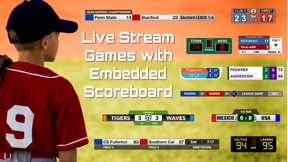
Meet ScoreCam, the 1st and only iOS video recording app with embedded scoreboard ("TapBoard") technology. It's simply the best way to film (and score) your next volleyball, basketball, soccer or little league baseball game. Parents, coaches and friends can make fantastic sports videos and now, with version 3.0 and higher, can LIVE STREAM all the action!
Here are just a few reasons why we think you'll love ScoreCam:
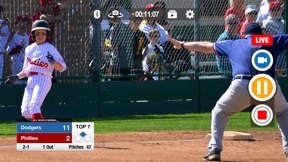
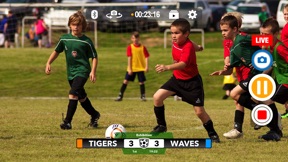
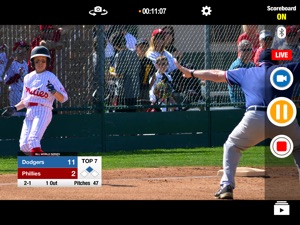
• Embedded Scoreboard - With ScoreCam you can embed a configurable Scoreboard into the video feed. Its just like a real-time sportscast ... and your kids or players will love it when replaying the videos!
• Live Streaming (subscription required) - Now parents and fans who can't make a game or tournament can now, virtually, be at all the games with ScoreCam's latest Live Streaming feature.
• Team Logos - Add your team’s logo to a supported scoreboard and you are now recording and streaming like a pro!
• Capture Highlight video clips without stopping the recording - Ever see a great play and wish there was a way to instantly capture a highlight clip for later watching? Now you can with ScoreCam's latest feature called Highlights!
• Interactive Scoring Controls - Change the score for either team with a swipe of the finger (or tap on the scoreboard). Tap and hold on the Scoreboard area to edit styles, change team names, swap sides, change the interval, and more. It’s completely interactive and customizable.
• Pause/Resume Video Recording - One of the main features you need to record a game is missing from Apple's Camera app. No worries, we have you covered. Use the dedicated Pause/Resume button to freeze the action during time-outs or lulls in the play. Reduce a 2 hour game to 30 minutes or less!
• Hot Camera - Of course you can take photos as well. With the "hot" camera function you can even take picture while you are recording the action. These stills are perfect to message or tweet the score of the game.
ScoreCam offers the following Subscriptions:
1) Live Streaming / PRO (1 Year): ONE YEAR of FULL access to ScoreCam and any updates during that period. This includes Live Streaming and all PRO features. Comes 1 week of FREE ACCESS.
2) Live Streaming / PRO (1 Month): ONE MONTH of FULL access to ScoreCam and any updates during that period. This includes Live Streaming and all PRO features. Comes with 1 week of FREE ACCESS.
Additional Information on Subscriptions
• Payments will be charged to iTunes Account at confirmation of purchase and after the 1 week trial period.
• Subscription will automatically renew unless auto-renew is turned off at least 24-hours before the end of the current period
• Account will be charged for renewal within 24-hours prior to the end of the current period. Price is $19.99 USD for 1 year subscriptions and $5.99 USD for 1 month. Price is subject to change at any time but any increase will require direct re-approval by the user.
• Subscriptions may be managed by the user and auto-renewal may be turned off by going to the user's Account Settings after purchase
• Any unused portion of a free trial period, if offered, will be forfeited when the user purchases a subscription to that publication, where applicable
See our Terms of Use at: http://scorecam.pydmsw.com/terms.html
Questions? Visit our website for feedback, tips, tricks and more. (See 'ScoreCam Help & Support' under settings for a link to our support site)
What's New in Version 3.7.5
What's new in 3.7.5:
- Fixed bug where, under certain situations, swapped Live Stream Link and Live Stream Key values which caused Live Stream errors
- Added new scoreboard which allows for Team Logos to be added to a scoreboard (See Scoreboard Settings > Scoreboard Style > Logoboard)
* Team logos are also supported on Longboard II and Longboard (clock) scoreboards
* PNG images with Transparency are supported and recognized (as long as PNG images are created with transparency)
* Images can be selected from Photo Library, Document Browser (Files) or take a photo with built-in camera
* Toggle team logos on/off from scoreboard settings area (Scoreboard Settings > Team Names, Colors & more > Use Team Logo Graphics)
* Team Logos are unique to each supported scoreboard (i.e., not shared across scoreboards)
- Top bar controls now move to bottom when scoreboard is positioned at top of screen (iPhone/iPod devices only)
- Fixed bug in Scoreboard settings which could cause a crash in very rare situations
- Fixed "Show Game Clock" toggle where clock still showed after changing this setting.
- Scoreboard styles have been re-ordered (Scoreboard Settings > Scoreboard Style)
- Added in web-based live streaming help for Facebook. This page will always contain the latest setup instructions and issues even though Facebook Live is not officially supported
- Added a "Sharable Link" field to the live stream accounts area which allows the Live Stream Link URL to be saved for future reference