AboutTermsPrivacyContact
 
Updating
Draw Pad Pro

Draw Pad Pro

Released: 2011-12-15
© Fishington Studios 2014
Draw Pad Pro - QR Code
Version 4.0.0
4+
Download on the App Store
Version 4.0.0
4+
Download on the App Store
Released: 2011-12-15
© Fishington Studios 2014

iPhone Screenshots

Screenshot
Screenshot
Screenshot
Screenshot
Screenshot

iPad Screenshots

Screenshot
Screenshot
Screenshot
Screenshot
Screenshot

Description

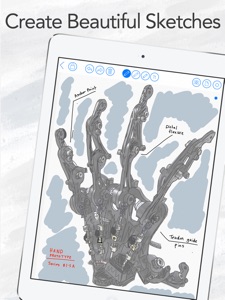
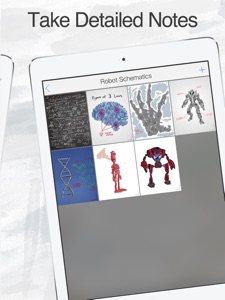
With nearly 3 million downloads to date, Draw Pad Pro is a clear and compelling choice for taking notes. The app is designed as a beautiful and innovative way to create and manage all your thoughts, ideas, sketches, scribbles, and more. It offers a variety of customization options, powerful productivity features, and sharing capabilities. Draw Pad Pro is built to take advantage of the latest in iOS technology, and works beautifully on all your devices.
Download Draw Pad Pro today, and enjoy its simplicity and functionality. Use the app for your next big idea or project.
Terms of Use can be found at https://fishington-studios.web.app/terms-and-conditions.html

What's New in Version 4.0.0

- New Drawing Engine
- Dark Mode Supported
- Sort and Filter your Sketches by Tags
- Organize your Sketches using Sections
- Cloud Syncing

Seller

Name

Fishington Studios

URL

Information

Categories

Version

4.0.0

Size

25.7 MB

Game Center

No

VPP Device Licensing

Yes

Rating

Rated: 4+

Compatibility

iOS 13.0 or later

Devices

iPhone 5s, iPhone 6, iPhone 6 Plus, iPhone 6s, iPhone 6s Plus, iPhone SE, iPhone 7, iPhone 7 Plus, iPhone 8, iPhone 8 Plus, iPhone X, iPhone XR, iPhone XS, iPhone XS Max, iPhone 11, iPhone 11 Pro, iPhone 11 Pro Max, iPhone SE (2nd generation), iPhone 12, iPhone 12 Pro, iPhone 12 Pro Max, iPhone 12 mini, iPhone 13, iPhone 13 Pro, iPhone 13 Pro Max, iPhone 13 mini, iPhone SE (3rd generation), iPhone 14, iPhone 14 Plus, iPhone 14 Pro, iPhone 14 Pro Max, iPhone 15, iPhone 15 Plus, iPhone 15 Pro, iPhone 15 Pro Max, iPhone 16, iPhone 16 Plus, iPhone 16 Pro, iPhone 16 Pro Max, iPhone 16e, iPhone 17, iPhone 17 Pro, iPhone 17 Pro Max, iPhone Air, iPad (5th Generation) Wi-Fi, iPad (5th Generation) Wi-Fi + Cellular, iPad (6th generation) Wi-Fi, iPad (6th generation) Wi-Fi + Cellular, iPad Pro, iPad Pro (Cellular), iPad Pro (9.7-inch), iPad Pro (9.7-inch) (Cellular), iPad Pro 12.9-inch (2nd generation), iPad Pro 12.9-inch (2nd generation) Wi-Fi + Cellular, iPad Pro (10.5-inch), iPad Pro (10.5-inch) Wi-Fi + Cellular, iPad Pro (11-inch), iPad Pro (11-inch) Wi-Fi + Cellular, iPad Pro 12.9-inch (3rd generation), iPad Pro 12.9-inch (3rd generation) Wi-Fi + Cellular, iPad Air, iPad Air (Cellular), iPad Air 2, iPad Air 2 (Cellular), iPad Air (3rd generation), iPad Air (3rd generation) Wi-Fi + Cellular, iPad mini Retina, iPad mini Retina (Cellular), iPad mini 3, iPad mini 3 (Cellular), iPad mini 4, iPad mini 4 (Cellular), iPad mini (5th Generation), iPad mini (5th Generation) Wi-Fi + Cellular, iPad (7th generation) Wi-Fi + Cellular, iPad Pro 11-inch (2nd generation), iPad Pro 11-inch (2nd generation) Wi-Fi + Cellular, iPad Pro 12.9-inch (4th generation), iPad Pro 12.9-inch (4th generation) Wi-Fi + Cellular, iPad Air (4th Generation) (Wi-Fi), iPad Air (4th Generation) (Wi-Fi + Cellular), iPad (8th generation) Wi-Fi, iPad (8th generation) Wi-Fi + Cellular, iPad Pro 11-inch (3rd generation), iPad Pro 11-inch (3rd generation) Wi-Fi + Cellular, iPad Pro 12.9-inch (5th Generation), iPad Pro 12.9-inch (5th Generation) Wi-Fi + Cellular, iPad (9th Generation), iPad (9th Generation) Wi-Fi + Cellular, iPad mini (6th Generation), iPad mini (6th Generation) Wi-Fi + Cellular, iPad Air (5th generation), iPad Air (5th generation) Wi-Fi + Cellular, iPad Pro 11-inch (4th generation), iPad Pro 11-inch (4th generation) Wi-Fi + Cellular, iPad Pro 12.9-inch (6th generation), iPad Pro 12.9-inch (6th generation) Wi-Fi + Cellular, iPad (10th generation), iPad (10th generation) Wi-Fi + Cellular, iPad Air 11-inch (M2) Wi-Fi, iPad Air 13-inch (M2) Wi-Fi, iPad Air 13-inch (M2) Wi-Fi + Cellular, iPad Pro 11-inch (M4) Wi-Fi, iPad Pro 11-inch (M4) Wi-Fi + Cellular, iPad Pro 13-inch (M4) Wi-Fi, iPad Pro 13-inch (M4) Wi-Fi + Cellular, iPad mini (A17 Pro) Wi-Fi, iPad mini (A17 Pro) Wi-Fi + Cellular, iPad (A16) Wi-Fi, iPad (A16) Wi-Fi + Cellular, iPad Air 11-inch (M3) Wi-Fi, iPad Air 11-inch (M3) Wi-Fi + Cellular, iPad Air 13-inch (M3) Wi-Fi, iPad Air 13-inch (M3) Wi-Fi + Cellular, iPad Pro 11-inch (M5) Wi-Fi, iPad Pro 11-inch (M5) Wi-Fi + Cellular, iPad Pro 13-inch (M5) Wi-Fi, iPad Pro 13-inch (M5) Wi-Fi + Cellular, iPod touch (6th Generation), iPod touch (7th generation)

Languages

English

App Store: Customer Ratings

Ratings & Reviews

4.5 of 5 (25 Ratings)

App Store: Customer Reviews

2017-08-23

Don't bother

You have to make an account, although it won't allow you to make an account. Dumbest thing ever.
imawens
Version 3.2.1
2014-10-22

Lock is not as illustrated

I bought the option to lock my notes because they showed a 'closed' notebook. The lock only stops access to opening it. You actually see all your notes right there open for everyone to see. That is not how they show it, so as it is, definitely not worth the money. Hope they fix this. I do like the app.
54321nn
Version 3.0
2014-09-27

Needs more work

Okay so you are writing or drawing something and have made a error, why can't you just erase the error instead of having to delete the whole page. C'mon!
Jatta12
Version 2.5
2014-06-19

Crashing

I enjoyed this and put a bunch of time into it and now it crashes every time I open, I don't want to re-download cause I will loose my work, please update and fix.
454890384j
Version 2.4
2014-02-12

Brutal

Before the last iOS update this app would random delete pages of my work. Since the update this has been the most painful app I've ever had to use.
CBJ87
Version 2.4
2013-09-15

The product works as advertised and more!

Really handy app here! It is especially useful with its ability to let you zoom in the most important part of a page and leave that zoomed portion showing in the thumbnail preview when you look at various pages in a notebook. This is helpful if you want to be reminded of the most important part of a page.
The ability of this app to let you zoom various areas of a page allows you to create very detailed drawings. This is the strongest feature of the app in my opinion.
The ability to take pictures, make notes on those pictures and add audio to a page is very powerful. There are backup capabilities that are very useful, such as turning an entire notebook into a PDF and then mailing it to yourself.
I find this app very useful. There's much more to it than I am expressing here, so check it out!
Stevertor
Version 2.3
2013-08-29

.

This is very bad. I have lost work on numerous occasions.
edhed181
Version 2.3
2013-08-26

Beware

Beware in that after purchasing the product it appears the developers can lock you out of the program. Today, Mon. Aug. 26h, 2013 when attempting to open the program, an Ad promoting add-ons for the product appears. At this time there is no way to by pass this and enter the program. But I bet if I bought an add-on it would. This is supposed to be a Monday special, so I bet it will miraculously work tommorow.
P. O'hd
Version 2.3
2013-08-12

Fantastic!

Great tool for planning my things!
Babylon The Right
Version 2.3
2013-07-31

Awesome Product

Layout not always the best at times other this is one of the best draw apps on the market.
P-puzzles
Version 2.3
2013-05-28

Sympathique :-)

Facile d'utilisation et stable.
thalya67
Version 2.1
2013-04-09

Could use some work

The previous version was much better. It was much more user friendly.
Cons:
I cannot add text despite downloading the in app purchase for it. I tap the icon and nothing happens, no text box, not even the ipad keyboard pops up.
The eraser also does not erase, simply makes a greyish smudge, when we want to erase we want it to be gone so now we have to change the pen colour to white and re-draw over it.
Less pen colours and eraser sizes
Pen is laggy and is unresponsive almost every other stroke.
I have not bought the other in app purchases so I cannot make any comments. But I've heard the photo in app purchase is buggy
Pros:
The 'add page' button is not at the bottom of the screen so we don't have to worry about accidentally adding a new page.
New way to show and edit pages is much easier.
Suggestions:
Addable Moveable and sizeable math charts and diagrams would be useful. Eg) ven diagram, t-chart, intersecting lines for graphs, editable column/pie etc graphs
Dividers would be useful. The ability to split up different subjects within the same page
Addable and movable 3d objects eg) pyramids
Fanfic writer ^v^
Version 2.0
2013-04-04

Fail game

This is a really fail game and you can't even zoom out of pictures to make them smaller you can only zoom in and when you do zoom in its all blurry.Do yourself a favour and don't buy this game it's not worth it.:(
Chum master
Version 2.0
2012-08-11

Laggy and Unresponsive

While I like the interface, it's laggy and unresponsive, unable to keep up with my movements.
This really ruins the app for me.
EarlWheeler
Version 1.2
2012-06-23

No landscape mode

I simply deleted this app from my iPad because I cannot use it in landscape mode.
Farsag
Version 1.2
2012-06-02

Great app.

Works good
Mikkie_ca
Version 1.2
2012-05-21

Stylus needed and pricy add-ons

One of the best apps for drawing. Good for teaching your stuffed animals (hee,hee) and blueprints. Also good for maps. The first problem is you need a stylus. The 2nd problem is you need to PAY precious money for it and add-ons.
Wolfy Marcroft
Version 1.2
2012-05-15

Wrist protection!!

Not working on iPad3!! Almost useless without this! Please fix.
JaredMC
Version 1.2
2012-05-14

Needs one more thing please....

Great app only thing I would like if at all possible would be wrist protection, I hope I am not the only human on the planet that likes to rest his wrist on the paper that he is writing on
sven fingers
Version 1.2
2012-05-14

Needs a sync feature

Could you guys add a sync feature to sync it online? Would be nice to access it anywhere.
heycinderella
Version 1.2
2012-05-14

Good

Kinda pricy and the file size is bit large for a note taking app.
Smallvilles2k
Version 1.2
2012-05-11

No keybord and no undo

J'aime bien tous les améliorations, mais la barre de fonction est trop sensible. Je suis en train de faire un dessin avec photo prise et j'accroche le changement de page ou la barre légèrement avec mon avant bras et sa change de page, je perd mon image, ...
Deux amélioration devrait être ajouté: barrer la barre (et le changement page) d'option pour le pas les choisir par accident, sinon la possibilité de la changer d'endroit et la possibilité de faire un cahier dans le sans paysage pour les écriture.
Merci pour cette merveilleuse app
Voici ma critique de la version 1:Great app, but missing things like, undo, keybord, and naming your book. The rest is very usefull
Psytaz
Version 1.2
2012-05-01

Good

Lots of fun
vinked28
Version 1.2
2012-04-22

chaime

j'ai acheté la version complete et seul la version a $1.99 a ete installée sur mon iphone payée "$2.99 pour rien qui ma coutée en tout $4.98 plus taxe
chaime
Chaime@videoton.ça
Version 1.2
2012-04-12

Not Very Functional

Pros: lots of customization options, ink colors, paper types, and notebook styles.
Cons: crashed when I tried to go to the store, app wouldn't record all my pen strokes, slow, not very responsive.
Overall, two lousy pencil sketches out of five.
DStaffen
Version 1.2
2012-04-11

Très bien!

J'aime le concept de cette application, elle est plus adaptée pour un IPad mais je réussi à l'utiliser sur mon IPod.
Toutefois voici quelques points à améliorer:
1- Dans mes premiers 24 heures l'application a "planté" (cessé de fonctionner) environ 8 fois!
2- J'aimerais pouvoir changer les nuances des couleurs (+/- foncé), peut-être un aérographe?
3- J'aimerais avoir un plus grand choix de couleurs.
4- Lorsque je choisis une image comme "fond de calque" pour choisir de modèle, je suis incapable de modifier ses dimensions et/ou sa position. Lorsque j'utilise 2 doigts pour "pincer" l'image afin de changer ses dimensions, l'image reprend ses dimensions originales.
Et voilà!
Jean P. Richard
Jean P. Richard
Version 1.2
2012-04-07

Great but...

Why do we have to pay for more features. They should be available for free for people who bought the software when it first came out. If you want to get more money, increase the price a little bit but include everything. I hate this selling model.
Rising Mos
Version 1.2
2012-04-06

Draw pad

Good application
Some minor bugs but works well
I strongly suggest to add cut and paste functionality
Cheers
Mco59
Version 1.2
2012-03-31

Amazing!

So easy! Just drag your finger and your drawing! It's very good for me in high school when I need to do math rough work and have no paper!
Carter Tinsley
Version 1.2
2012-03-24

awesome

awesome
rrohr
Version 1.2
2012-03-17

Cool app

Cool app - very fun to use and very useful!!!
Needs an "undo" function, the ability to type text, and the ability to insert standard shapes like boxes, circles, and triangles etc.
Highlighting would be a cool add-on too but since on can change the text color and pen stroke, it is not missed much
Update: as gotten better with the new add on at 2.99 for the whole package, it's still a bargain. Can a "fill" option be included in the next update?
Wes Nawfal
Version 1.2
2012-03-12

Good product

Good product. If only they can allow the background of a photo (image) to remain in the background when erasing drawings (lines) that need correction and not to completely remove image. No other software offers that.
Georgespir
Version 1.2
2012-03-11

Paying?

Why do we have to pay for the new update?
Magaspike
Version 1.2
2012-03-10

Nice

Thank u
Ben01031989
Version 1.2
2012-03-07

Its okay because....

1. It alows you to zoom in where you draw
2. Highly organizeable.
3. Many different colours and sizes for you brush
Things to improve/ do
1.Please alow us to add in text (MAJOR THING THAT WOULD MAKE THIS APP 5 stars!!!)
2. include a undo button ontop of the eraser button
Other than that the app is great but if you add a text feature this would easily be 5 stars
keep it up this is a great app
kiwidude 5
Version 1.2
2012-03-05

Excellent notebook app

This app is great! In app purchases are worthwhile too, but not necessary to make it a good notebook. Good variety of looks to the notebooks, lets you set it up just the way you like it. Would like to see cut and paste ability and a way to change the size of typed characters, but overall a very good app.
OmicronTheta
Version 1.2
2012-03-04

it's GREAT! ....but...

...I find it slightly annoying when I go to choose the different page types (lines, blank, grid, etc.) i think a thumbnail layout of them would be much more convenient.
also about buying the add-ons...
it's great otherwise!
thanks~
exclaimhello
Version 1.2
2012-03-04

Avis

Excellent
J00J
Version 1.2
2012-03-02

Good product, excellent support

I was looking for a small app for my iPad that would combine both drawing and note taking capability with an easy to use interface. This small program fulfills my basic needs and for the price it is difficult to fault. The cost is more than reasonable and even adding the photo add-on at .99 cents it is still great value for the money. This isn't CorelDraw - it's a basic program that does what the designers intend it to do. And it does it well.
I had a small re-installation issue due to my own fault. I thought I had a problem with having to purchase the photo add-on again through iTunes. So I contacted Fishington Studios directly by email. Jon, from their company, replied to me promptly, clarified things and explained that there was no additional cost for re-installation of the photo add-on.
I agree with other customers that an 'undo' would help and possibly better instructions would be of value. However, with a small amount of time it really is easy get started. The photo add-on is a must because it increases the usage of the program still further. I bought a Wacom stylus to further assist me in note taking and sketching which makes Draw Pad Pro even easier to use. With an 'undo' capability upgrade I'll change this to 5 star rating.
It's a very good product backed up by excellent customer service. You'll be happy you purchased it.
Edit: They have now updated with an undo and other great new features, worth 5 stars.
cp7400
Version 1.2
2012-03-01

Great notebook app

Great notebook app, the best I have seen. The 2.99$ add-on purchase is worth it to have a complete tool all in one.
Normz2
Version 1.1
2012-03-01

Great app

Really u r gonna make us pay for a text add on when we could just use the notes app that the phone comes with now it's just crap make it free and ud get five stars by more than just me
cartoonwalrus
Version 1.1
2012-03-01

Not a bad start

Edit:updated and lost all app content very sad!
Not a bad start. The export to PDF does not have book titles for some reason just a blank cover page. And resizing photos results in a drastic loss of quality. It would be nice to be able to add text.
I think this app has a lot I potential can't wait for updates.
Worth downloading.
Jeff__D
Version 1.1
2012-03-01

Awesome

I loved this app... Until I updated it with the latest version. I lost absolutely all my work pages. I will only forgive if you unlock all the add ons!
Gojuboy
Version 1.1
2012-03-01

Good for sketching

I could list things that it doesn't have found in larger programs but for straight sketching it is quite good. My wish list includes text, image transparency, and gradients or some way of blending.
Mikeholl
Version 1.1
2012-02-18

very limited

very disappointed to find that it does not rotate to landscape
Bkcca
Version 1.0
2012-02-08

.

It needs typing !!!
Add typing to it then in will be 100%
Rusted toe
Version 1.0
2012-02-06

Unfinished App

Overall, it's can be very nice. Sometimes there is no Back or Cancel button, and you stuck – must choose something.
• It's not optimized for retina display!
• The illustration you create is raster and not vector, compared ti what competitive apps suggest. Vector in that case is better, and here it's only raster. PDF export is available, but not as vector.
d73p458
Version 1.0
2012-02-03

Needs work

I've tested out a few notebook apps and this one is a little less impressive than some of the others I've tried. The ability to zoom in is a neat function for being able to write more legibly but you need to manually scroll the page every couple of seconds just to complete a sentence which renders it useless. Also they should implement a landscape mode to allow palms to rest. Design-wise it had a lot of potential over its competitors but unless they resolve these functionality issues the design aspect is moot. I believe it can be a great app with some more work. Good luck.
musicgeekstress
Version 1.0
2012-02-01

Lame

This should be able to type.. Not only draw -_____-
Embeeeya
Version 1.0
2012-02-01

It's good but if have landscape support it'll be great

It's free. It works as advertised, and it doesn't do the annoying "auto smooth" when sketching. Unfortunately it doesn't do the landscape mode very well. I would like to see the next update that doesn't landscape and add multitasking too
AdrianAng23
Version 1.0
2012-01-25

Landscape view!!!!

NEEDS A LANDSCAPE VIEW!!!!
besides that it is amazing
Me101.,.
Version 1.0
2012-01-25

It's great.

Great app. Great setup. Should be able to add text boxes though.
bgoody77
Version 1.0
2012-01-25

Not bad

But it reeeeeeealy needs some kind of keyboard text entry, otherwise it's hard to "write" anything on the smaller iOS devices.
ChronicV
Version 1.0
2012-01-25

Finally!

This app is a great addition to the note taking genre.
This is the first app that actually has a pinch zoom to enable you to write smaller notes on your page without having a separate zoom bar at the bottom to write those tiny notes. amazing!!!
It comes with tons of paper choices and the UI is easy on the eyes.
My only gripe so far is that there isn't a highlighter option. I'm in engineering and highlighters are a must for me other wise important info gets lost in all the notes I take. If you guys update with a high liter Option I'll 5 star.
deputybrown
Version 1.0
2012-01-25

Needs iPhone functionality update

The app is a great concept but it's next to impossible to get anything into your notebook. (iPhone 4)
Ive unlocked the pic function but can only add one pic per page. (no indication of such limit)
Desperately needs an undo function and the ability to type text.
Zooming all the way in to write a single word is very cumbersome and the final result isnt very pleasing once you zoom out. Switching between the pen and eraser becomes frustrating aswell.
I would like to use this to quickly jot down inspiration but it takes way to much time to input anything. Ideas come and go and I would like to see an update which will reflect that notion.
The examples given look amazing but I'm not sure such a clean result is possible for those of us on iPhones.
As of now it's faster for me to take a photo into my camera roll and type something quick into my notepad. Please address these issues!
WolfdreG
Version 1.0
2012-01-25

Palm rest anyone?

You can't really do anything in this app the second you try and draw or write anything you hit all the buttons at the bottom, and you cannot rest your hand anywhere, it's okay if you can draw or write without ever touching the screen except exactly where you want to mark it.
It has lag and bugs, but I will say the concept is nice, books are simple nicely designed, no lined paper, with some more work and the ability to actually write in the book it has great potential.
Jolier
Version 1.0