AboutTermsPrivacyContact
 
Updating
SpeakerClock

SpeakerClock

Released: 2010-03-03
© 2010 Drobnik.com
SpeakerClock - QR Code
Version 1.1.4
4+
Download on the App Store
Version 1.1.4
4+
Download on the App Store
Released: 2010-03-03
© 2010 Drobnik.com

iPhone Screenshots

Screenshot
Screenshot

iPad Screenshots

Screenshot
Screenshot

Description

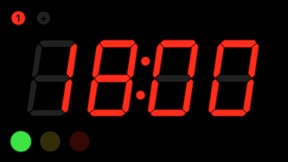
Big red LED digits allow you to see the timer even at great distance so you are free to move while you give the talk of your life. SpeakerClock emulates the famous countdown clock that all speakers at TED conferences need to adhere to.
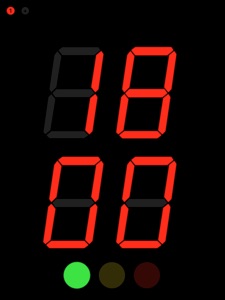
The latest version is a universal app with HD-support for iPad, multiple presets and lots of usability enhancements. New portrait support allows you to put your iPhone/iPad in the cradle and still use SpeakerClock. Now the whole screen flashes if you transition into a new phase of your speech.
Start the clock and place it within your view when giving a public talk to see at a glance how much speaking time you have remaining. The "traffic light" gives you visual feedback when it's time to wrap up or make your closing remarks.
Use it for actual public speeches or train with it for the fateful day when you too get the call to speak on important issues.
Features:
- tap to start/stop timer
- double-tap or tap preset button to reset to preset
- swipe to set timer
- push&hold preset button to store as new preset
- push&hold yellow or red light to store as new threshold
"Personally I use SpeakerClock when timing the recording of YouTube videos. This way I never run over the maximum 10 minutes there and the "traffic light" helps me nail my closing arguments every time!"

What's New in Version 1.1.4

App updated to work with iOS 10. Removed the defunct About View. Please refer to the app store description for basic instructions on how to use the app.

Information

Developer

Categories

Version

1.1.4

Size

13.6 MB

Game Center

No

VPP Device Licensing

Yes

Rating

Rated: 4+

Compatibility

iOS 8.0 or later

Devices

iPhone 4S, iPhone 5, iPhone 5c, iPhone 5s, iPhone 6, iPhone 6 Plus, iPhone 6s, iPhone 6s Plus, iPhone SE, iPhone 7, iPhone 7 Plus, iPhone 8, iPhone 8 Plus, iPhone X, iPhone XR, iPhone XS, iPhone XS Max, iPhone 11, iPhone 11 Pro, iPhone 11 Pro Max, iPhone SE (2nd generation), iPad 2 (Wi-Fi), iPad 2 (3G), iPad (3rd Generation) (Wi-Fi), iPad (3rd Generation) (4G), iPad (4th Generation) (Wi-Fi), iPad (4th Generation) (4G), iPad (5th Generation) Wi-Fi, iPad (5th Generation) Wi-Fi + Cellular, iPad (6th generation) Wi-Fi, iPad (6th generation) Wi-Fi + Cellular, iPad Pro, iPad Pro (Cellular), iPad Pro (9.7-inch), iPad Pro (9.7-inch) (Cellular), iPad Pro 12.9-inch (2nd generation), iPad Pro 12.9-inch (2nd generation) Wi-Fi + Cellular, iPad Pro (10.5-inch), iPad Pro (10.5-inch) Wi-Fi + Cellular, iPad Pro (11-inch), iPad Pro (11-inch) Wi-Fi + Cellular, iPad Pro 12.9-inch (3rd generation), iPad Pro 12.9-inch (3rd generation) Wi-Fi + Cellular, iPad Air, iPad Air (Cellular), iPad Air 2, iPad Air 2 (Cellular), iPad Air (3rd generation), iPad Air (3rd generation) Wi-Fi + Cellular, iPad mini (Wi-Fi), iPad mini (4G), iPad mini Retina, iPad mini Retina (Cellular), iPad mini 3, iPad mini 3 (Cellular), iPad mini 4, iPad mini 4 (Cellular), iPad mini (5th Generation), iPad mini (5th Generation) Wi-Fi + Cellular, iPad (7th generation) Wi-Fi, iPad Pro 11-inch (2nd generation), iPad Pro 11-inch (2nd generation) Wi-Fi + Cellular, iPad Pro 12.9-inch (4th generation), iPad Pro 12.9-inch (4th generation) Wi-Fi + Cellular, iPod touch (5th generation), iPod touch (6th Generation), iPod touch (7th generation), Apple Watch Series 4, Apple Watch Series 5

Languages

English

App Store: Customer Ratings

Ratings & Reviews

4.5 of 5 (2 Ratings)

App Store: Customer Reviews

2010-04-06

Does what it's supposed to

I don't know why this app has so many bad ratings. It does what it's supposed to do, and it's free. What more could you ask for? It came in handy for me as I was giving a presentation today.
0x8BADF00D