AboutTermsPrivacyContact
 
Updating
iRadTech

iRadTech

Released: 2009-12-29
© RadTech Resource Group
iRadTech - QR Code
Version 4.1.1
12+
Download on the App Store
Version 4.1.1
12+
Download on the App Store
Released: 2009-12-29
© RadTech Resource Group

iPhone Screenshots

Screenshot
Screenshot
Screenshot
Screenshot
Screenshot
Screenshot
Screenshot
Screenshot
Screenshot
Screenshot

Description

Radiographic Positioning Guide for Medical Imaging Professionals and Students
Meets latest Apple requirements.
Similar to x-ray pocket guide or reference booklet.
Detailed instructions for more than 200 radiographic positions:
1. technical factors
2. image receptor size and orientation
3. patient and part positioning
4. respiration instructions
5. central ray entrance/exit points and angulation
6. image quality points
7. structures demonstrated
Suggested digital imaging systems technical factor settings added for all positions (except nephrotomography)
Representative radiographic image which can be enlarged for closer inspection.
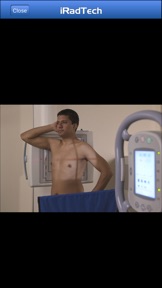
Enlargeable photograph of properly positioned human model showing the correctly collimated area of interest with the central ray entry point.
A helpful NOTE tab for every position; save techniques, special terms, or other helpful information.
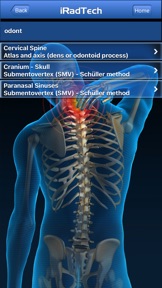
Search function finds search term in position titles and/or instructions.
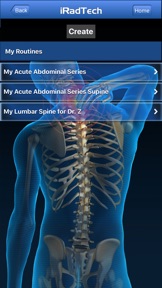
My Routines function allows grouping of selected positions into a saved routine.
My Notes function allows saving notes not related to a position.
Developed using the ARRT Content Specifications to include nearly all ARRT entry-level radiographic positions.
- “OPTIONAL” positions are included which may be ordered in clinical practice. These OPTIONAL positions are judged by the authors and other educational colleagues as handy references, but are not listed on the ARRT Radiography Content.
Instructions referenced to the most recent ASRT Radiography Curriculum and national positioning texts.
Written and edited by 2 Ph.D. radiography educators, each with more than 30 years of teaching experience.
A convenient guide to positioning the patient and a valuable study aid for radiography students.
A great reference and review tool for technologists and clinical instructors.

What's New in Version 4.1.1

Version 4.1.1 handles Dark Mode by setting the Note view background dark gray.
Also has all of the revised positions and expanded instructions (with suggested technical factors) included in the previous release.

Seller

Name

Ballinger and Bruckner, LLP

Information

Categories

Version

4.1.1

Size

128.5 MB

Game Center

No

VPP Device Licensing

Yes

Rating

Rated 12+ for the following:
Infrequent/Mild Medical/Treatment Information

Compatibility

iOS 10.0 or later

Devices

iPhone 5, iPhone 5c, iPhone 5s, iPhone 6, iPhone 6 Plus, iPhone 6s, iPhone 6s Plus, iPhone SE, iPhone 7, iPhone 7 Plus, iPhone 8, iPhone 8 Plus, iPhone X, iPhone XR, iPhone XS, iPhone XS Max, iPhone 11, iPhone 11 Pro, iPhone 11 Pro Max, iPhone SE (2nd generation), iPhone 12, iPhone 12 Pro, iPhone 12 Pro Max, iPhone 12 mini, iPhone 13, iPhone 13 Pro, iPhone 13 Pro Max, iPhone 13 mini, iPhone SE (3rd generation), iPhone 14, iPhone 14 Plus, iPhone 14 Pro, iPhone 14 Pro Max, iPad (4th Generation) (Wi-Fi), iPad (4th Generation) (4G), iPad (5th Generation) Wi-Fi, iPad (5th Generation) Wi-Fi + Cellular, iPad (6th generation) Wi-Fi, iPad (6th generation) Wi-Fi + Cellular, iPad Pro, iPad Pro (Cellular), iPad Pro (9.7-inch), iPad Pro (9.7-inch) (Cellular), iPad Pro 12.9-inch (2nd generation), iPad Pro 12.9-inch (2nd generation) Wi-Fi + Cellular, iPad Pro (10.5-inch), iPad Pro (10.5-inch) Wi-Fi + Cellular, iPad Pro (11-inch), iPad Pro (11-inch) Wi-Fi + Cellular, iPad Pro 12.9-inch (3rd generation), iPad Pro 12.9-inch (3rd generation) Wi-Fi + Cellular, iPad Air, iPad Air (Cellular), iPad Air 2, iPad Air 2 (Cellular), iPad Air (3rd generation), iPad Air (3rd generation) Wi-Fi + Cellular, iPad mini Retina, iPad mini Retina (Cellular), iPad mini 3, iPad mini 3 (Cellular), iPad mini 4, iPad mini 4 (Cellular), iPad mini (5th Generation), iPad mini (5th Generation) Wi-Fi + Cellular, iPad (7th generation) Wi-Fi + Cellular, iPad Pro 11-inch (2nd generation), iPad Pro 11-inch (2nd generation) Wi-Fi + Cellular, iPad Pro 12.9-inch (4th generation), iPad Pro 12.9-inch (4th generation) Wi-Fi + Cellular, iPad Air (4th Generation) (Wi-Fi), iPad Air (4th Generation) (Wi-Fi + Cellular), iPad (8th generation) Wi-Fi, iPad (8th generation) Wi-Fi + Cellular, iPad Pro 11-inch (3rd generation), iPad Pro 11-inch (3rd generation) Wi-Fi + Cellular, iPad Pro 12.9-inch (5th Generation), iPad Pro 12.9-inch (5th Generation) Wi-Fi + Cellular, iPad (9th Generation), iPad (9th Generation) Wi-Fi + Cellular, iPad mini (6th Generation), iPad mini (6th Generation) Wi-Fi + Cellular, iPad Air (5th generation), iPad Air (5th generation) Wi-Fi + Cellular, iPad Pro 11-inch (4th generation), iPad Pro 11-inch (4th generation) Wi-Fi + Cellular, iPad Pro 12.9-inch (6th generation), iPad Pro 12.9-inch (6th generation) Wi-Fi + Cellular, iPad (10th generation), iPad (10th generation) Wi-Fi + Cellular, iPod touch (6th Generation), iPod touch (7th generation), Apple Watch Series 4, Apple Watch Series 5, Apple Watch Series 6 (GPS), Apple Watch Series 6 (GPS + Cellular), Apple Watch Series SE (GPS), Apple Watch Series SE (GPS + Cellular), Apple Watch Series 7 (GPS), Apple Watch Series 7 (GPS + Cellular), Apple Watch Series 8 (GPS), Apple Watch Series 8 (GPS + Cellular), Apple Watch SE (2nd generation) (GPS), Apple Watch SE (2nd generation) (GPS + Cellular), Apple Watch Ultra

Languages

English

App Store: Customer Ratings

Ratings & Reviews

3.0 of 5 (1 Rating)

App Store: Customer Reviews

2015-11-19

Ok, but could be better

Could remember last view for awhile instead of always resetting to the main page. Still missing some important views (for years!). Don't show many alternative ways to get views. Make this better, please
dbishop
Version 3.4
2012-05-05

Bon outils de travail

Géniale!!!!!
Lorena Lemus
Version 3.0