Updating


iPhone Screenshots





iPad Screenshots



Description
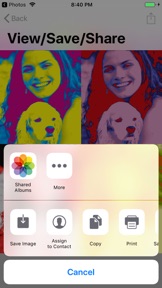
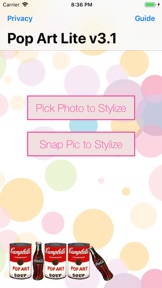
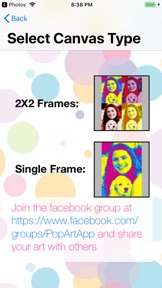
'Pop Art Lite' transforms photos into high resolution Pop Art posters and saves them back to your device, emails or shares them. Pop Art Lite uses photos snapped from your camera or from your device's photo libraries. You first crop your photo and then vary the photo highlights, mid-tones and shadows using two sliders. As well as the standard bold colors mode, an interpolate mode interpolates between the mid-tones leaving the brightest and darkest colors bold. A color correction mode also provides even variation of colors especially useful for too bright, too dark or low contrast photos. Then edit the colors either for a single frame or 2X2 canvas. Cool combinations can be saved as custom presets to apply the same Pop Art effect to different photos. Eleven different built-in presets based on famous works and artists are included. 'Pop Art Lite' is a simple, fun and easy-to-use app but quite useful for creating cool posters.
- transforms photos into high-resolution pop art posters either single frame or 2X2
- utilizes new iOS 11 features and super-retina display
- optimized for iPhone X, iPhone 8 and iPads but backwards compatible for older devices too
- color correction mode distributes colors evenly across photo useful for dark, light or low contrast photos
- interpolate mode interpolates between mid-tone colors leaving lightest and darkest color bold
- edit six different colors per frame and choose from 11 different presets based on famous works and artists and save your own presets for future use
Join the facebook group https://www.facebook.com/groups/PopArtApp to check out other's work and share your work with others
What's New in Version 3.1.0
1. All ads have been removed.
2. More screen real estate to work with.
3. Information/Guide easier to read.
4. Updated privacy policy.
Seller
Name
Adam Freeman
Information
Developer
Categories
Version
3.1.0
Size
26.6 MB
Game Center
No
VPP Device Licensing
Yes
Rating
Rated: 4+
Compatibility
iOS 9.0 or later
Devices
iPhone 4S, iPhone 5, iPhone 5c, iPhone 5s, iPhone 6, iPhone 6 Plus, iPhone 6s, iPhone 6s Plus, iPhone SE, iPhone 7, iPhone 7 Plus, iPhone 8, iPhone 8 Plus, iPhone X, iPhone XR, iPhone XS, iPhone XS Max, iPhone 11, iPhone 11 Pro, iPhone 11 Pro Max, iPhone SE (2nd generation), iPad 2 (Wi-Fi), iPad 2 (3G), iPad (3rd Generation) (Wi-Fi), iPad (3rd Generation) (4G), iPad (4th Generation) (Wi-Fi), iPad (4th Generation) (4G), iPad (5th Generation) Wi-Fi, iPad (5th Generation) Wi-Fi + Cellular, iPad (6th generation) Wi-Fi, iPad (6th generation) Wi-Fi + Cellular, iPad Pro, iPad Pro (Cellular), iPad Pro (9.7-inch), iPad Pro (9.7-inch) (Cellular), iPad Pro 12.9-inch (2nd generation), iPad Pro 12.9-inch (2nd generation) Wi-Fi + Cellular, iPad Pro (10.5-inch), iPad Pro (10.5-inch) Wi-Fi + Cellular, iPad Pro (11-inch), iPad Pro (11-inch) Wi-Fi + Cellular, iPad Pro 12.9-inch (3rd generation), iPad Pro 12.9-inch (3rd generation) Wi-Fi + Cellular, iPad Air, iPad Air (Cellular), iPad Air 2, iPad Air 2 (Cellular), iPad Air (3rd generation), iPad Air (3rd generation) Wi-Fi + Cellular, iPad mini (Wi-Fi), iPad mini (4G), iPad mini Retina, iPad mini Retina (Cellular), iPad mini 3, iPad mini 3 (Cellular), iPad mini 4, iPad mini 4 (Cellular), iPad mini (5th Generation), iPad mini (5th Generation) Wi-Fi + Cellular, iPad (7th generation) Wi-Fi, iPad Pro 11-inch (2nd generation), iPad Pro 11-inch (2nd generation) Wi-Fi + Cellular, iPad Pro 12.9-inch (4th generation), iPad Pro 12.9-inch (4th generation) Wi-Fi + Cellular, iPad Air4, iPad Air4Cellular, iPad EighthGen, iPad EighthGenCellular, iPod touch (5th generation), iPod touch (6th Generation), iPod touch (7th generation)
Languages
English
App Store: Customer Ratings
Ratings & Reviews
4.5 of 5 (72 Ratings)
App Store: Customer Reviews
No Entry