AboutTermsPrivacyContact
 
Updating
Pointer Remote for PowerPoint and Keynote

Pointer Remote for PowerPoint and Keynote

Released: 2019-02-02
© 2016 Zentropy Software
Pointer Remote for PowerPoint and Keynote - QR Code
Version 3.0
4+
Download on the App Store
Version 3.0
4+
Download on the App Store
Released: 2019-02-02
© 2016 Zentropy Software

iPhone Screenshots

Screenshot

iPad Screenshots

Screenshot

Description

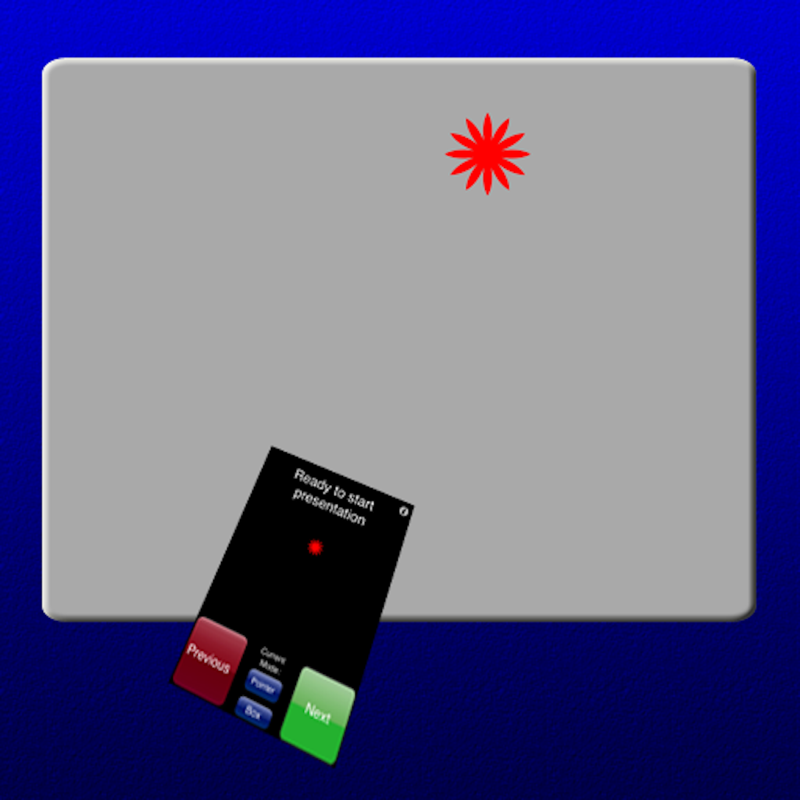
Turn your iPhone or iPad into a pointer and controller for PowerPoint or Keynote presentations. Has 'Next Slide' and 'Previous Slide' controls, and can show notes from presentations on the iPhone display along with a timer. Pointer icon can easily by replaced by any image, which could be used for humorous purposes. Touch the screen to show the pointer - which is controlled either by dragging your finger around the screen (easy) or by orientation (takes a little practice) - your choice.
Requirements: Computer running Mac OS X 10.7 or higher, WiFi connection (on the same local network or by creating a computer-to-computer network), and PowerPoint or Keynote (choose the program on the back side of the App). Please note that this app cannot control an iPad Keynote presentation.
A small Mac application, PointerServer, must be downloaded to your computer and started whenever Pointer is used. This program is available for free at:
http://www.zentropysoftware.com/ZS/Pointer_files/PointerServer3.zip
Please note that the presentation runs on your computer, not directly from the iPhone or iPad. Instead the iPhone/iPad controls the computer.
A support e-mail address is listed at the support web site.

What's New in Version 3.0

Updated for iOS 10 and recent iPhones.

Information

Categories

Version

3.0

Size

2.5 MB

Game Center

No

VPP Device Licensing

Yes

Rating

Rated: 4+

Compatibility

iOS 8.0 or later

Devices

iPhone 4S, iPhone 5, iPhone 5c, iPhone 5s, iPhone 6, iPhone 6 Plus, iPhone 6s, iPhone 6s Plus, iPhone SE, iPhone 7, iPhone 7 Plus, iPhone 8, iPhone 8 Plus, iPhone X, iPhone XR, iPhone XS, iPhone XS Max, iPhone 11, iPhone 11 Pro, iPhone 11 Pro Max, iPhone SE (2nd generation), iPad 2 (Wi-Fi), iPad 2 (3G), iPad (3rd Generation) (Wi-Fi), iPad (3rd Generation) (4G), iPad (4th Generation) (Wi-Fi), iPad (4th Generation) (4G), iPad (5th Generation) Wi-Fi, iPad (5th Generation) Wi-Fi + Cellular, iPad (6th generation) Wi-Fi, iPad (6th generation) Wi-Fi + Cellular, iPad Pro, iPad Pro (Cellular), iPad Pro (9.7-inch), iPad Pro (9.7-inch) (Cellular), iPad Pro 12.9-inch (2nd generation), iPad Pro 12.9-inch (2nd generation) Wi-Fi + Cellular, iPad Pro (10.5-inch), iPad Pro (10.5-inch) Wi-Fi + Cellular, iPad Pro (11-inch), iPad Pro (11-inch) Wi-Fi + Cellular, iPad Pro 12.9-inch (3rd generation), iPad Pro 12.9-inch (3rd generation) Wi-Fi + Cellular, iPad Air, iPad Air (Cellular), iPad Air 2, iPad Air 2 (Cellular), iPad Air (3rd generation), iPad Air (3rd generation) Wi-Fi + Cellular, iPad mini (Wi-Fi), iPad mini (4G), iPad mini Retina, iPad mini Retina (Cellular), iPad mini 3, iPad mini 3 (Cellular), iPad mini 4, iPad mini 4 (Cellular), iPad mini (5th Generation), iPad mini (5th Generation) Wi-Fi + Cellular, iPad (7th generation) Wi-Fi, iPad Pro 11-inch (2nd generation), iPad Pro 11-inch (2nd generation) Wi-Fi + Cellular, iPad Pro 12.9-inch (4th generation), iPad Pro 12.9-inch (4th generation) Wi-Fi + Cellular, iPod touch (5th generation), iPod touch (6th Generation), iPod touch (7th generation), Apple Watch Series 4, Apple Watch Series 5

Languages

English

App Store: Customer Ratings

Ratings & Reviews

1.0 of 5 (1 Rating)

App Store: Customer Reviews

2015-01-06

Not working

It doesn't work on iPad mini.
Bc2010a
Version 2.0
2013-10-12

Works nice and smooth

I have this app for a few months and have given several presentations using this app as the pointer and remote controller for my McBook, this app works fine and the audience were impressed....
Lonelycrow
Version 2.0
2013-02-19

Very useful!

I was using this to remotely run keynote on my macmini, from my ipad, in settings without a local wifi network. I was able to broadcast a local hotspot from my mini, and then connect with Pointer.
The onscreen "laser pointer" and pencil-sketching on the slides was very useful for leading students to the appropriate parts of the diagrams, etc..
It would be great if this app would also provide for remote control of keynote on iPad... Using an iPhone or second iPad...
QRSTEE
Version 2.0
2011-11-17

Great app

As a Pastor I have used the keynote remote app weekly for a couple of years. Now that I am using an iPad I use pointer. I like what I see here. I desire for a few things to be added/tweaked. 1. Have an option to make the preview screen smaller and the notes section longer. 2. When advance to another slide my notes are not reset to the top. Usually the first 3 lines are hidden. 3. I would love to be able to read the slides from the iPad. They a bit too fuzzy for that.
Thanks for writing an amazing app!
Dean Rostad
Version 2.0
2010-10-23

Very nice ideas, very bad implementation!

DO NOT buy! And Zentropy, do not sell this until it works! I wish I had not bought it!
It says to do what you would need for presentations: show timer, show slide notes, pointer, and easy next and previous buttons.
But the implementation is very poor; it is way too buggy to be used in serious presentations!
Haghju
2010-07-13

Worth 99cents

Unfortunately crashes with Powerpoint 2004 and with notes enabled but fine without notes.
KGDgr
2009-11-23

Excellent presentation helper

I have used bluetooth phones as remotes with Salling Clicker and I used Telekinesis on the iPhone. Some have worked better than others, but I have not seen features on a phone presenter remote that were more useful than a standalone, hardware-based remote until now.
This is the most functional remote that I have used, with nice big buttons, and the key is to be able to point and draw using the touch screen. The notes are handy and the performance is zippy. The pointing takes some skill development on my part, but I am already getting good at it after a little practice.
It obviously needs a cooler icon. I look forward to the update that has slide previews. It would also be nice to specify a smaller font for the notes and optionally show the upcoming slide title, but I can add a comment about the upcoming slide in my notes if I can display a few more words on the screen. Maybe scrolling long notes would be helpful.
It is way cooler than any text could describe. They need video on their website to showcase the coolness, but just spend the $1 and experience it for yourself.
Rob Vee
2009-04-17

Great buy

This app is really great. Could be updated with better graphics and the option to disable the cursor (little laser thing)
MadMatt1992
2009-01-13

A Presenter's Dream

This app works great - I love the various features, including viewing your slides on the phone and blacking out the screen. Also, it is great that you do not need a wifi network to make the application work - all you need to do is create a new network on your Mac. Brilliant!
Cookiebear2
2008-11-29

Amazing!

I'm completely impressed by this application. Works as described, and is very easy to set up.
To make it perfect, I'd like to see:
1. An option to run the server application in the menubar
2. Sparkle to update the server application
3. Better graphics (for the buttons, etc.) on the iPhone side.
digitalmud
2008-10-20

Does what it says

Set it up in a minute. Simple and adequate tool.
FrançoisSr
2008-09-17

Great tool for trainer

This application push far away all the remote's for presentatic
It's a great tool for trainers... at the same time my student do the exercices i could point on their screen and put the oval or pointer directly onto the critic knowledge....
Work great and do the job for all my colorfull presentation.
Thank's to be imaginative...
ClementPerron