AboutTermsPrivacyContact
 
Updating
Mocha VNC Lite

Mocha VNC Lite

Released: 2019-02-11
© MochaSoft Aps.
Mocha VNC Lite - QR Code
Version 6.1
4+
Download on the App Store
Version 6.1
4+
Download on the App Store
Released: 2019-02-11
© MochaSoft Aps.

iPhone Screenshots

Screenshot
Screenshot
Screenshot
Screenshot

iPad Screenshots

Screenshot
Screenshot
Screenshot

Description

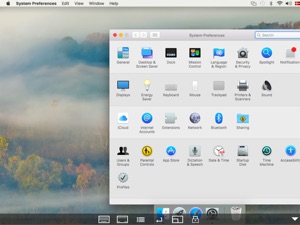
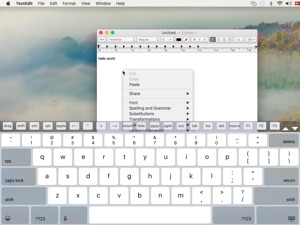
Using your iPhone or iPad, you can connect to a Mac or Windows PC, and see the files, programs, and resources exactly as you would if you were sitting at your desk, just on a smaller screen.
LITE VERSION:
The lite version has a 5 minutes session limitation.
FEATURES:
- Standard VNC protocol.
- macOS sign on.
- Encrypted password signon.
- 8 and 32 bit color modes.
- Local Mouse support.
- Support for Swiftpoint GT hardware mouse.
- Support for Mouse Easy. Use an iPhone as a bluetooth trackpad. Mouse Easy is a free App.
- Camera as barcode scanner.
- Zoom and scroll as the Safari browser.
- Landscape mode.
- Has been tested with RealVNC, TightVNC, UltrVNC on Windows, and Apple Screen sharing, which is included with the macOS.

What's New in Version 6.1

- Solved problem with the function: menu - configure - help
- Removed ctrl + left click as right click

Seller

Information

Developer

Categories

Version

6.1

Size

2.4 MB

Game Center

No

VPP Device Licensing

Yes

Rating

Rated: 4+

Compatibility

iOS 13.0 or later

Devices

iPhone 5s, iPhone 6, iPhone 6 Plus, iPhone 6s, iPhone 6s Plus, iPhone SE, iPhone 7, iPhone 7 Plus, iPhone 8, iPhone 8 Plus, iPhone X, iPhone XR, iPhone XS, iPhone XS Max, iPhone 11, iPhone 11 Pro, iPhone 11 Pro Max, iPhone SE (2nd generation), iPhone 12, iPhone 12 Pro, iPhone 12 Pro Max, iPhone 12 mini, iPhone 13, iPhone 13 Pro, iPhone 13 Pro Max, iPhone 13 mini, iPhone SE (3rd generation), iPhone 14, iPhone 14 Plus, iPhone 14 Pro, iPhone 14 Pro Max, iPhone 15, iPhone 15 Plus, iPhone 15 Pro, iPhone 15 Pro Max, iPhone 16, iPhone 16Plus, iPhone 16Pro, iPhone 16ProMax, iPad (5th Generation) Wi-Fi, iPad (5th Generation) Wi-Fi + Cellular, iPad (6th generation) Wi-Fi, iPad (6th generation) Wi-Fi + Cellular, iPad Pro, iPad Pro (Cellular), iPad Pro (9.7-inch), iPad Pro (9.7-inch) (Cellular), iPad Pro 12.9-inch (2nd generation), iPad Pro 12.9-inch (2nd generation) Wi-Fi + Cellular, iPad Pro (10.5-inch), iPad Pro (10.5-inch) Wi-Fi + Cellular, iPad Pro (11-inch), iPad Pro (11-inch) Wi-Fi + Cellular, iPad Pro 12.9-inch (3rd generation), iPad Pro 12.9-inch (3rd generation) Wi-Fi + Cellular, iPad Air, iPad Air (Cellular), iPad Air 2, iPad Air 2 (Cellular), iPad Air (3rd generation), iPad Air (3rd generation) Wi-Fi + Cellular, iPad mini Retina, iPad mini Retina (Cellular), iPad mini 3, iPad mini 3 (Cellular), iPad mini 4, iPad mini 4 (Cellular), iPad mini (5th Generation), iPad mini (5th Generation) Wi-Fi + Cellular, iPad (7th generation) Wi-Fi + Cellular, iPad Pro 11-inch (2nd generation), iPad Pro 11-inch (2nd generation) Wi-Fi + Cellular, iPad Pro 12.9-inch (4th generation), iPad Pro 12.9-inch (4th generation) Wi-Fi + Cellular, iPad Air (4th Generation) (Wi-Fi), iPad Air (4th Generation) (Wi-Fi + Cellular), iPad (8th generation) Wi-Fi, iPad (8th generation) Wi-Fi + Cellular, iPad Pro 11-inch (3rd generation), iPad Pro 11-inch (3rd generation) Wi-Fi + Cellular, iPad Pro 12.9-inch (5th Generation), iPad Pro 12.9-inch (5th Generation) Wi-Fi + Cellular, iPad (9th Generation), iPad (9th Generation) Wi-Fi + Cellular, iPad mini (6th Generation), iPad mini (6th Generation) Wi-Fi + Cellular, iPad Air (5th generation), iPad Air (5th generation) Wi-Fi + Cellular, iPad Pro 11-inch (4th generation), iPad Pro 11-inch (4th generation) Wi-Fi + Cellular, iPad Pro 12.9-inch (6th generation), iPad Pro 12.9-inch (6th generation) Wi-Fi + Cellular, iPad (10th generation), iPad (10th generation) Wi-Fi + Cellular, iPad Air 11-inch (M2) Wi-Fi, iPad Air 13-inch (M2) Wi-Fi, iPad Air 13-inch (M2) Wi-Fi + Cellular, iPad Pro 11-inch (M4) Wi-Fi, iPad Pro 11-inch (M4) Wi-Fi + Cellular, iPad Pro 13-inch (M4) Wi-Fi, iPad Pro 13-inch (M4) Wi-Fi + Cellular, iPad MiniA17Pro, iPad MiniA17ProCellular, iPod touch (6th Generation), iPod touch (7th generation)

Languages

English

App Store: Customer Ratings

Ratings & Reviews

1.5 of 5 (7 Ratings)

App Store: Customer Reviews

2022-01-15

Lacks good screen size and mouse control

This app connected to my Mac seamlessly but lacked the ability to see the entire screen at once and only allows you to use the mouse in touch mode which is very hard when the target on the screen is smaller than your finer. I also use another screen control app that isn’t as easy to connect but has screen size options and you can switch the mouse between touch and track so you can use the iPad screen more like a track pad - until I see an update to these two functions it isn’t worth the trouble to use it.
GrizzlyIB
Version 5.4
2021-12-06

Junk

Used to work somewhat OK, even though limited in time (a pain), and clunky interface. Installed a new hard drive, same High Sierra OS, and now it will not connect. Found a much better free app, Splashtop, so am using it now. Basically this Mocha app is ancient, and the interface is far too complicated—-like a DOS era app! Don’t waste your time trying to get it to work
Flash Fred
Version 5.4
2017-07-09

Ransomware

This used to be a really handy app, for occasional use. Now you only get 2 minutes of use. That's barely enough time to login and open a menu or two. Now you are forced to pay for the full version. Too bad, I've had this app since 2010. Now it's useless otherwise it would get 4 or 5 stars.
iT Guy in TO
Version 4.5
2015-07-23

Bring back default selection of "Connect" on launch

99.99% of the time I just want to connect to one of my servers. This app used to automatically bring me to the "connect" screen. No more... now you have to select it manually.
Boooo.....
ChzPlz
Version 3.10
2014-11-08

Easy setup works well but..

Wish it had a cursor or dot, then click as closing windows or minimizing is super hard as a finger click is a bit inaccurate. Also wish click and hold could drag, using a button would be a pain otherwise I'd consider paying for pro version. Had it up and running in 30 seconds. Easy to run tasks on my iMac in my office from my living room off my iPhone. Haven't tried off the network yet but it works well. Tried others and they were junk or needed software on my Mac which this doesn't.
Matt94gt
Version 3.9
2013-11-07

Great app

This is a great app. Works perfectly. Ipad to PC is awesome.
papa_gecko
Version 3.7
2013-02-14

Mocha VNC

I downloaded this APP last night based in an article on safari, if you follow the steps it is really easy. However I haven't been able to access my computer off my property yet? Any help?
Jacob Bishop
Version 3.3
2012-12-27

No messages...needs work

This app does not provide any connecting messages or anything that tells you what is happening when it tries to connect.
I could not get it to work even though my PC makes a successful connection with the same criteria.
Product not ready for prime time. Thats probably why its free.
Terryrpw
Version 3.3
2012-09-10

i have a question

does this app work with vnc windows platform? i could not get it to work. ill be coming back when i can to see if i could get some sort of reply thanks.
iDap you sir
Version 3.1
2012-07-19

The best yet

This amazing app works only if you follow the instructions given. It is very convenient and very easy to use compared to other similar apps. Would recommended to anyone who needs easy assess to their computer!
Rasikan
Version 3.1
2012-03-18

Works great, thank you!

Works great with TightVNC and Windows 7!
Thinking Cap
Version 3.1
2012-01-16

Very good

Downloaded "TightVNC Server" for windows and it works just fine with "Mocha VNC". The only problem is a low fps but can't ask more for a free version. I really do enjoy this app.
Chukalovskyy
Version 3.1
2011-11-19

Works great

Using with ultra vnc and connects easily and quickly, all you have to do is enter the local ip address. Using it with an I pad and pc....works great.
Iknowpcs
Version 3.1
2011-11-16

Stays connected for only 15 seconds

Connecting to os lion on iMac 27 with extra screen. Screen appears, but without doing anything, the app terminates.
Connecting to centos 6.0 system works fine
TR182
Version 3.1
2011-09-11

Disappointing Lion Support

This app would be a great, simple solution if the Lion sign-on support worked, but it doesn't in our case. I hope others are having better luck.
On this end, Mocha consistently reports a bad password using the OS X sign on option for Lion hosts.
-2 stars for that issue.
Lack of keyboard functions like alt & tab (without macros) means this "feature limited" version is actually "jailed."
dwandpad
Version 3.0
2011-08-21

Fonctionnel sans plus

Fonctionnel, Assez simple d'utilisation mais une bonne latence entre le iPad et l'ordinateur.
Les + : application gratuit pour iPad et iPhone si on veux pas toute les fonctions.
Les - : j'ai pas trouvé de logiciel gratuit compatible avec mocha vnc lite.
Smokidoo
Version 3.0
2011-07-29

Terrible

PocketCloud is superior in every way. This is limited functionality and bad performance.
Urby
Version 2.9
2011-07-23

Not OS X Lion compatible

Does not work with Mac OS X Lion: gets stuck on full-screen apps, or on a new login screen. Avoid this app until they fix it.
SimonMTL
Version 2.9
2011-05-17

Works

Works well for basic functionality
sprinklej
Version 2.9
2011-03-21

Jaime

Ouin ouin jaime mes ses koi le logiciel ki faut downloader sur lordi
Sylvainth
Version 2.9
2011-02-16

VLC Mocha Lite not ready yet for customers

I installed this application on my iPad as the tool to remotely turn off my MacBook Pro and MacPro. After installation I succeeded to connect to MacBook Pro, but when I tried to connect to MacPro, the application crashed and removed on its own the MacPro from the list of servers. From this moment on all connections were severed with the message from the VNC server that "password is incorrect", which of course was bogus because passwords stayed untouched. I repeated the process several times with different parameters, it always ended the same way. So finally I contacted the Mocha support. They first tried to push the problem on "iPad low memory", when I proved that I have 30GB of free space, they offered a guess (quote) "Maybe a conflict with some other software". They neither asked questions to get more info nor made any visible effort to help me out (with the exception of sending me a link to a very basic user's manual). Long story short, the app is not ready yet to be used and the support is not ready yet to offer a real support. So, unless you plan on using this application for very basic functions, give the company time to develop a real, Apple-quality app.
WitoldS
Version 2.8
2011-02-15

fast and simple

it works.
it's fast.
i use it now and then.
useful for simple tasks, but without the full functionality wouldn't wanna use it a lot ;p
Moodhugs
Version 2.8
2011-02-11

Just a viewer really...

Without the extra keys and the lack of ALT-CTRL-DEL this is really just a remote screen viewer... It looks, from previous comments, that these keys were removed in Version 2.0.
Not worth downloading and installing IMO.
NotEnoughTime!!!
Version 2.8
2010-12-05

Not buying

Refresh rate is ridiculously slow on this and makes this app almost useless. I would not even consider buying this app.
Iupe
2010-11-05

Works like a charm

I can remotely control my PC to manage video streaming to my ps3 while I'm sitting in front of my tv.
I also use it to remotely control my laptop when it is plugged onto my tv for viewing vids or pics.
iPhone Lubber
2010-10-24

Works great!

It works good but the refresh rate is the WORST! It refreshes every 20 second. Not recommended for gaming xD. Also it ALSO works with window 7 64 bit. But I will make it five stars if the refresh rate
Changes to 0.1 milliseconds.
Gunnery Master
2010-10-17

Good enough!

Install free dyn dns on ur server so u won't worry about remembering ur ip. Have fun.
Saade
2010-10-10

Waste of time

With out a Ctl alt del button this free app is nothing more than a waste of time.
WCronkwright
2010-10-05

VNC

I love it!! Free and it works great!! Just download VNC for your PC or Mac (free) input port number and IP address and your set!!
SpynDoctor
2010-09-12

Crippleware

Not even a control key in the free version. :(
heatscw
2010-08-15

Amazing!!!

This app has allowed me to multitask in my mac repairs. I can work on 6 macs at a time no matter what room I'm in! As for the complaints about the option key and command keys being removed, that's because they are part of the professional version. I am buying the pro version as soon as this review is done. Would recommend this to anyone who multitasks. It's also a nice way to turn off your computers at the end of the day.
Cam-Stewart
2010-06-29

BEST APP EVER!!!!

THIS IS THE BEST THING I'VE EVER OWNED!!! YOU CAN OPEN ALL THE PROGRAMS ON YOUR COMPUTER ON YOUR IPOD!!! I EVEN PLAYED HALO!!!
haleyfamily
2010-06-08

dosen't connect

I hate it
Irvbud
2010-06-06

Works for me!

Does the trick for me, Ican remote into my Ubuntu box and do small reasonable task over my local network. No complaints.
dornoforpyros
2010-06-03

Pointless

I wanted to test out this free version to see if it would be worth spending the money for the paid ones. Sadly the descriptions of all of these VNC type Apps don't seem to differ all that much. So I'm curious why I should spend the 9.99 or even 24.99 on iTeleport! None of them really explain well the difference in why someone would want to fork over that much dough over the free one.
I've never ran these sort of applications before in the past, and it was at least a painless experience to set up. Just had to grab my IP address and was pretty much ready to go. But beyond the easy set up and the fact that it was free - that's where the good stops.
Beyond that this App appears to be worthless. It can't seem to function at all. The refresh rate is brutal, and the amount of waiting you do just to click on something would make doing even the smallest task remotely so painful and slow that I bet you could walk home from wherever you were in the world and do the task manually before this thing would even show up on your iPad.
So overall, if the main purpose and function of this App doesn't work, it makes it rather pointless in my opinion. It's just a shame I'll never know if the other ones are worth it or not.
Thirsty Robot
2010-04-28

Picky Complaints

This VNC is the best of the VNC apps (with the exception if the one that rudely charges almost $25), but I find I not only hardly use it, I keep it on a back page fir a very picky but important reason. The giant, super-ugly, white (why white of all colours?), icon. It's probably a trite reason for some but if I'm going to look at the thing hundreds of times a day, I think a decent non-gharish icon.
Jeremy Bee
2010-04-19

how do u find the ip on windows xp

plz some1 help
thecartuner222
2010-04-11

Amazing VNC client

This client works great and is very fast with no fluff. For people who say it won't work over 3g do some research all you need to do is use your external ip address. I'm probably going for the paid version.
darksniper404
2010-03-26

Billow average

This app only works when you are on the same network. So if you are away from home then tuff luck atleast how i found it couldn't log on from different network to my vnc cliant computer or from 3g network. It would be great if it would on 3g. Hopefully the paid version is different.
Fyyyhhuyrf
2010-03-11

Awsome

Its the best app i ever seen:p
gui gingras
2010-02-04

amazing

No errors, no out of memory problems - and I'm using a first generation ipod touch and accessing an old G5.
Amazing -- I'll definitely be buying the full version. This is incredible.
Clear, easy to follow instructions made the installation and set up a breeze.
Pick a ridiculous password and all should be safe, pick something dumb like 123456 and you're asking for problems.
lwaa
2010-02-02

Great Software

It works great and I can use my computer anywhere in the house. It justs gets a bit laggy sometimes but otherwise it great and I highly reccomend it.
btholm
2010-01-15

Works great -- shame about the crippled features

The good: connects like a charm!
The okay: a little sluggish at times, but not too egregious.
The bad: no right-clicking? No chording with alt-, shift- and ctrl-keys? Sigh.
Don't get me wrong -- I totally understand the need to give some incentive to upgrade to the paid version. Unfortunately, I can't (reasons outside the scope of this review) and am "stuck" with a client that makes working with my server more awkward than it needs to be (I've had to make a total mess of my .twmrc file to compensate!). 4/5 stars from me, mainly due to this annoyance.
But really, for a free app, I can't complain /too/ hard. The basic functionality all works flawlessly!
mrputter
2010-01-08

Great

No flaws for me except it's reallllly laggy even when I not doing anything it's like 1fps
Shekal
2010-01-07

Works like a charm

This program works very well. I get the low memory warning but the program continues to run. There are no connection issues if you know what you are doing. And the price is right too - free.
Quantumauto
2009-12-30

Safe?

Works great and it cool but I can see how some evil people could use this for Stealing information
Milanjosic
2009-12-11

Broken After Update

Was working great, now continually gives me "Out of Memory Errors", then crashes. Sometimes it says the screen is too big, too. This is with the same iPod, same OS (3.0), and same hosts as before the update. Hope there's another update soon... I would think twice about getting this update if everything is working for you right now. It renders the app utterly useless.
Update: I've tried using a screen size of 640x480 on my host computer, but still no dice. Don't think it's an issue with host screen size...
AngusTaylor
2009-12-07

Very nice VNC app

This is a pretty good little app, and it's FREE. If you use a Mac or WinXP, you can connect to your computer from anywhere in the world. The paid version has a few extra features, but if you are an occasional user then this is the program for you.
Update: works even better with the 3Gs iPhone. With the 3G and a big screen on the iMac, I ran into memory issues once in a while.
4walls
2009-12-03

setup problem fixed

I couldn't get this to work for me at first. I'm using a router at my house and imac version 10.6.2. I forwarded port 5900 to my imac from the router and my connection was getting thru(my little snitch was showing me incoming request) but kept telling me "host drop connection" before it would actually connect. When i double checked the settings for my mac on the Mocha website, it was showing that "screen sharing" should be activated on the mac computer of course, mine was greyed out and telling me that this option was controle by remote management service. (which I thought was my apple remote desktop that i had installed) but a little further down under "screen sharing" option there is a remote management option that was checked, and once highlighted, I clicked on the computer setting button to the right and lo and behold.....an option that wasn't checked.....VNC VIEWERS MAY CONTROL SCREEN WITH PASSWORD ********.....I checked that box and blamm, i'm connected........just wanted to share this cause it took me a while to figure it out and it was not on Mocha website(not sure why) ...now i like it and going to buy the the $5 app for the little extra options since i will use this app. so it didn't get 5 stars for time it took me to figure it out....lol
barrakata
2009-11-30

Sweet!

Really easy to set up and use on leopard ( tells u how to set up at mochasoft.org/iPhone_vnc.htm)it took like 5 miniutes to set up! GReat for people that want to see what people are doing on the computer!
Scott0.
2009-11-26

Damn!

This app is the bomb... Seriously! Can't believe its free.
Note: Vista users who wants to use the realvnc server Will have to go for the enterprise edition, only way to make it work! (see the Mocha FAQS , "mocha and Vista" section, for the details)
Kr33ps
2009-01-02

Re

Useless with out mouse click
Tdk12344
2008-12-23

...

Sorry guys ..but the new version is not better than 1.1 version .. could you make that version 2.1 or i dont know whatever version would be as the 1.1 version .. you removed all the fun things of Mocha VNC lite .. so .. let's work on it ;)
Max5003
2008-12-23

Problem with firmware 2.2

Since I have upgraded the firmware of the iPhone to 2.2, I cannot connect to my Mac anymore.
Rodin2008
2008-12-15

Don't update!

It was great before the update. Now the app is pretty much useless without the ability to click the mouse. Cheap business move on their part and definitely will not be buying the full version now.
Benobo
2008-12-13

Don't upgrade to version 2.0!

If you have version 1.1 of Mocha VNC Lite, don't upgrade to version 2. The developers have crippled v. 2 by removing the ability to use the control and command keys.
streifer
2008-12-09

What the ...

I am definately 100% not buying your full version after pulling something like that. For those who haven't downloaded the new update don't it removes the ability to use the mouse making this app basically useless. Not very smart considering you pissed off all your potential customers. The only way I will buy the full version is if the price gets lowered to about 1 to 2 dollars. Good job hope your happy Devs. 1 star.
Ok I take the above back after messing around with this app I realized I can still click and use the mouse. The missing mouse button at the bottom made me think it got removed. But I still think the full version's price should be lowered.
YungBuck
2008-12-06

Ok

Works okay but the new update removed the alt and ctrl keys
Leppg
2008-11-29

Not bad

The app works good but it disconnects after 2 to 3 mins and that's only in my network dunno via Internet. It's laggy and as I said disconnects alot. Try it out though it's cool.
Dan245
2008-11-26

Works, but slowly!

This is app works great, but things are slow on it for example you click close app, and it takes 5 seconds to close! Video is just pictured and they skip like : 1...5....6....9... Not the greatest app
Danielgurin
2008-11-19

too lite for me

Very buggy... having trouble connecting almost everytime, don't even think about it if your not close to the wifi antenna!
simonack
2008-10-30

Crashtastic

The application constantly locks up my iPod. It will attempt to connect and then freeze. I have to hold my home+lock button for 10 seconds to reboot the iPod. When it actually does connect (30% rate so far) it's very slow/choppy and does not always reflect when I do something, and this is over a local network!
cboden
2008-09-30

Help

It keeps saying cannot connect
Dchinner
2008-08-03

Impressive App!

It's amazing this app is free! It works flawlessly over the 3G network - sure there's a 0.5 sec lag,
but it doesn't bother me in the least.
For users having trouble getting this to work, on XP you need to install RealVNC Server which
is a small Windows application; all you need to do is set a password - you can leave everything
else as default. If it still hangs when connecting, you might have a firewall and need to open
port 5900 in your Windows Firewall Settings and your router.
Thank you MochaSoft!
CanadaPost
2008-07-17

Full Version Soon?

From what I've been able to try of the Lite version, this app is what I've spent the last 3 days trying to find and get functioning. I've tried other Browser based VNC methods to no avail.
This app was simple to configure, and even easier to use. If only I could use CTRL+ALT+DEL.
32 bit over 3G crashed my iPhone, but worked great over WiFi. 16 bit worked great over 3G (so far).
Hope Apple approves the Full Version soon. C'mon Apple!
JJJD