AboutTermsPrivacyContact
 
Updating
Hubspace

Hubspace

Released: 2020-12-17
© 2022 Afero, Inc
Hubspace - QR Code
Version 1.7.47
4+
Download on the App Store
Version 1.7.47
4+
Download on the App Store
Released: 2020-12-17
© 2022 Afero, Inc

iPhone Screenshots

Screenshot
Screenshot
Screenshot
Screenshot
Screenshot
Screenshot

Description

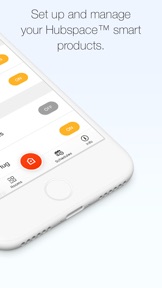
Use the Hubspace app to set up your Hubspace smart home products and begin managing your connected home in just minutes.
Organize your products by room and property, set schedules, or change product settings as needed using app controls. Manage and monitor your Hubspace products at home or remotely.
PRODUCT SETTINGS
• On/off controls
• Change light color temperature settings and colors
• Group products
• Set schedules
• Integrate with Google and Alexa
• Set fan speed
• And more
For Canada: By clicking “Install”, you acknowledge having read and understood this Description and consent to the installation of The Home Depot’s Hubspace mobile application and all updates and upgrades thereto (the “App”). The App allows you to build a home network of smart products and to control them from your device. It collects, uses and discloses certain personal information for this purpose, as set out more fully in the Privacy and Security Statement at https://www.homedepot.com/privacy/Privacy_Security. You can withdraw your consent at any time, though certain withdrawals of consent may limit your ability to use the App as designed or at all. Home Depot of Canada Inc. 400-1 Concorde Gate | Toronto ON M3C 4H9 | The Home Depot Canada |privacy@homedepot.ca | Privacy Policy https://www.homedepot.com/privacy/Privacy_Security.

What's New in Version 1.7.47

This update makes it even easier to add a smart product to your Hubspace account, plus there’s now support for keypad deadbolt locks. We enhanced the controls for products already supported, like adding a night light mode to track lights and image cropping for customizing your homes and rooms. There’s also more specific help around connectivity, and overall the app is easier to use. And of course bug fixes.

Seller

Name

Afero, Inc.

URL

Information

Developer

Categories

Version

1.7.47

Size

77.2 MB

Game Center

No

VPP Device Licensing

Yes

Rating

Rated: 4+

Compatibility

iOS 12.0 or later

Devices

iPhone 5s, iPhone 6, iPhone 6 Plus, iPhone 6s, iPhone 6s Plus, iPhone SE, iPhone 7, iPhone 7 Plus, iPhone 8, iPhone 8 Plus, iPhone X, iPhone XR, iPhone XS, iPhone XS Max, iPhone 11, iPhone 11 Pro, iPhone 11 Pro Max, iPhone SE (2nd generation), iPhone 12, iPhone 12 Pro, iPhone 12 Pro Max, iPhone 12 mini, iPhone 13, iPhone 13 Pro, iPhone 13 Pro Max, iPhone 13 mini, iPhone SE (3rd generation), iPhone 14, iPhone 14 Plus, iPhone 14 Pro, iPhone 14 Pro Max, iPad (5th Generation) Wi-Fi, iPad (5th Generation) Wi-Fi + Cellular, iPad (6th generation) Wi-Fi, iPad (6th generation) Wi-Fi + Cellular, iPad Pro, iPad Pro (Cellular), iPad Pro (9.7-inch), iPad Pro (9.7-inch) (Cellular), iPad Pro 12.9-inch (2nd generation), iPad Pro 12.9-inch (2nd generation) Wi-Fi + Cellular, iPad Pro (10.5-inch), iPad Pro (10.5-inch) Wi-Fi + Cellular, iPad Pro (11-inch), iPad Pro (11-inch) Wi-Fi + Cellular, iPad Pro 12.9-inch (3rd generation), iPad Pro 12.9-inch (3rd generation) Wi-Fi + Cellular, iPad Air, iPad Air (Cellular), iPad Air 2, iPad Air 2 (Cellular), iPad Air (3rd generation), iPad Air (3rd generation) Wi-Fi + Cellular, iPad mini Retina, iPad mini Retina (Cellular), iPad mini 3, iPad mini 3 (Cellular), iPad mini 4, iPad mini 4 (Cellular), iPad mini (5th Generation), iPad mini (5th Generation) Wi-Fi + Cellular, iPad (7th generation) Wi-Fi + Cellular, iPad Pro 11-inch (2nd generation), iPad Pro 11-inch (2nd generation) Wi-Fi + Cellular, iPad Pro 12.9-inch (4th generation), iPad Pro 12.9-inch (4th generation) Wi-Fi + Cellular, iPad Air (4th Generation) (Wi-Fi), iPad Air (4th Generation) (Wi-Fi + Cellular), iPad (8th generation) Wi-Fi, iPad (8th generation) Wi-Fi + Cellular, iPad Pro 11-inch (3rd generation), iPad Pro 11-inch (3rd generation) Wi-Fi + Cellular, iPad Pro 12.9-inch (5th Generation), iPad Pro 12.9-inch (5th Generation) Wi-Fi + Cellular, iPad (9th Generation), iPad (9th Generation) Wi-Fi + Cellular, iPad mini (6th Generation), iPad mini (6th Generation) Wi-Fi + Cellular, iPad Air (5th generation), iPad Air (5th generation) Wi-Fi + Cellular, iPad Pro11FourthGen, iPad Pro11FourthGenCellular, iPad ProSixthGen, iPad ProSixthGenCellular, iPad TenthGen, iPad TenthGenCellular, iPod touch (6th Generation), iPod touch (7th generation)

Languages

English, French, Spanish

App Store: Customer Ratings

Ratings & Reviews

4.5 of 5 (351 Ratings)

App Store: Customer Reviews

2022-11-11

Solid app

This app is awesome, its quick and very user friendly. if it was compatible with siri this app would be even better but it does exactly what it’s supposed too so I give it 5 stars
prnus
Version 1.7.47
2022-11-06

Programming colours

Would like to be able to program which colours appear in a cycle.
Consistent77
Version 1.7.47
2022-10-30

Great App

Awesome app for the price, well thought out and laid out.
Feature Suggestion: I have 6 smart lights in my bedroom, and I like having them turn on in the morning to help me wake up. I think it would be great if you could apply a schedule to an entire ‘room’ of appliances (e.g. if that room only contains lights), so that I don’t have to set the same schedule 6 times.
Alternatively, you might allow us the option in the ‘schedules’ page to copy the schedules of other smart devices we’ve already set up.
builtinpaperclip
Version 1.7.47
2022-10-22

Great system

Great product easy to control love the concept
pool side Andy
Version 1.7.47
2022-07-22

Easy to use app

Good app to control fan and light in one place.
Would be best if developers add an option to add widgets in the Home Screen.
004Bitam
Version 1.6.25
2022-06-24

APP WONT WORK

This is a useless app, you register, you try to sign in, it won’t let you, tells you to try again, but brings you back to the try again screen every time…..another waste of time….
-----!!!!!$$$$$&&&&&
Version 1.6.18