AboutTermsPrivacyContact
 
Updating
This Old House

This Old House

Released: 2019-12-14
© This Old House Ventures, LLC
This Old House - QR Code
Version 3.7.1
4+
Download on the App Store
Version 3.7.1
4+
Download on the App Store
Released: 2019-12-14
© This Old House Ventures, LLC

iPhone Screenshots

Screenshot
Screenshot
Screenshot
Screenshot
Screenshot
Screenshot
Screenshot

iPad Screenshots

Screenshot
Screenshot
Screenshot
Screenshot
Screenshot
Screenshot
Screenshot

Description

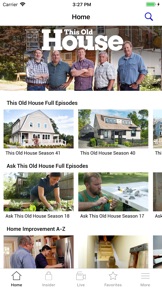
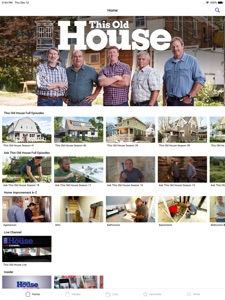
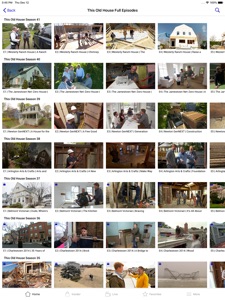
The free This Old House app features 1,400+ full episodes –– with new ones added weekly –– streaming to your TV, tablet or phone. Upgrade to Insider for ad-free viewing, and to unlock every episode in the archive.
This Old House is the number one home improvement brand, serving over 40 million consumers each month with trusted information and expert advice through the EMMY award-winning television shows This Old House and Ask This Old House, the Webby Award-winning site ThisOldHouse.com, the Insider membership club, the podcast Clearstory, and the highly regarded This Old House magazine.
https://www.thisoldhouse.com/old-house-ventures-llc-privacy-policy
https://www.thisoldhouse.com/old-house-terms-and-conditions

What's New in Version 3.7.1

Performance enhancements and minor bug fixes.

Seller

Name

This Old House Ventures LLC

URL

Information

Categories

Version

3.7.1

Size

47.9 MB

Game Center

No

VPP Device Licensing

Yes

Rating

Rated: 4+

Compatibility

iOS 9.0 or later

Devices

iPhone 4S, iPhone 5, iPhone 5c, iPhone 5s, iPhone 6, iPhone 6 Plus, iPhone 6s, iPhone 6s Plus, iPhone SE, iPhone 7, iPhone 7 Plus, iPhone 8, iPhone 8 Plus, iPhone X, iPhone XR, iPhone XS, iPhone XS Max, iPhone 11, iPhone 11 Pro, iPhone 11 Pro Max, iPhone SE (2nd generation), iPad 2 (Wi-Fi), iPad 2 (3G), iPad (3rd Generation) (Wi-Fi), iPad (3rd Generation) (4G), iPad (4th Generation) (Wi-Fi), iPad (4th Generation) (4G), iPad (5th Generation) Wi-Fi, iPad (5th Generation) Wi-Fi + Cellular, iPad (6th generation) Wi-Fi, iPad (6th generation) Wi-Fi + Cellular, iPad Pro, iPad Pro (Cellular), iPad Pro (9.7-inch), iPad Pro (9.7-inch) (Cellular), iPad Pro 12.9-inch (2nd generation), iPad Pro 12.9-inch (2nd generation) Wi-Fi + Cellular, iPad Pro (10.5-inch), iPad Pro (10.5-inch) Wi-Fi + Cellular, iPad Pro (11-inch), iPad Pro (11-inch) Wi-Fi + Cellular, iPad Pro 12.9-inch (3rd generation), iPad Pro 12.9-inch (3rd generation) Wi-Fi + Cellular, iPad Air, iPad Air (Cellular), iPad Air 2, iPad Air 2 (Cellular), iPad Air (3rd generation), iPad Air (3rd generation) Wi-Fi + Cellular, iPad mini (Wi-Fi), iPad mini (4G), iPad mini Retina, iPad mini Retina (Cellular), iPad mini 3, iPad mini 3 (Cellular), iPad mini 4, iPad mini 4 (Cellular), iPad mini (5th Generation), iPad mini (5th Generation) Wi-Fi + Cellular, iPad (7th generation) Wi-Fi + Cellular, iPad Pro 11-inch (2nd generation), iPad Pro 11-inch (2nd generation) Wi-Fi + Cellular, iPad Pro 12.9-inch (4th generation), iPad Pro 12.9-inch (4th generation) Wi-Fi + Cellular, iPad Air (4th Generation) (Wi-Fi), iPad Air (4th Generation) (Wi-Fi + Cellular), iPad (8th generation) Wi-Fi, iPad (8th generation) Wi-Fi + Cellular, iPod touch (5th generation), iPod touch (6th Generation), iPod touch (7th generation)

Languages

English

App Store: Customer Ratings

Ratings & Reviews

4.0 of 5 (3 Ratings)

App Store: Customer Reviews

2020-06-15

Great service, good app, a few quirks

Love the service, love having easy access to the back catalogue in high quality. Seeing a few issues when using the app on an iPad in landscape mode: 1) afaict there is no close button on the video player when in landscape, the only way to get from the player back to the episode collection is to rotate to portrait and back out of the navigation stack; 2) if you let the player auto advance to the next episode in landscape, the mask behind the player is lost, so you see a stripe of video over the episode detail view. In combination, the result is that in order to cleanly move from one episode to the next you need to rotate the device from landscape to portrait, pop the navigation stack, pick the next episode, and then rotate back to landscape. It’s a lot to do! Having said all that, it’s easy to live with because the content is great.
cheeseBoogie
Version 3.7.1