Updating


iPhone Screenshots


iPad Screenshots


Description
Are you in hunt for a PDF Scanner app which will make your life easier? If yes, you have come to the right place! Prepare yourself to be amazed by the incredible functionality of IScan: Document & PDF Scanner. This app is designed exclusively to let you scan important documents, share and save them on different platforms. Whether you have a bill, a ticket, an image, a document or a passport which needs scanning, you can perform it all with your portable mobile scanner. No need to go to a local store for getting your application scanned anymore as our mobile scanner is here to save the day for you!
Amazing functionality, countless features! IScan is designed with an aim to address the major issues prevailing in every adult’s or teenager’s life. Whether you are a student who does not want to pay a hefty amount for a book or an adult looking for ways to store important receipts, documents and images with just a tap, the iScan app will offer the PDF scanner functionality you have always been searching for. Simply position the document in the scanner frame, wait for a few seconds and you are all set to convert, share and save important files for future needs.
Save documents into Cloud or phone storage! This mobile scanner app features dual saving options. Once you have scanned and converted your documents, you can save them in your image gallery or upload them on your Cloud Storage. IScan is compatible with iCloud, Google Drive and DropBox to offer you an unbeatable level of compatibility for file saving. And that’s not all about it! The app features an advanced OCR Text Recognition which lets easier copying and sharing from PDF documents.
Laden with advanced Image processing and Language recognition technology! Are you tired of blurred scans? Would you like to preserve the outlook of any file even after scanning? If yes, iScan is the answer to your troubles. This app features a much advanced image processing technology which avoids blurring and blemishes from the scan. No more glares, no more blurs. Get crystal clear scans with this app. The best part is that it works equally well for color scans as well.
Save and edit unlimited PDFs! Got an application to be filled and submitted urgently? How about applying for your long awaited job post? Do it all on-the-go with the best mobile scanner out there. You can not only convert the PDFs but also edit them before or after saving the final files.
Scan without Wi-Fi connectivity! If you do not have an internet connection, you can still scan your documents and save them in your device. However, this is not applicable for sharing and uploading files on third party sites.
Features of iScan – Document & PDF Scanner:
- Hassle-free, simplistic UI for minimal clutter
- Laden with advanced text and language detection
- Supports text in more than 40 languages
- Useful for scanning photos, receipts, documents, stamps or business cards
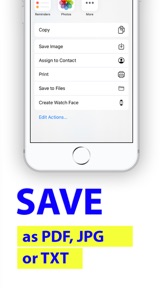
- Share files in email or any other social media platform
- Save files in your gallery
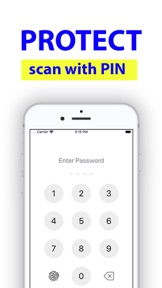
- Scanner lock to prevent unauthorized app access
Unlimited document scanning and sharing convenience is just around the corner. Make your life simpler and easier by downloading iScan – PDF & Document Scanner today!
The following subscription plans are available (price may vary depending on location):
• 12-month subscription with 7-day trial version – US$ 49.99
• 6-month subscription with 7-day trial version – US$ 29.94
• 1-month subscription with 3-day trial version – US$ 8.99
Privacy Policy: http://luckylimited.club/policy.html
Terms of Use: http://luckylimited.club/terms.html
What's New in Version 4.6.5
This update improves application performance and stability.
Seller
Name
Lucky Limited
Information
Developer
Categories
Version
4.6.5
Size
100.5 MB
Game Center
No
VPP Device Licensing
Yes
Rating
Rated: 4+
Compatibility
iOS 11.2 or later
Devices
iPhone 5s, iPhone 6, iPhone 6 Plus, iPhone 6s, iPhone 6s Plus, iPhone SE, iPhone 7, iPhone 7 Plus, iPhone 8, iPhone 8 Plus, iPhone X, iPhone XR, iPhone XS, iPhone XS Max, iPhone 11, iPhone 11 Pro, iPhone 11 Pro Max, iPhone SE (2nd generation), iPad (5th Generation) Wi-Fi, iPad (5th Generation) Wi-Fi + Cellular, iPad (6th generation) Wi-Fi, iPad (6th generation) Wi-Fi + Cellular, iPad Pro, iPad Pro (Cellular), iPad Pro (9.7-inch), iPad Pro (9.7-inch) (Cellular), iPad Pro 12.9-inch (2nd generation), iPad Pro 12.9-inch (2nd generation) Wi-Fi + Cellular, iPad Pro (10.5-inch), iPad Pro (10.5-inch) Wi-Fi + Cellular, iPad Pro (11-inch), iPad Pro (11-inch) Wi-Fi + Cellular, iPad Pro 12.9-inch (3rd generation), iPad Pro 12.9-inch (3rd generation) Wi-Fi + Cellular, iPad Air, iPad Air (Cellular), iPad Air 2, iPad Air 2 (Cellular), iPad Air (3rd generation), iPad Air (3rd generation) Wi-Fi + Cellular, iPad mini Retina, iPad mini Retina (Cellular), iPad mini 3, iPad mini 3 (Cellular), iPad mini 4, iPad mini 4 (Cellular), iPad mini (5th Generation), iPad mini (5th Generation) Wi-Fi + Cellular, iPad (7th generation) Wi-Fi, iPad Pro 11-inch (2nd generation), iPad Pro 11-inch (2nd generation) Wi-Fi + Cellular, iPad Pro 12.9-inch (4th generation), iPad Pro 12.9-inch (4th generation) Wi-Fi + Cellular, iPod touch (6th Generation), iPod touch (7th generation)
Languages
English, Arabic, Chinese, Dutch, French, German, Italian, Japanese, Korean, Portuguese, Russian, Spanish, Swedish, Turkish
App Store: Customer Ratings
Ratings & Reviews
4.5 of 5 (175 Ratings)
App Store: Customer Reviews
No Entry