Updating


iPhone Screenshots





iPad Screenshots




Description
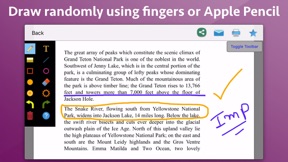
Add notes, highlight, draw lines, circle an object, add smileys, emojis and many more. The application supports more than 300 smileys and emojis to enhance the images. Smileys and emojis also help to show expression making the photos better and more expressive. You could also directly draw on the images. You could write using your fingers or Apple Pencil to show your messages in more expressive way. Handwritten messages or text adds more meaning to the images.
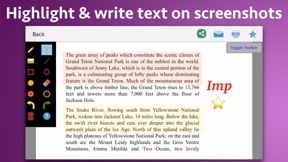
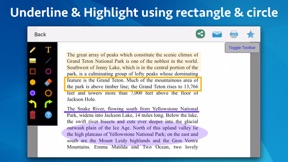
You could take a screenshot on the phone and edit it in the application. In the application, you could write text on screenshots, add emojis and smileys, draw using your fingers, highlight using rectangle or circle and underline text as well. Using the image markup, you could easily explain things on the screenshots or the images to the other people.
Using the image markup, you could easily point to important things in an image. For example, you could highlight yourself in a group of people.
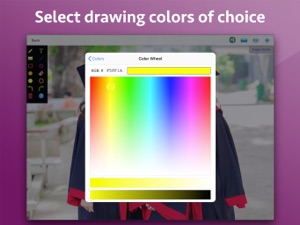
The application also comes with various other tools. For example : Using eraser, the drawn content could be deleted. The application has the undo and redo options. The application also comes with options to change the drawing color and thickness of the borders of the drawn objects.
Using the application you could draw randomly on the screen, draw a line, rectangle or circle, write text on the screen and highlight an area . When you write the text, you could change the Font, Size and colour as well.
What's New in Version 1.2
- We have fixed an issue where the photos were not getting added to the application sometimes.
Please write to us on sofonicaltd@gmail.com in case of any issue or questions.
Seller
Name
Nikhil Anshuman
Information
Developer
Categories
Version
1.2
Size
3.9 MB
Game Center
No
VPP Device Licensing
Yes
Rating
Rated: 4+
Compatibility
iOS 11.0 or later
Devices
iPhone 5s, iPhone 6, iPhone 6 Plus, iPhone 6s, iPhone 6s Plus, iPhone SE, iPhone 7, iPhone 7 Plus, iPhone 8, iPhone 8 Plus, iPhone X, iPhone XR, iPhone XS, iPhone XS Max, iPhone 11, iPhone 11 Pro, iPhone 11 Pro Max, iPhone SE (2nd generation), iPhone 12, iPhone 12 Pro, iPhone 12 Pro Max, iPhone 12 mini, iPhone 13, iPhone 13 Pro, iPhone 13 Pro Max, iPhone 13 mini, iPad (5th Generation) Wi-Fi, iPad (5th Generation) Wi-Fi + Cellular, iPad (6th generation) Wi-Fi, iPad (6th generation) Wi-Fi + Cellular, iPad Pro, iPad Pro (Cellular), iPad Pro (9.7-inch), iPad Pro (9.7-inch) (Cellular), iPad Pro 12.9-inch (2nd generation), iPad Pro 12.9-inch (2nd generation) Wi-Fi + Cellular, iPad Pro (10.5-inch), iPad Pro (10.5-inch) Wi-Fi + Cellular, iPad Pro (11-inch), iPad Pro (11-inch) Wi-Fi + Cellular, iPad Pro 12.9-inch (3rd generation), iPad Pro 12.9-inch (3rd generation) Wi-Fi + Cellular, iPad Air, iPad Air (Cellular), iPad Air 2, iPad Air 2 (Cellular), iPad Air (3rd generation), iPad Air (3rd generation) Wi-Fi + Cellular, iPad mini Retina, iPad mini Retina (Cellular), iPad mini 3, iPad mini 3 (Cellular), iPad mini 4, iPad mini 4 (Cellular), iPad mini (5th Generation), iPad mini (5th Generation) Wi-Fi + Cellular, iPad (7th generation) Wi-Fi + Cellular, iPad Pro 11-inch (2nd generation), iPad Pro 11-inch (2nd generation) Wi-Fi + Cellular, iPad Pro 12.9-inch (4th generation), iPad Pro 12.9-inch (4th generation) Wi-Fi + Cellular, iPad Air (4th Generation) (Wi-Fi), iPad Air (4th Generation) (Wi-Fi + Cellular), iPad (8th generation) Wi-Fi, iPad (8th generation) Wi-Fi + Cellular, iPad Pro 11-inch (3rd generation), iPad Pro 11-inch (3rd generation) Wi-Fi + Cellular, iPad Pro 12.9-inch (5th Generation), iPad Pro 12.9-inch (5th Generation) Wi-Fi + Cellular, iPad (9th Generation), iPad (9th Generation) Wi-Fi + Cellular, iPad mini (6th Generation), iPad mini (6th Generation) Wi-Fi + Cellular, iPod touch (6th Generation), iPod touch (7th generation)
Languages
English, Chinese, German, Japanese, Polish, Spanish
App Store: Customer Ratings
Ratings & Reviews
0.0 of 5 (No rating)
App Store: Customer Reviews
No Entry