Updating



-1
#20 in Top Paid Apps > Developer Tools
±0
#22 in Top Paid iPad Apps > Developer Tools
iPhone Screenshots

iPad Screenshots


Description
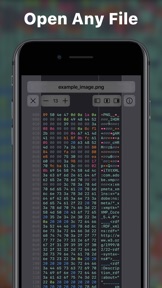
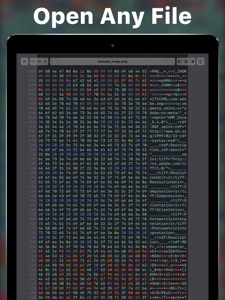
Hexer is a desktop level hex viewer packed with features. It was developed from the ground up for iOS and iPadOS. It is natural and intuitive to use for everyone. It is integrated with the Files app. So you can browse Dropbox, Google Drive, your git repositories, your downloads, your documents in iCloud Drive, or your desktop. Or you can just share any file to it.
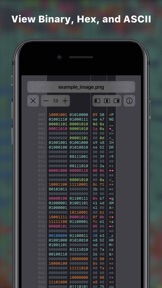
Bytes are highlighted in different colors: Printable characters are cyan, spaces blue, null bytes grey, control characters pink and so on. The colors appear across the binary, hexadecimal, and ascii column — or can just be turned off completely.
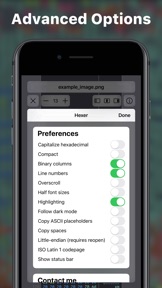
In addition to that the app has a long list of features, preferences, and options, like:
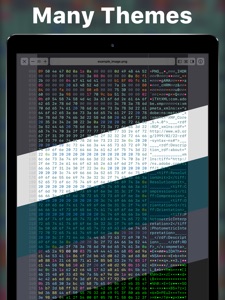
• Many popular themes from text editors and terminals
• Line numbers (offsets)
• Overscroll
• Complete control over the formatting of what you copy or share
• Column counts in powers of two (8 bytes, 16, 32, ...) or in any number that fits
• Interpret bytes as ASCII or ISO Latin 1
• The UI is navigable by keyboard and there are keyboard shortcuts to toggle almost every option
• ...
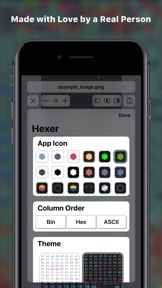
The App is made by a real person out of love. When you buy the app (no hidden in app purchases) the money goes straight to me to support development. If you have any questions or feature requests you can just write me an email and let me know. I will continue development with many more planned features like editing, search, multiple windows, tabs, and jump to offset.
Seller
Name
Hans Schulein
Information
Developer
Categories
Version
1.0.0
Size
11.8 MB
Game Center
No
VPP Device Licensing
Yes
Rating
Rated: 4+
Compatibility
iOS 11.0 or later
Devices
iPhone 5s, iPhone 6, iPhone 6 Plus, iPhone 6s, iPhone 6s Plus, iPhone SE, iPhone 7, iPhone 7 Plus, iPhone 8, iPhone 8 Plus, iPhone X, iPhone XR, iPhone XS, iPhone XS Max, iPhone 11, iPhone 11 Pro, iPhone 11 Pro Max, iPhone SE (2nd generation), iPhone 12, iPhone 12Mini, iPhone 12Pro, iPhone 12ProMax, iPad (5th Generation) Wi-Fi, iPad (5th Generation) Wi-Fi + Cellular, iPad (6th generation) Wi-Fi, iPad (6th generation) Wi-Fi + Cellular, iPad Pro, iPad Pro (Cellular), iPad Pro (9.7-inch), iPad Pro (9.7-inch) (Cellular), iPad Pro 12.9-inch (2nd generation), iPad Pro 12.9-inch (2nd generation) Wi-Fi + Cellular, iPad Pro (10.5-inch), iPad Pro (10.5-inch) Wi-Fi + Cellular, iPad Pro (11-inch), iPad Pro (11-inch) Wi-Fi + Cellular, iPad Pro 12.9-inch (3rd generation), iPad Pro 12.9-inch (3rd generation) Wi-Fi + Cellular, iPad Air, iPad Air (Cellular), iPad Air 2, iPad Air 2 (Cellular), iPad Air (3rd generation), iPad Air (3rd generation) Wi-Fi + Cellular, iPad mini Retina, iPad mini Retina (Cellular), iPad mini 3, iPad mini 3 (Cellular), iPad mini 4, iPad mini 4 (Cellular), iPad mini (5th Generation), iPad mini (5th Generation) Wi-Fi + Cellular, iPad (7th generation) Wi-Fi, iPad Pro 11-inch (2nd generation), iPad Pro 11-inch (2nd generation) Wi-Fi + Cellular, iPad Pro 12.9-inch (4th generation), iPad Pro 12.9-inch (4th generation) Wi-Fi + Cellular, iPad Air (4th Generation) (Wi-Fi), iPad Air (4th Generation) (Wi-Fi + Cellular), iPad (8th generation) Wi-Fi, iPad (8th generation) Wi-Fi + Cellular, iPod touch (6th Generation), iPod touch (7th generation)
Languages
English
App Store: Customer Ratings
Ratings & Reviews
5.0 of 5 (1 Rating)
App Store: Customer Reviews
No Entry