Updating


iPhone Screenshots


iPad Screenshots


Description
-------------------------------------------------------
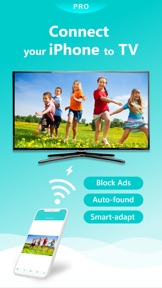
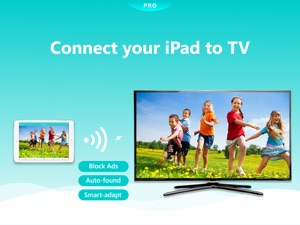
Compared to Nero Streaming Player, this PRO version blocks all advertisements and you have the opportunity to join the VIP subscription to unlock more advanced features!
* You can try Nero Streaming Player for free before paying PRO version.
-------------------------------------------------------
* music streaming: play your favorite songs or playlists on your DLNA receiver
* photo streaming: view your best pictures on the big TV screen - single or as a slideshow
* video streaming: enjoy your videos in best 4K quality
* streaming anytime, anywhere, and from any devices: stream from your iPhone, iPad, from YouTube, from PC, from NAS, from Cloud – if you active them in your iOS Files
The easiest casting app for all your media - but there is a lot more!
- NEW! New added YouTube feature! Helps you to watch your favorite YouTube channels on more smart TVs!
- Not only working for DLNA – but also support Chromecast, Chromecast Audio, Sonos!
- Cast your iCloud media files to TV!
- Use your iPhone/iPad as remote control while casting videos & music: regulate the volume, pause, stop or skip titles!
- Zoom in or rotate your photos while casting photos – with intuitive 2-finger gestures!
- Sort your music by interprets, songs, albums or genres and stream it to any DLNA receiver!
- Start other Nero mobile apps from Nero Streaming Player!
- Easily send your feedback regarding improvements and issues!
- A lot of supported devices:
Smart TVs from Samsung, Sony, LG, TCL, Panasonic, Sharp and many others
AV Devices from Yamaha, Onkyo, Sonos, Bose, Pioneer and many others
Chromecast and many other DLNA/UPnP compliant devices
Media servers from Plex, Serviio, Subsonic, Twonky, Windows Media Player and many others
NAS from Western Digital, Netgear, Synology, QNAP, Seagate and many others
>>> PRO Features & VIP Privileges
- No Ads: Block advertisement, forever
- Play from iOS Files: Streaming for those media files that are accessible in your iOS 'Files', e.g. the files saved at your iCloud Drive, OneDrive and across other cloud services.
- Unlimited Streaming: Browse and stream content from server without any limits
- More powerful playback: Unlock the Advanced Player that supports more formats and better quality.
- Smarter casting: With Nero's intelligent adaptive conversion strategy, no more time is wasted for unnecessary conversions
- VIP customer support
- How does it work?
Installing Nero Streaming Player allows you to play photos, videos & music from your iPhone or iPad to your Smart TV or DLNA receiver. You do not need any HDMI cable, cast hardware, or additional applications. Using DLNA standard, no configuration is required. Just connect your iPhone, your PC & NAS and Smart TV to the same WiFi network and get started. Open the app and select a photo, video, or song and click on the TV symbol on the lower right corner. A list of all your target devices in your local WiFi network will be displayed. Choose one and bring your media to the big screen or your audio system with this simple DLNA player!
- How to play media from PC & NAS to Smart TV using Nero Streaming Player?
Just launch the uPnP / DLNA compatible media server on your PC and NAS. Nero Streaming Player will show a complete list of all available servers. Select your preferred one and browse or cast all media located on your PC & NAS.
- You do not have a media server, yet?
Just download and install Nero MediaHome PC from www.nero.com. Simply click "Nero MediaHome" in Nero Streaming Player and with one touch, you will jump right into the timeline of all the photos and videos located on your PC. Via Nero Streaming Player browse and play all your media and make use of comfortable, enhanced features like viewing of family and friends via face recognition or by simply by viewing places you have visited.
What's New in Version 2.2.4
We always adapt Nero Streaming Player PRO to the latest version to improve user experience.
1. Nero Streaming Player PRO is now compatible with iOS14, making it easier to use.
2. Nero Streaming Player PRO is also compatible with latest Nero MediaHome 2021. The new Nero MediaHome is now coming with HDR compatibility, more AI categories and better management!
Seller
Name
Nero AG
Information
Developer
Categories
Version
2.2.4
Size
55.2 MB
Game Center
No
VPP Device Licensing
Yes
Rating
Rated: 4+
Compatibility
iOS 11.0 or later
Devices
iPhone 5s, iPhone 6, iPhone 6 Plus, iPhone 6s, iPhone 6s Plus, iPhone SE, iPhone 7, iPhone 7 Plus, iPhone 8, iPhone 8 Plus, iPhone X, iPhone XR, iPhone XS, iPhone XS Max, iPhone 11, iPhone 11 Pro, iPhone 11 Pro Max, iPhone SE (2nd generation), iPad (5th Generation) Wi-Fi, iPad (5th Generation) Wi-Fi + Cellular, iPad (6th generation) Wi-Fi, iPad (6th generation) Wi-Fi + Cellular, iPad Pro, iPad Pro (Cellular), iPad Pro (9.7-inch), iPad Pro (9.7-inch) (Cellular), iPad Pro 12.9-inch (2nd generation), iPad Pro 12.9-inch (2nd generation) Wi-Fi + Cellular, iPad Pro (10.5-inch), iPad Pro (10.5-inch) Wi-Fi + Cellular, iPad Pro (11-inch), iPad Pro (11-inch) Wi-Fi + Cellular, iPad Pro 12.9-inch (3rd generation), iPad Pro 12.9-inch (3rd generation) Wi-Fi + Cellular, iPad Air, iPad Air (Cellular), iPad Air 2, iPad Air 2 (Cellular), iPad Air (3rd generation), iPad Air (3rd generation) Wi-Fi + Cellular, iPad mini Retina, iPad mini Retina (Cellular), iPad mini 3, iPad mini 3 (Cellular), iPad mini 4, iPad mini 4 (Cellular), iPad mini (5th Generation), iPad mini (5th Generation) Wi-Fi + Cellular, iPad (7th generation) Wi-Fi, iPad Pro 11-inch (2nd generation), iPad Pro 11-inch (2nd generation) Wi-Fi + Cellular, iPad Pro 12.9-inch (4th generation), iPad Pro 12.9-inch (4th generation) Wi-Fi + Cellular, iPad Air (4th Generation) (Wi-Fi), iPad Air (4th Generation) (Wi-Fi + Cellular), iPad (8th generation) Wi-Fi, iPad (8th generation) Wi-Fi + Cellular, iPod touch (6th Generation), iPod touch (7th generation)
Languages
English, Chinese, Czech, Dutch, French, German, Italian, Japanese, Korean, Polish, Portuguese, Russian, Spanish, Swedish
App Store: Customer Ratings
Ratings & Reviews
0.0 of 5 (No rating)
App Store: Customer Reviews
No Entry