Updating


iPhone Screenshots



iPad Screenshots



Description
We all know that using your phone while driving is unsafe and illegal in most places. Voice Copilot can be used hands-free using only your voice, so you can safely find locations and get directions while driving.
Voice Copilot is the latest app from Cromulent Labs, the developers of popular iOS apps like Launcher and Notcho. We build trusted apps that have over 3 million downloads.
Features:
- Get directions to locations safely by using the app entirely hands-free.
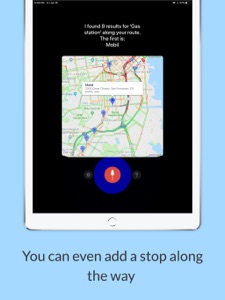
- Ability to add a stop along your route.
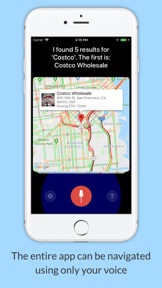
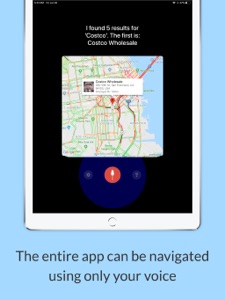
- Entire app can be navigated and manipulated using just your voice.
- Launches directions using your favorite app: Google Maps, Waze, or Apple Maps.
Google Maps and Waze have voice dictation features, but they require looking at and interacting with the screen which is unsafe while driving. Voice Copilot will read all results to you and let you choose where you want to go with just your voice. Start driving more safely today with Voice Copilot.
Voice Copilot is free to download and use. Within the app you can purchase the Pro Version which removes ads and improves search results and the voices used in the app. If you purchase a Pro Version subscription, it will be applied to your iTunes account at the end of the free trial.
Subscriptions will automatically renew unless canceled within 24-hours before the end of the current period. You can cancel anytime within your iTunes account settings. Any unused portion of a free trial will be forfeited if you purchase a subscription.
The privacy policy for this app is located here: https://www.cromulentlabs.com/voice-copilot/privacy/
The terms of use for this app are the standard Apple terms located here: https://www.apple.com/legal/internet-services/itunes/dev/stdeula/
What's New in Version 1.0.1
- Fix for output to bluetooth car stereos.
- Ability to disable output to bluetooth if desired.
- Fix for erroneous Speech Recognition Unavailable message.
Seller
Name
Cromulent Labs, Inc
Information
Developer
Categories
Version
1.0.1
Size
23.7 MB
Game Center
No
VPP Device Licensing
Yes
Rating
Rated: 4+
Compatibility
iOS 11.0 or later
Devices
iPhone 5s, iPhone 6, iPhone 6 Plus, iPhone 6s, iPhone 6s Plus, iPhone SE, iPhone 7, iPhone 7 Plus, iPhone 8, iPhone 8 Plus, iPhone X, iPhone XR, iPhone XS, iPhone XS Max, iPhone 11, iPhone 11 Pro, iPhone 11 Pro Max, iPhone SE (2nd generation), iPad (5th Generation) Wi-Fi, iPad (5th Generation) Wi-Fi + Cellular, iPad (6th generation) Wi-Fi, iPad (6th generation) Wi-Fi + Cellular, iPad Pro, iPad Pro (Cellular), iPad Pro (9.7-inch), iPad Pro (9.7-inch) (Cellular), iPad Pro 12.9-inch (2nd generation), iPad Pro 12.9-inch (2nd generation) Wi-Fi + Cellular, iPad Pro (10.5-inch), iPad Pro (10.5-inch) Wi-Fi + Cellular, iPad Pro (11-inch), iPad Pro (11-inch) Wi-Fi + Cellular, iPad Pro 12.9-inch (3rd generation), iPad Pro 12.9-inch (3rd generation) Wi-Fi + Cellular, iPad Air, iPad Air (Cellular), iPad Air 2, iPad Air 2 (Cellular), iPad Air (3rd generation), iPad Air (3rd generation) Wi-Fi + Cellular, iPad mini Retina, iPad mini Retina (Cellular), iPad mini 3, iPad mini 3 (Cellular), iPad mini 4, iPad mini 4 (Cellular), iPad mini (5th Generation), iPad mini (5th Generation) Wi-Fi + Cellular, iPad (7th generation) Wi-Fi + Cellular, iPad Pro 11-inch (2nd generation), iPad Pro 11-inch (2nd generation) Wi-Fi + Cellular, iPad Pro 12.9-inch (4th generation), iPad Pro 12.9-inch (4th generation) Wi-Fi + Cellular, iPod touch (6th Generation), iPod touch (7th generation)
Languages
English
App Store: Customer Ratings
Ratings & Reviews
0.0 of 5 (No rating)
App Store: Customer Reviews
No Entry