AboutTermsPrivacyContact
 
Updating
Screen Recorder + Video Editor

Screen Recorder + Video Editor

Released: 2019-06-23
© 2020 Big Nerd Software, LLC
Screen Recorder + Video Editor - QR Code
Version 1.2.2
4+
Download on the App Store
Version 1.2.2
4+
Download on the App Store
Released: 2019-06-23
© 2020 Big Nerd Software, LLC

iPhone Screenshots

Screenshot
Screenshot
Screenshot
Screenshot
Screenshot

iPad Screenshots

Screenshot
Screenshot
Screenshot
Screenshot
Screenshot

Description

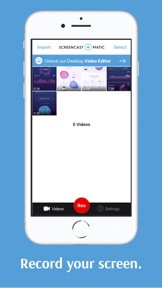
Screencast-O-Matic, the original desktop screen recorder, and video editor, now travels with you. Our free mobile app allows you to quickly capture your screen and create high-quality videos.
Record app demos, tutorials, video feedback, training and more. After recording, add a Facecam, crop, trim, or adjust the speed of your video.
Easily share, or connect with our intuitive desktop video editor to enhance your videos. Creating and sharing videos has never been easier.
RECORD:
• No recording time limit.
• Record as many videos as you want!
• Record audio narration.
ADD FACECAM REACTIONS:
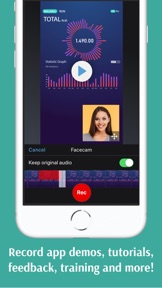
• Add Facecam to your videos!
• Select sections of your video to add Facecam.
• Drag to reposition Facecam.
ENHANCE VIDEOS:
• Trim videos.
• Crop videos with presets for social video sharing.
• Adjust the playback speed.
• Rotate videos.
MANAGE & SHARE
• Import videos from your camera roll.
• Keep and manage your recordings in your Screencast-O-Matic album.
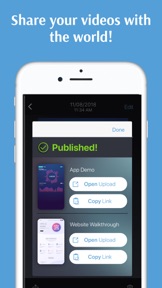
• Share on Screencast-O-Matic's website or other popular sites.
• Share with the apps you are already using!
AUTOMATICALLY TRANSFER TO THE DESKTOP VIDEO EDITOR
• Connect with the desktop video editor to enhance and personalize videos.
• Import camera roll videos to your Screencast-O-Matic album to automatically transfer to the desktop video editor.
• Desktop video editor is available on Mac & Windows. (Use one subscription for all devices).

What's New in Version 1.2.2

Audio will be heard on playback, even if the device is in silent mode.

Seller

Name

Big Nerd Software, LLC

Information

Categories

Version

1.2.2

Size

21.4 MB

Game Center

No

VPP Device Licensing

Yes

Rating

Rated: 4+

Compatibility

iOS 12.0 or later

Devices

iPhone 5s, iPhone 6, iPhone 6 Plus, iPhone 6s, iPhone 6s Plus, iPhone SE, iPhone 7, iPhone 7 Plus, iPhone 8, iPhone 8 Plus, iPhone X, iPhone XR, iPhone XS, iPhone XS Max, iPhone 11, iPhone 11 Pro, iPhone 11 Pro Max, iPhone SE (2nd generation), iPad (5th Generation) Wi-Fi, iPad (5th Generation) Wi-Fi + Cellular, iPad (6th generation) Wi-Fi, iPad (6th generation) Wi-Fi + Cellular, iPad Pro, iPad Pro (Cellular), iPad Pro (9.7-inch), iPad Pro (9.7-inch) (Cellular), iPad Pro 12.9-inch (2nd generation), iPad Pro 12.9-inch (2nd generation) Wi-Fi + Cellular, iPad Pro (10.5-inch), iPad Pro (10.5-inch) Wi-Fi + Cellular, iPad Pro (11-inch), iPad Pro (11-inch) Wi-Fi + Cellular, iPad Pro 12.9-inch (3rd generation), iPad Pro 12.9-inch (3rd generation) Wi-Fi + Cellular, iPad Air, iPad Air (Cellular), iPad Air 2, iPad Air 2 (Cellular), iPad Air (3rd generation), iPad Air (3rd generation) Wi-Fi + Cellular, iPad mini Retina, iPad mini Retina (Cellular), iPad mini 3, iPad mini 3 (Cellular), iPad mini 4, iPad mini 4 (Cellular), iPad mini (5th Generation), iPad mini (5th Generation) Wi-Fi + Cellular, iPad (7th generation) Wi-Fi + Cellular, iPad Pro 11-inch (2nd generation), iPad Pro 11-inch (2nd generation) Wi-Fi + Cellular, iPad Pro 12.9-inch (4th generation), iPad Pro 12.9-inch (4th generation) Wi-Fi + Cellular, iPad Air4, iPad Air4Cellular, iPad EighthGen, iPad EighthGenCellular, iPod touch (6th Generation), iPod touch (7th generation)


Languages

English

App Store: Customer Ratings

Ratings & Reviews

4.0 of 5 (99 Ratings)

App Store: Customer Reviews

2020-08-11

Amazing!

This app worked great for screen recording and I should know cause I’m a YouTuber... look me up on YouTube I’m doge fusion 🐵
Riptide250
Version 1.2.2
2020-05-29

Nooo

I CANT UPLOAD IT TO MY YOUTUBE CHANNEL
sonic.dxg
Version 1.2.2
2020-04-20

Disappointing

This has been a frustrating experience. It has taken hours to record a 15 minute video. The red bar disappeared on some, the mic turned off on some, some just didn’t save. This app did not live up to its description or positive star rating at all.
no you don't need my name
Version 1.2.1
2020-04-09

I hate this ap

I wanted something simple to connect with my students. I wanted to record myself With my face showing. Like a regular video. I only get my voice. It’s just a voice recorder.
fo sho no good
Version 1.2.1
2020-04-06

Red bar disappears

When it works it works great, but I’ve had to redo way too many times because the red bar disappears and you just lose your video by shutting off the app.
pikelE20
Version 1.2.1
2020-02-18

How do you

How do you screen record and have your cam on at the same time on iPad or iPhone I can’t figure it out? Also I have signed in with 2 emails then when I go sign in it says info is wrong and I can’t reuse same email why....
izzycass
Version 1.2.1
2020-01-11

Frustrated

I am very frustrated by this app. It tells me to tap the red bar when I’m done recording, but as soon as I switch screens the red bar is gone forever. The only way to stop the recording it to close the app completely which means loosing the video.
***Update: It seems the issue has been resolved. Now it works just like it should. Thank you! I foresee using this app a lot.
Goober Too
Version 1.2
2019-12-06

Love this app!

I recorded a 1-minute demo of some functions in iOS and narrated what I was doing ... this app worked beautifully. Would recommend it to anyone.
@TeachersOnFire
Version 1.2