AboutTermsPrivacyContact
 
Updating
Social Media Post Maker

Social Media Post Maker

Released: 2018-03-29
© optimumbrew@2019
Social Media Post Maker - QR Code
Version 1.27
4+
Download on the App Store
Version 1.27
4+
Download on the App Store
Released: 2018-03-29
© optimumbrew@2019

iPhone Screenshots

Screenshot
Screenshot
Screenshot
Screenshot
Screenshot
Screenshot
Screenshot
Screenshot
Screenshot
Screenshot

iPad Screenshots

Screenshot
Screenshot
Screenshot
Screenshot
Screenshot
Screenshot
Screenshot
Screenshot
Screenshot
Screenshot

Description

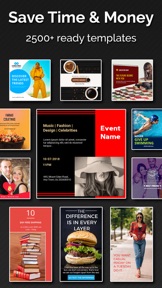
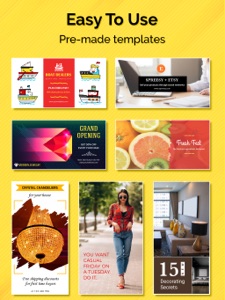
Social Media Post Maker, Planner & Scheduler is the best social media marketing app that will help you to design creative post and schedule it on social media.
All-in-one Post Maker for any & every Social Media Platform
This post maker is your total backup for hot & trending graphic designs on social media. One-click sharing of post graphic designs & templates to any desired platform.
1. Create & share classic Instagram post templates
2. Trending collection of Instagram story templates
3. High-resolution thumbnail maker
4. Book Cover Maker for e-books
5. Instagram Post Scheduler for easy-breezy sharing
6. Facebook Post Planner for glitch-free management
7. Facebook Post Templates in standard resolutions
8. Multi-channel exposure to any graphic design created by you
Key Features
1. Handy Social Media Marketing App
2. 5000+ Insta post templates, YouTube thumbnail templates & cover maker
3. Ideal to be used by individuals & marketers
4. Good-to-go as Instagram post maker
5. One-click social media post scheduler
6. Ultimate Social Media Marketing App
7. Upgraded templates collection for Facebook, Instagram, WhatsApp, Snapchat, Pinterest, Twitter, Tumblr, YouTube, and more.
Engaging Instagram Post Templates
1. One-stop Instagram post maker that transforms your Instagram post templates, Instagram story templates & also lets you schedule Instagram posts
2. Try Instagram post templates that impress your followers that are far away than stereotype posts
3. Create Instagram post templates with quotes or enhance the look & feel of media you already have with optimized graphic designs
4. Use Instagram post maker that tells your untold stories in the most beautiful way.
5. Instagram post maker with an exotic range of themed posts & stories
6. Instant sharing of any Instagram post templates is yet another incredible feature of the app
Outstanding Facebook Post Templates
1. Facebook post templates must be highly engaging to get likes, shares & conversions.
2. Our Facebook post maker is a brilliant tool to schedule Facebook posts
3. Facebook cover maker with an exuberant range of latest designs
4. Make your Facebook post templates go viral with our go-to post maker in no time
Attractive YouTube Thumbnail Maker
Running a Youtube channel but not getting visitors? Our YouTube Channel Art Maker might help you!
1. Try our versatile YouTube Thumbnail Maker as trendsetting album cover maker or video cover maker
2. Use YouTube thumbnail templates that best fits your video
“Post Maker Pro” Subscriptions:
1. Monthly subscription: $6.99
2. Six months subscription: $19.99
3. Yearly subscription: $29.99
These prices are for United States customers. Pricing in other countries may vary and actual charges may be converted to your local currency depending on the country of residence.
If you choose to subscribe, the payment will be charged to your iTunes Account at confirmation of purchase. Your trial subscription will automatically be converted to a paid subscription at least 24 hours before the end of the trial period. Any unused portion of the free trial period, if offered, will be forfeited when you purchase a subscription to that publication. From that moment and further, subscription automatically renews until auto-renew is turned off at least 24-hours before the end of the current period. Subscriptions may be managed and auto-renewal may be turned off in Account Settings after purchase. No cancellation of the current subscription is allowed during the active subscription period. If you have any questions while using this app, please contact us via email at info@optimumbrew.com.
Terms of Use - https://sites.google.com/view/bgiosapp/terms-conditions
Privacy Policy - https://sites.google.com/view/bgiosapp/home

What's New in Version 1.27

Grow Your Business Using Social Media Marketing. Grab More Followers. Schedule Your Posts in Advance. FREE Templates Available. Quick & Easy To Use.
New Version Includes:
• Bug fixes and performance improvements.
Please rate the app and give your feedback to help us improve and create much more unique apps for you. Happy Designing...

Seller

Name

Bhavesh Gabani

Information

Categories

Version

1.27

Size

99.3 MB

Game Center

No

VPP Device Licensing

Yes

Rating

Rated: 4+

Compatibility

iOS 9.0 or later

Devices

iPhone 4S, iPhone 5, iPhone 5c, iPhone 5s, iPhone 6, iPhone 6 Plus, iPhone 6s, iPhone 6s Plus, iPhone SE, iPhone 7, iPhone 7 Plus, iPhone 8, iPhone 8 Plus, iPhone X, iPhone XR, iPhone XS, iPhone XS Max, iPhone 11, iPhone 11 Pro, iPhone 11 Pro Max, iPhone SE (2nd generation), iPad 2 (Wi-Fi), iPad 2 (3G), iPad (3rd Generation) (Wi-Fi), iPad (3rd Generation) (4G), iPad (4th Generation) (Wi-Fi), iPad (4th Generation) (4G), iPad (5th Generation) Wi-Fi, iPad (5th Generation) Wi-Fi + Cellular, iPad (6th generation) Wi-Fi, iPad (6th generation) Wi-Fi + Cellular, iPad Pro, iPad Pro (Cellular), iPad Pro (9.7-inch), iPad Pro (9.7-inch) (Cellular), iPad Pro 12.9-inch (2nd generation), iPad Pro 12.9-inch (2nd generation) Wi-Fi + Cellular, iPad Pro (10.5-inch), iPad Pro (10.5-inch) Wi-Fi + Cellular, iPad Pro (11-inch), iPad Pro (11-inch) Wi-Fi + Cellular, iPad Pro 12.9-inch (3rd generation), iPad Pro 12.9-inch (3rd generation) Wi-Fi + Cellular, iPad Air, iPad Air (Cellular), iPad Air 2, iPad Air 2 (Cellular), iPad Air (3rd generation), iPad Air (3rd generation) Wi-Fi + Cellular, iPad mini (Wi-Fi), iPad mini (4G), iPad mini Retina, iPad mini Retina (Cellular), iPad mini 3, iPad mini 3 (Cellular), iPad mini 4, iPad mini 4 (Cellular), iPad mini (5th Generation), iPad mini (5th Generation) Wi-Fi + Cellular, iPad (7th generation) Wi-Fi + Cellular, iPad Pro 11-inch (2nd generation), iPad Pro 11-inch (2nd generation) Wi-Fi + Cellular, iPad Pro 12.9-inch (4th generation), iPad Pro 12.9-inch (4th generation) Wi-Fi + Cellular, iPad Air4, iPad Air4Cellular, iPad EighthGen, iPad EighthGenCellular, iPod touch (5th generation), iPod touch (6th Generation), iPod touch (7th generation)

Languages

English

App Store: Customer Ratings

Ratings & Reviews

4.5 of 5 (35 Ratings)

App Store: Customer Reviews

2020-06-17

Enjoying

Perfect
sahib pannu
Version 1.23
2020-05-29

Best to use

Easy convenient, so many background options. I like to use this for my business advertisement purposes.
Mande_ep
Version 1.21
2020-04-23

Rainbow

Great
Raymonwinnipeg
Version 1.21
2019-10-06

Excelente

Muy buena app para posts rápidos
xCoRViNax
Version 1.15
2019-09-30

Hard to use

I was trying to make a simple Instagram post using one of the templates but had to give up. For one the editing part didn’t make any sense. On the template you can edit parts of the design by tapping on it which will bring up some options. I started picking a different color, but I noticed that the colour wasn’t matching the one that I picked. After some confusion, I realize that the colour was only being added as a film over the original design and that you had to tap edit again to open another editing window in order to change the original colour of the design. I could have gotten by that, except for the fact that using the option to change the layers of the design was very unresponsive. You were to tap and hold the layer in the drop down menu and move it the the level you wanted, however the majority of the time it didn’t work and I had to close and reopen the app to get it to work. I didn’t get any farther than that but I imagine that there would be more problems had I tried to continue on. I will be looking for a different app to create my own post.
Rilla-My-Rilla
Version 1.15
2018-12-26

A+

Merci!
jadecote
Version 1.5