Description
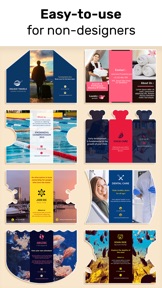
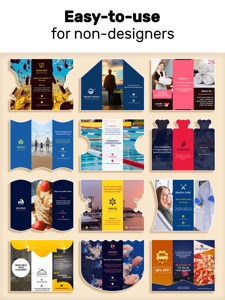
You don't need to hire a graphic designer to create a professional advertising brochures for your business.
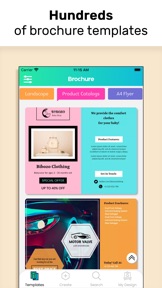
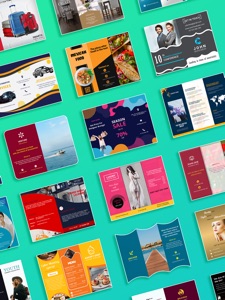
We've designed a good collection of advertising brochure templates and it is editable through this brochure maker and poster creator app.
Make your own customized brochure fast and easy with brochure maker – no design skills needed. Get a professional poster at your fingertips. Choosing a poster creator helps people to get results with half the effort in the poster making process. Poster Creator is the program that will allow you to easily design posters with your photos.
Key Features:
1. Huge Collection Of Templates
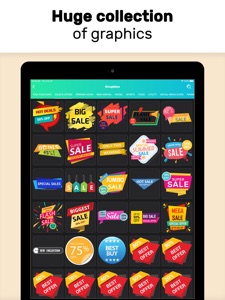
2. Image Stickers With Add Your Own
3. Crop Photos In Various Shapes, Make Image Transparent
4. Shape Collection
5. Text Art Collection
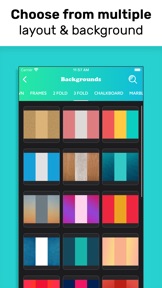
6. Background Image Collection
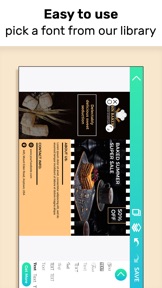
7. Font Library With Add Your Own Option
8. Multiple Layers
9. Duplicate Items
10. Auto Save Your Design
11. Undo/Redo Your Work
12. Lock/Unlock Layers
13. Share on social media
14. Re-Edit Your Design
Brochure Maker & Poster Creator For Various Business:
1. Food & Restaurants
2. Education
3. Books and Magazines
4. Real Estate
5. Travel
6. Fashion
7. Beauty
8. Fitness
9. Auto Mobiles
10. Photography
11. Entertainment & Media & more
An eye-catching brochure is a key part of any company's marketing campaign. Whether you're a small startup or an established enterprise, brochures can tell your story and showcase your products and services. Now, you don't have to be a designer – or hire one – to create professional-looking brochures. It can be easily created using this beautifully designed Brochure Maker mobile app.
Poster maker is a perfect choice for saying more about your business. Whether you're looking to offer more detailed information about your services, use it as a menu, or simply make more of a connection with customers, a poster gives you the space to tell your story. And they're easier to make than they might seem.
Even if you have great content in your poster, it won't work well if your design doesn't look professional. Create eye-catching posters quickly and easily with ready-to-edit layout files with poster maker. Now design creative posters with Poster Maker.
You can search for tri-fold brochure, two-fold brochure, brochure for graphic design students, product catalog, leaflet design, advertising pamphlet, and more.
“Brochure Pro” Subscriptions:
1. Monthly subscription: $5.49
2. Six months subscription: $19.99
3. Yearly subscription: $29.99
These prices are for United States customers. Pricing in other countries may vary and actual charges may be converted to your local currency depending on the country of residence.
If you choose to subscribe, the payment will be charged to your iTunes Account at confirmation of purchase. Your trial subscription will automatically be converted to a paid subscription at least 24 hours before the end of the trial period. Any unused portion of the free trial period, if offered, will be forfeited when you purchase a subscription to that publication. From that moment and further, subscription automatically renews until auto-renew is turned off at least 24-hours before the end of the current period. Subscriptions may be managed and auto-renewal may be turned off in Account Settings after purchase. No cancellation of the current subscription is allowed during the active subscription period. If you have any questions while using this app, please contact us via email at info@optimumbrew.com.
Terms of Use - https://sites.google.com/view/bgiosapp/terms-conditions
Privacy Policy - https://sites.google.com/view/bgiosapp/home
Please rate the app and give your feedback to help us improve and create much more unique apps for you.
What's New in Version 1.29
Create professional brochures in mins. Easy to use, quick, no design skills required.
New Version Includes:
• Color Picker to pick any color from the canvas for the background
• Gradient Color to apply gradient color to the background
• Blur to apply blur effect on the background image
• Scale option to adjust the content mode of the background
Just update and use it!
Please rate the app and give your feedback to help us improve and create much more unique apps for you. Happy Designing...