Updating


iPhone Screenshots





iPad Screenshots






Description
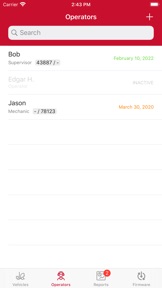
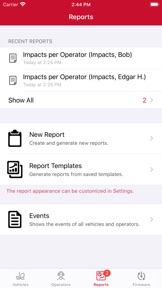
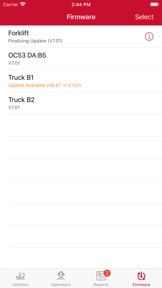
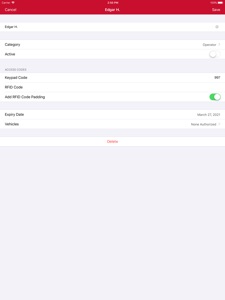
PowerFleet Essence consists of the compact OC53 hardware and the PowerFleet Control Center iOS software application installed on an iPad or iPhone. Supported devices include iPhone 6 or later, iPad Air2 or later and iPad Mini4 or later. Any of these must be running iOS 11 or later. Communication is Bluetooth based with no requirement for any site wireless infrastructure. The intuitive Control Center application automatically records and uploads/downloads key vehicle/operator data to and from OC53 units. Additionally, the PowerFleet Control Center application can be configured now for English, Spanish, German and French language support. The OC53 provides electronic safety checklists via built-in display. It easily installs on virtually any industrial vehicle and incorporates the latest accelerometer technology internally for impact detection.
What's New in Version 2.1.0
You can now easily migrate your added vehicles, operators, reports and configuration to another iPhone or iPad device. You can enter migration mode in Settings.
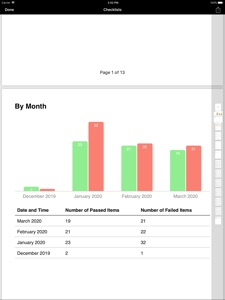
New tab "Dashboard" that provides statistics and charts on impacts, failed checklist items and more.
New vehicle connection indicators that shows you when the app is currently synchronizing data with your PowerFleet unit.
Event types shown under the Event Types filter are now displayed in alphabetical order.
Fixes an issue where tapping on "Clone Setting" could cause the app to crash.
Various other usability and performance improvements.
Seller
Name
KEYTROLLER, LLC
Information
Developer
Categories
Version
2.1.0
Size
26.9 MB
Game Center
No
VPP Device Licensing
Yes
Rating
Rated: 4+
Compatibility
iOS 11.0 or later
Devices
iPhone 5s, iPhone 6, iPhone 6 Plus, iPhone 6s, iPhone 6s Plus, iPhone SE, iPhone 7, iPhone 7 Plus, iPhone 8, iPhone 8 Plus, iPhone X, iPhone XR, iPhone XS, iPhone XS Max, iPhone 11, iPhone 11 Pro, iPhone 11 Pro Max, iPhone SE (2nd generation), iPad (5th Generation) Wi-Fi, iPad (5th Generation) Wi-Fi + Cellular, iPad (6th generation) Wi-Fi, iPad (6th generation) Wi-Fi + Cellular, iPad Pro, iPad Pro (Cellular), iPad Pro (9.7-inch), iPad Pro (9.7-inch) (Cellular), iPad Pro 12.9-inch (2nd generation), iPad Pro 12.9-inch (2nd generation) Wi-Fi + Cellular, iPad Pro (10.5-inch), iPad Pro (10.5-inch) Wi-Fi + Cellular, iPad Pro (11-inch), iPad Pro (11-inch) Wi-Fi + Cellular, iPad Pro 12.9-inch (3rd generation), iPad Pro 12.9-inch (3rd generation) Wi-Fi + Cellular, iPad Air, iPad Air (Cellular), iPad Air 2, iPad Air 2 (Cellular), iPad Air (3rd generation), iPad Air (3rd generation) Wi-Fi + Cellular, iPad mini Retina, iPad mini Retina (Cellular), iPad mini 3, iPad mini 3 (Cellular), iPad mini 4, iPad mini 4 (Cellular), iPad mini (5th Generation), iPad mini (5th Generation) Wi-Fi + Cellular, iPad (7th generation) Wi-Fi + Cellular, iPad Pro 11-inch (2nd generation), iPad Pro 11-inch (2nd generation) Wi-Fi + Cellular, iPad Pro 12.9-inch (4th generation), iPad Pro 12.9-inch (4th generation) Wi-Fi + Cellular, iPod touch (6th Generation), iPod touch (7th generation)
Languages
English, French, German, Spanish
App Store: Customer Ratings
Ratings & Reviews
0.0 of 5 (No rating)
App Store: Customer Reviews
No Entry