Updating


iPhone Screenshots




iPad Screenshots



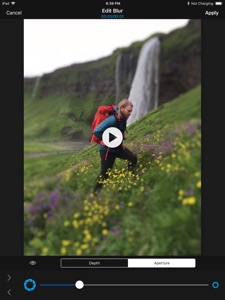

Description
Turn any photo and video into awesome portrait photo and video with depth blur and bokeh effect!
You need no dual lens, no plus model device. You also have no restriction on the distance with objects.
With powerful tools provided by the app,
- multiple depth
- fine masking creation
- background depth
- background type (rectangular, radial, diagonal and plain)
- background distance
- aperture adjustment
You can turn any plain photo and video into awesome portrait photo and viideo with depth blur and bokeh effect.
Unlike other apps which just support simple masking and blur, [AfterFocus] enables you to add multi level depth to your photo and make really natural depth blur effect.
** Depth Blur on Photo
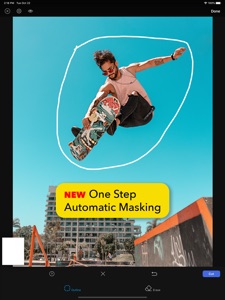
• Add depth to your photo with multiple masks.
• Create mask with precision.
- Change brush and soft edge size
- Undoable
- Quick selection with single tap
• Apply depth to background.
- Choose Rectangular, diagnoal radial background
- Choose background distance
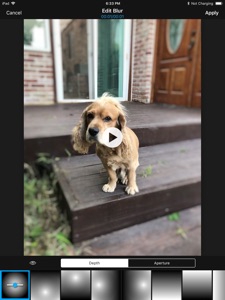
• Adjust aperture to change blur intensity.
• Edit and reuse the project later.
• Supports extension from Photos app.
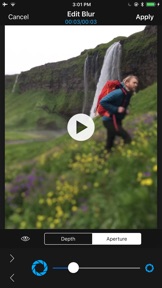
** Depth Blur on Video
• Add manual depth effect on video.
• Add manual depth effect on live photo.
• Tons of predefined depth effects.
• Adjust the size of depth.
• Adjust aperture and blur intensity.
• Split into multiple time ranges and add depth effect to each range.
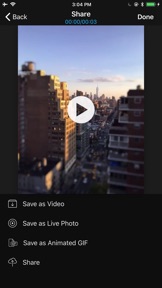
• Save as video.
• Save as live photo.
• Save as animated gif.
• Save to camera roll and share to SNS.
• Edit and reuse the project later.
• Supports extension from Photos app.
What's New in Version 1.2.1
- Minor enhancement of automatic object masking
Information
Developer
Categories
Version
1.2.1
Size
37.8 MB
Game Center
No
VPP Device Licensing
Yes
Rating
Rated: 4+
Compatibility
iOS 11.0 or later
Devices
iPhone 5s, iPhone 6, iPhone 6 Plus, iPhone 6s, iPhone 6s Plus, iPhone SE, iPhone 7, iPhone 7 Plus, iPhone 8, iPhone 8 Plus, iPhone X, iPhone XR, iPhone XS, iPhone XS Max, iPhone 11, iPhone 11 Pro, iPhone 11 Pro Max, iPhone SE (2nd generation), iPad (5th Generation) Wi-Fi, iPad (5th Generation) Wi-Fi + Cellular, iPad (6th generation) Wi-Fi, iPad (6th generation) Wi-Fi + Cellular, iPad Pro, iPad Pro (Cellular), iPad Pro (9.7-inch), iPad Pro (9.7-inch) (Cellular), iPad Pro 12.9-inch (2nd generation), iPad Pro 12.9-inch (2nd generation) Wi-Fi + Cellular, iPad Pro (10.5-inch), iPad Pro (10.5-inch) Wi-Fi + Cellular, iPad Pro (11-inch), iPad Pro (11-inch) Wi-Fi + Cellular, iPad Pro 12.9-inch (3rd generation), iPad Pro 12.9-inch (3rd generation) Wi-Fi + Cellular, iPad Air, iPad Air (Cellular), iPad Air 2, iPad Air 2 (Cellular), iPad Air (3rd generation), iPad Air (3rd generation) Wi-Fi + Cellular, iPad mini Retina, iPad mini Retina (Cellular), iPad mini 3, iPad mini 3 (Cellular), iPad mini 4, iPad mini 4 (Cellular), iPad mini (5th Generation), iPad mini (5th Generation) Wi-Fi + Cellular, iPad (7th generation) Wi-Fi + Cellular, iPad Pro 11-inch (2nd generation), iPad Pro 11-inch (2nd generation) Wi-Fi + Cellular, iPad Pro 12.9-inch (4th generation), iPad Pro 12.9-inch (4th generation) Wi-Fi + Cellular, iPod touch (6th Generation), iPod touch (7th generation)
Languages
English, Chinese, Japanese, Korean
App Store: Customer Ratings
Ratings & Reviews
1.0 of 5 (1 Rating)
App Store: Customer Reviews
No Entry