AboutTermsPrivacyContact
 
Updating
XMind: Mind Map

XMind: Mind Map

Released: 2017-12-12
© 2006-2020 XMind Ltd.
XMind: Mind Map - QR Code
Version 2.1.3
4+
Download on the App Store
Version 2.1.3
4+
Download on the App Store
Released: 2017-12-12
© 2006-2020 XMind Ltd.

iPhone Screenshots

Screenshot
Screenshot
Screenshot
Screenshot

iPad Screenshots

Screenshot
Screenshot
Screenshot
Screenshot

Description

Proudly presented by XMind.
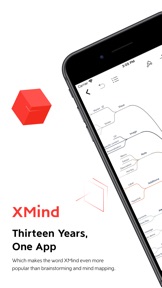
Inspiration happens anytime and anywhere. Enjoy a premium mind mapping journey in your hands.
The first snapshot of a moment is worth being collected with XMind, a full-featured and cross-platform mind mapping and brainstorming solution for everyone.
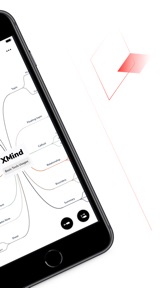
Desktop-class mind mapping graphics engine. Fast, powerful and stable.
Dedicate to mind mapping for over a decade, XMind represents our unique understanding of mind mapping tool.
TAP, SET & START
• Easy and Fast - With several simple taps, you are all set and focus on what matters most.
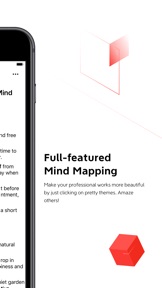
• Built-in 30 Templates - Choose a template, and you can focus on what matters most in a neat way.
• Sufficient Structures - From Balance Sheet, to Fishbone Chart, Matrix, Timeline, there is always the right template for recording your ideas.
• Mix and Match: Two is better than one. We always support structure combination so that your ideas can be fit in well tailored suits.
CREATE, READ & MODIFY
• Drawing - Unleash your creativity with your fingertips. You can add hand-drawn files, fill the topic with work from Apple Pencil, and even scribbles.
• Outliner - A new way to view, organize and manage the topics. Switch Outliner and Mind Map back and forth helps you to read your work from different perspectives.
• Multiple Windows - Open, read and edit 2 files side by side at a time in the same space.
• Dark Mode - Compatible with the Dark Mode of iOS 13 and follow current theme automatically.
• Keyboard Shortcuts - You can use common shortcuts for a faster way of recording.
• Topic Link - Two topics can be linked and transitioned to each other instantly via a simple click.
• Elaborate & Decorate - Elaborate to widen your topic, insert images, audio note, label, hyperlink, etc. Choose markers and stickers to make mind mapping fancy and comprehensive.
• Search - Search the topic in all the sheets quickly, and the topic will display with highlight.
SAVE, SHARE & MORE
• iOS Files: Support Files with faster file tracking and effective file management.
• File App: Bring all your files together. You can browse, search and organize all the files once at a time, on other iOS devices and cross other cloud services, including Dropbox, OneDrive, Google Drive, etc.
• Share in Multiple Formats: Export your map to PNG, PDF, and Markdown.
• Print: Print your work via several taps, and make your mind map happen.
SUBSCRIBE XMIND
• Products: Unlock All Platforms (Annually), Unlock All Platforms (6 Months)
• Type: Auto-Renewable Subscriptions
• Price: $59.99/year, $39.99/6 months
• Cancel Subscription: Go to "Settings" > "iTunes & App Store">Tap your Apple ID, Tap View Apple ID, Tap Subscriptions, Tap「Unlock All Platforms」/「Unlock Mobile Only」to cancel subscription. If you do not end the subscription more than 24 hours before the end of the subscription period, the subscription will be automatically renewed.
• Apple ID for automatic renewal subscriptions will be automatically charged for an additional 6 months in iTunes account 24 hours prior to the expiration of each billing cycle;
• Terms of Service (including subscription rules): https://www.xmind.net/terms/
• Privacy Policy: https://www.xmind.net/privacy/
FILES: The new Files app brings all of your files together. You can easily browse, search, and organize all your files in one place. Not just the ones on the device you're using, but also those in apps, on your other iOS devices, in iCloud Drive, and across other cloud services. The Files app lets you add your third-party cloud services—like Dropbox, OneDrive, Google Drive, and more—so that you can access all of your files on all of your devices.
QUESTIONS?
Let us know if you have any feedback, or if we can help in any way at xmind-ios-support@xmind.net.

What's New in Version 2.1.3

1. Fixed the issue of Relationship display error in PNG and PDF;
2. Added Outliner printing feature;
3. Added the feature of exporting Outliner to PDF.

Seller

Name

XMind Ltd.

URL

Information

Developer

Categories

Version

2.1.3

Size

136.1 MB

Game Center

No

VPP Device Licensing

Yes

Rating

Rated: 4+

Compatibility

iOS 11.0 or later

Devices

iPhone 5s, iPhone 6, iPhone 6 Plus, iPhone 6s, iPhone 6s Plus, iPhone SE, iPhone 7, iPhone 7 Plus, iPhone 8, iPhone 8 Plus, iPhone X, iPhone XR, iPhone XS, iPhone XS Max, iPhone 11, iPhone 11 Pro, iPhone 11 Pro Max, iPhone SE (2nd generation), iPad (5th Generation) Wi-Fi, iPad (5th Generation) Wi-Fi + Cellular, iPad (6th generation) Wi-Fi, iPad (6th generation) Wi-Fi + Cellular, iPad Pro, iPad Pro (Cellular), iPad Pro (9.7-inch), iPad Pro (9.7-inch) (Cellular), iPad Pro 12.9-inch (2nd generation), iPad Pro 12.9-inch (2nd generation) Wi-Fi + Cellular, iPad Pro (10.5-inch), iPad Pro (10.5-inch) Wi-Fi + Cellular, iPad Pro (11-inch), iPad Pro (11-inch) Wi-Fi + Cellular, iPad Pro 12.9-inch (3rd generation), iPad Pro 12.9-inch (3rd generation) Wi-Fi + Cellular, iPad Air, iPad Air (Cellular), iPad Air 2, iPad Air 2 (Cellular), iPad Air (3rd generation), iPad Air (3rd generation) Wi-Fi + Cellular, iPad mini Retina, iPad mini Retina (Cellular), iPad mini 3, iPad mini 3 (Cellular), iPad mini 4, iPad mini 4 (Cellular), iPad mini (5th Generation), iPad mini (5th Generation) Wi-Fi + Cellular, iPad (7th generation) Wi-Fi, iPad Pro 11-inch (2nd generation), iPad Pro 11-inch (2nd generation) Wi-Fi + Cellular, iPad Pro 12.9-inch (4th generation), iPad Pro 12.9-inch (4th generation) Wi-Fi + Cellular, iPod touch (6th Generation), iPod touch (7th generation)

Languages

English, Chinese, French, German, Indonesian, Italian, Japanese, Korean, Portuguese, Russian, Spanish, Thai

App Store: Customer Ratings

Ratings & Reviews

4.5 of 5 (619 Ratings)

App Store: Customer Reviews

2020-07-08

💋bought it. Love it.

Had to buy because of the watermark on export.
Fair play.
Export to md 😍
HiLyBot
Version 2.1.0
2020-07-03

简洁方便

方便
不h铁道部魔力
Version 2.0.9
2020-06-12

Doesn’t work

It literally doesn’t work. Just spins when you try to open or create.
Canucksweetie
Version 2.0.8
2020-06-11

Génial!!!!

XMind m’a aider à restructurer tous mes idées et la liberté de convertir en word ou autres extensions m’a sauvé des heures de travails de présentations
Excellent produit!
WESTNPRO
Version 2.0.8
2020-05-30

Good experience

Very convenient to clarify a case’s structure when reading, easy to use, clean look
DianeLockhartTGW
Version 2.0.6
2020-05-19

The price is not good

Removing the cloud storage, and charging more. Nice move!
XxHaozZ
Version 2.0.6
2020-05-12

Seriously? $78 per year?

Nice app with lots of templates. However, business decision to charge outrageous amount per year obviously made wrong decision.
I use this app occasionally and can not justify the price. Off to some other application...
Laki66
Version 2.0.6
2020-05-06

You have to be joking?!?

78.99 a year. That is outrageous folks...seriously there are better options out there!!!
downwiththeship
Version 2.0.6
2020-02-25

Application Review

For a brainstorming app, I think X-Mind is one of the best ones out there. Unlike other applications, it’s still really useful even if you don’t buy the premium/full version. It is very easy to learn to use, and not to mention, it’s basic design is neat and organized. It is a simple application, but it does a very great job doing its purpose: to save your ideas (in a very unique way). I would really recommend this application to people who love to brainstorm, create stories, plan, and organize.
SilverTreeZ
Version 2.0.2
2020-02-18

Nice but subscription is a ripoff for single user

I used XMind since their first release. Very nice app, then they switched to a $60 a year crazy subscription model. Upgrades locked you out of more and more functionality and soon we won’t be able to do anything.
Five stars for the software, Zero for the subscription model and upgrades that downgrade. Looking for free alternative now.
MadDevel
Version 2.0.1
2019-11-28

Excellent

Weirdly awesome app
beingme8055
Version 1.7.2
2019-11-02

User

It screws up all other mindmaping programs u have .
Nice strategy.
joeMAGIC5998
Version 1.7.1
2019-10-28

Good app

It’s a good app but it’s a little hard to use at first. It takes some time to figure it out. Other than that, really good
Ronaldo-Messi
Version 1.7.1
2019-10-07

Good app

Usefull for team work
Ta soeur en shirt
Version 1.7.1
2019-10-03

iPad 2nd display

Great app. Use it all the time to organize teaching outlines. Please add full use of second display support for iPadOS!
Mmiils
Version 1.7.1
2019-09-18

Review

Amazing app that helped me so much
It’s so easy and also so useful and simple and that’s what’s great about it
layan57
Version 1.7.0
2019-08-12

ONE OF MY FAVOURITES

Ahhh so i just started out on this but its already saving my existence, sorting out my ideas and thoughts and just planning in general is always a pain for me, but its SUPER easy with xmind! I have adhd so my thought process isnt the neatest haha, but this really helps me keep track and give them a system! Thanks for making this!
Peppernics
Version 1.6.0
2019-03-31

New Version New Bugs, Needs better testing

Regressions have always been a problem for Xmind products.
The latest release has introduced one for column headers in the SWOT layout. You can’t edit the titles and if you tap around too much, the text in the central topic/title and other sub-topics/cells start disappearing.
I also experienced a “corrupt file” when trying to flip back to Xmind after checking a webpage for 15 seconds. The app wanted me to re-open the file mind map I had just created 15 seconds prior, but decided it was corrupt. The solution was to ignore the error message and try to open the file again.
I’m happy the product exists, but there are two things that keep me from paying for a pro/premium version: regression bugs, and Xmind’s tendency to charge for specific releases before trying to force you to upgrade at full price within six months. The latter was a while ago, getting Xmind Pro on the desktop at $99 and getting abandoned, but I won’t get burned by that again.
Oo0Bailey0oO
Version 1.5.7
2019-02-19

Great App!

I like this app! I use it to resume with a mindmap, the books that I read with essential information. Really intuitive and easy to use! Truly recommended!
GodwithGon
Version 1.5.6
2019-01-07

Buyer beware

I have been an XMind user for a long time. In my opinion the best mind mapping software out there. I had upgraded to XMind 13 pro a couple of years back and built some nice mind maps with it. I was delighted to see XMind available for iOS and managed to open the existing mind maps flawlessly on iPhone and iPad. When I tried to open them afterward using the XMind 13 app on my Mac, they could no longer be used...message in multiple languages saying don’t edit anything or you will screw the mind map up completely. I found out I could now use a new Mac app called XMind zen to open the maps that had been edited by the iOS version, but this free app is a trial version that is stripped of a lot of functionality. In order to get things working seamlessly between iOS and Mac version I need to pay on a yearly basis for both. My XMind 13 (which I paid quite a bit for) does not talk to the iOS version. Nice business model...
Dr_El
Version 1.5.4
2018-12-22

love it

best app i know so far
shijunyyy
Version 1.5.4
2018-11-18

Stay away with this app! It deletes your works!

Opened an old file. This app thinks it’s damaged and automatically deleted it in the iCloud Drive?!
Several hours of work is wasted.
Worst efficiency app I have ever encountered in my life.
99gschunvdsscv
Version 1.4.9
2018-04-25

Very elegant implementation

I’m a big fan of the desktop version of this app, which does a good job of packing in a lot of versatility without being overwhelming. It’s great to see that this version fitting in very well in the iOS world. I think I will actually find myself using it on my phone.
PaulDuV
Version 1.3.1
2018-01-06

I have lost all of my work.

I have work with this app for a day, it looked great but it didn’t save and I lost everything.
Gaspar Faure
Version 1.0.6
2017-12-20

Savings to google drive breaks the app

I am using a first gen iPad Pro. Changing the storage location to google drive (not iCloud Drive default) causes issues in the app as well of the native files app. I can no longer create new maps, the files app either freezes and crashes or displays no files, and the settings app freezes when I select Xmind. Please address.
stevecheeseman
Version 1.0.3