Description
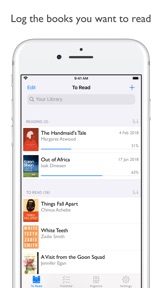
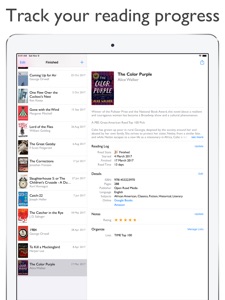
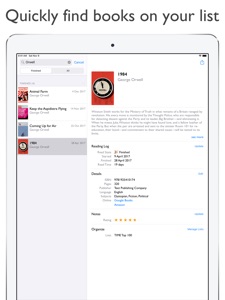
Easily keep a list of books you’ve read, books you’re reading, and books you want to read. Track your reading progress by recording the start and finish dates of the books in your list.
ADD NEW BOOKS
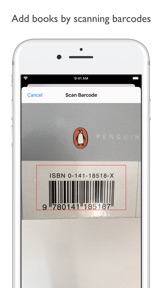
- Scan the barcode of a book to quickly add it to your list
- Search online to find and add books
- Alternatively, add a book manually by typing in its details
TRACK YOUR READING
- Quickly log the dates you start and finish each book with a tap or swipe
- Order the books in your To Read section, to help plan your next book
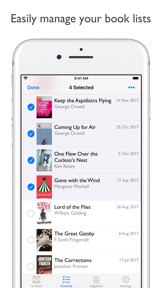
- Create your own custom lists, like "Wishlist", "Favourites", etc
- Record your current page number of the books you're reading
- Add your own rating and notes to each book
FREE & OPEN
- Export and import all your data
- No online account or signup needed
- All data is private and stored only on-device
- Fully open source
- No ads!
What's New in Version 1.13.0
Hello fellow readers! Thanks to everyone who has been using the app, leaving reviews and sending me emails with suggestions: I read and consider them all, and they have given me lots of great ideas to keep making this app better.
The update has a few new features:
• Scan Multiple Barcodes
If you have a stack of books you want to add to the app quickly, this is now easier with bulk barcode scanning. Tap "Scan Many" on the barcode scanner screen, and then just point the camera at each barcode one by one.
• CSV Import Improvements
I've had a lot of emails asking for help with the CSV import format. This update includes some information which will hopefully make this process easier to understand: in the CSV Import screen, tap Format Details and then tap See Columns to see a list of all columns which are supported, and additional information about specific format requirements of the data in those columns.
• CSV Import from Goodreads
The app now supports importing from the CSV format obtained from Goodreads. So, if any users wish to migrate from Goodreads to Reading List, this is now easier. Just specify the Goodreads import format, export a CSV file from Goodreads (for instructions, tap Format Details in the app), and load it into Reading List. Unfortunately, for technical reasons the app is unable to download book cover images. Additionally, the Goodreads export doesn't include all the started/finished dates, so you may find that the imported dates might need some finessing after the import.
• CSV Import options
Following on with the CSV Import theme: the app now provides more import options. You can specify whether missing metadata and/or book cover images should be searched for at the point of import, and whether existing books should be overwritten or not.
Along with these features, there are numerous smaller improvements:
• A new launch screen and "What's New" display to introduce new features and explain the app a little to new users
• Adds the ability to supplement a manually-added book with online metadata, if the book has an ISBN, from the Edit screen
• The cancel confirmation prompt is no longer shown when dismissing the Add Manually screen if no data has been added (thanks to Bryan Clark for this addition!)
• Auto-selection of the page count field when editing a book's reading log, for quick page updating (thanks to Bryan Clark for this addition as well!)
• Smoother animations on the book table when filtering your books by searching
• Lots of under-the-hood updates which will help make Reading List run faster and smoother
• A few minor bug and crash fixes
Thanks again to everyone's feedback. Feel free to email me at feedback@readinglist.app with feedback, features requests, ideas, etc. The app is also Open Source, so anyone familiar with iOS development is welcome to contribute features via GitHub.
Happy Reading!