Description
Do you own the field and want to measure the distance, perimeter or area of it?
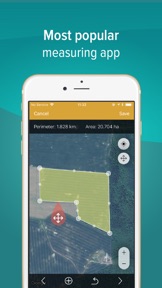
GPS Fields Area Measure is a free app which allows you to evaluate your fields as you need: measure the distance, perimeter or area and share it with your colleagues straight away!
"Very accurate and precise. I use this to calculate how much spray, fertilizer, chicken litter, paddock size for planting various grass seed, etc." - says our user in app review.
Get the distance between the objects, determine the property lines and find out the exact area of the field. GPS Fields Area Measure app allows assessing the area in a multitude of units including square feet, acres or kilometers.
WHY IS IT USEFUL TO USE GPS FIELDS AREA MEASURE APP?
• USE IT ONLINE&OFFLINE: use the app whenever you need to, mark your points-of-interest, check the distance, perimeter or area of the field when you need the most.
• STAY IN TOUCH WITH YOUR COLLEAGUES: share updates and measurements with your friends or colleagues in .kml .kmz files. Export and import shared files, stay connected to communities important to you.
• EASIER MONITORING: divide your measurements into different groups. Name it and write a description for it, add pictures – ensure easier recognition!
• CONVENIENT MARKING: choose how you want to mark your points, do it manually or by using GPS system. More precise marking just in a few button clicks.
• AVOID MISTAKES: by having an accurate map and marked points be sure about avoiding stones, mark fences more or boundaries of paddocks more clear.
• SAVE MONEY: convenient tool straight in your mobile app, avoid buying the fields measurement equipment and save thousands.
HOW TO FULLY OPERATE THE APP?
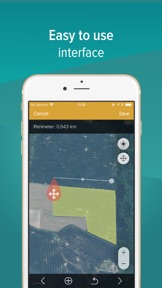
Use the app to measure the fields and the distance of the property, to determine the property lines. Explore and mark the most important places in your field, customize the information and be sure that you have easy to use tool for your measurements.
SUBSCRIPTION
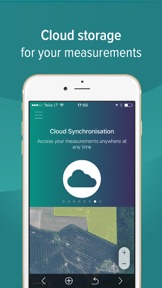
The most relevant features straight in your mobile app - synchronize all of your data to the cloud and make sure you will not lose all of your saved measurements; add pictures and descriptions to your fields; easily navigation between the measurements and location and many other features you have to try.
Continued use of GPS running in the background can dramatically decrease battery life.
GPS Field Area Measure comes with Auto-renewing In App Purchases.
• 1 month Premium subscription.
• 6 months Premium subscription.
• 12 months Premium subscription.
• Payment will be charged to iTunes Account at confirmation of purchase.
• Subscription automatically renews unless auto-renew is turned off at least 24-hours before the end of the current period.
• Account will be charged for renewal within 24-hours prior to the end of the current period, and identify the cost of the renewal.
• Subscriptions may be managed by the user and auto-renewal may be turned off by going to the user's Account Settings after purchase
• Links to Your Privacy Policy
• Any unused portion of a free trial period, if offered, will be forfeited when the user purchases a subscription to that publication, where applicable.
• Privacy policy: http://legal.gpsmeasure.com/
• Terms of Use: http://legal.gpsmeasure.com/terms.html
With premium bought thru In-App Purchase you will unlock these features:
• Share multiple measurements
• Ads will be removed
• Change group colors
• Cloud synchronisation
• Photo add to measurements
The most important app in your work, especially if you are a farmer or an agronomist, if you need to make land surveying or to create a geodesic line.
Measuring your fields was never so easy!