AboutTermsPrivacyContact
 
Updating
PDF Viewer - Annotation Expert

PDF Viewer - Annotation Expert

Released: 2016-10-24
© 2020 PSPDFKit GmbH
PDF Viewer - Annotation Expert - QR Code
Version 4.3.11
4+
Download on the App Store
Version 4.3.11
4+
Download on the App Store
Released: 2016-10-24
© 2020 PSPDFKit GmbH

iPhone Screenshots

Screenshot
Screenshot
Screenshot
Screenshot
Screenshot
Screenshot
Screenshot
Screenshot
Screenshot
Screenshot

Description

PDF Viewer Pro is a fast and beautiful app, allowing you to view, search and annotate PDF documents with ease on your iPhone and iPad.
Access your files from iCloud, Dropbox, Box, OneDrive, Google Drive or any other cloud solution via Apple's familiar Document Browser interface.
+++ Listed as “Productivity lifesaver” on the App Store +++
"A streamlined interface packed with powerful features - it’s like having a desktop-quality PDF toolkit wherever we go" – App Store Editor Notes
“I'm impressed by how the folks at PSPDFKit have been able to fine-tune the document browser to the app's needs.” – MacStories.net
"If you want a PDF viewer that is designed for reading PDF books, this is it." – App Review
VIEW DOCUMENTS ON THE GO
• Easily import a PDF from your favourite cloud service provider, email or directly off a website.
• Supports Open In Place, Drag & Drop and features the familiar Apple Document Browser interface from the Files app.
• Search for the exact text you are looking for within the document.
• Double tap on the screen to Smart Zoom directly to the text you want to read.
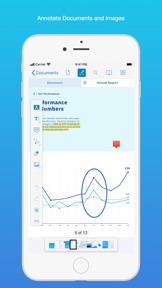
• Annotate images (JPEG, PNG) non-destructive, just like PDF documents. (PRO)
ANNOTATE WITH EASE
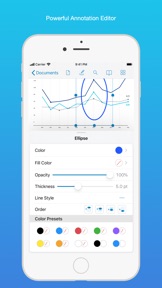
• While reviewing a document, use your finger or Apple Pencil to highlight and markup text.
• Leave comments by adding a note, text or drawing directly on the PDF.
• Add images or audio.
• Reply to notes. (PRO)
SIGN DOCUMENTS ANYWHERE
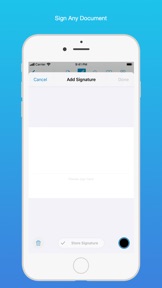
• Add your signature to any document using your finger or Apple Pencil.
• Move and resize your signature as needed.
• Flatten a document to ensure the signature doesn’t change.
CREATE AND EDIT PDFs
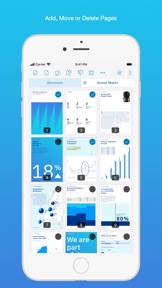
• Create new documents from existing documents by moving, rotating, deleting or adding new pages.
• Combine multiple documents into a single one. (PRO)
• Leave a simple bookmark or create an entire table of contents for your document.
FILL OUT FORMS
• Quickly fill out PDF Forms by adding text to the fields.
• Flatten and secure the form once you’re done to ensure the document doesn’t change.
• Add a signature to any Form.
STORE, ORGANISE AND SHARE
• Store documents, create folders and organise your documents.
• Share documents by printing, emailing or saving your edits back any cloud service.
PASSWORD PROTECT DOCUMENTS
• Read document metadata, title and keywords.
• Protect documents with user and owner passwords and limit permissions. (PRO)
AND SO MUCH MORE
• Conveniently switch to night mode when viewing your documents at night.
• Present on external screens without the distraction of toolbars. (PRO)
• Have the text from a PDF read out loud to you with text-to-speech.
• PDF Viewer remembers where you were down to the page/position where you left off - even across devices.
PRICING
PDF Viewer comes with a large feature set, completely free. Some advanced features require the purchase of PDF Viewer Pro, available as a subscription. We offer 3-monthly and yearly subscription plans. There’s also a fully functional 7-day trial, so you can test PDF Viewer Pro (including document merging and password editing) before you commit. All plans unlock the app on iPhone and iPad.
TRUSTED BY COMPANIES YOU KNOW
PDF Viewer is built on top of and powered by PSPDFKit, the same PDF engine trusted around the world by companies like Dropbox, Box, IBM, Atlassian, SAP and Lufthansa.
BE PART OF THE PDF VIEWER COMMUNITY
pdfviewer.io
twitter.com/pdfviewerapp
LEGAL
Duration and price of each subscription are displayed in PDF Viewers’ storefront, updated at the time of purchase. Payment will be charged to iTunes account at confirmation of purchase. Subscriptions automatically renew unless auto-renew is turned off no later than 24 hours before the end of the current period. Subscriptions and auto-renewal can be managed/turned off in the iTunes account settings. Any unused portion of a free trial period is forfeited as soon as a subscription is purchased.
Terms of Use: https://pdfviewer.io/terms
Privacy Policy: https://pdfviewer.io/privacy

What's New in Version 4.3.11

Paragraph-based VoiceOver accessibility, refinements to the scrubber bar and document info screen, improved compatibility with future system versions.
Here’s the full list of changes:
• Adds fine-grained VoiceOver accessibility by making paragraphs on pages individually focusable.
• Adds the ability to select and copy text from additional fields on the document info screen.
• Adds a description for the Local Network usage popup when connecting to a local PSPDFKit Server instance with the PSPDFKit Instant example of the PSPDFKit Catalog.
• Improves the scrubber bar marker placeholder sizing.
• Fixes an issue where document with variable-sized pages were laid out incorrectly.
• Fixes the saving of small shapes with large line widths. Shapes with these characteristics in documents saved by PSPDFKit will now be visible in any PDF reader.
• Fixes a crash that could occur on some iPad devices running a future system version when the app was backgrounded while the annotation tool inspector was visible.
• Fixes the scrubber bar position indicator placement for single leading and trailing pages in double page mode when displaying right-bound documents.
• Fixes superfluous selection highlights on the document info screen.
• Fixes an issue where the appearance of form fields might not be preserved correctly.
We’d love to hear your feedback! If you have ideas or feature requests for future versions of the app, feel free to let us know. You can contact us using the in-app Support button on the settings screen.
If you enjoy the app, please write us a review and help spread the word! Thanks!

Seller

Name

PSPDFKit GmbH

Information

Developer

Categories

Version

4.3.11

Size

62.5 MB

Game Center

No

VPP Device Licensing

Yes

Rating

Rated: 4+

Compatibility

iOS 13.0 or later

Devices

iPhone 5s, iPhone 6, iPhone 6 Plus, iPhone 6s, iPhone 6s Plus, iPhone SE, iPhone 7, iPhone 7 Plus, iPhone 8, iPhone 8 Plus, iPhone X, iPhone XR, iPhone XS, iPhone XS Max, iPhone 11, iPhone 11 Pro, iPhone 11 Pro Max, iPhone SE (2nd generation), iPad (5th Generation) Wi-Fi, iPad (5th Generation) Wi-Fi + Cellular, iPad (6th generation) Wi-Fi, iPad (6th generation) Wi-Fi + Cellular, iPad Pro, iPad Pro (Cellular), iPad Pro (9.7-inch), iPad Pro (9.7-inch) (Cellular), iPad Pro 12.9-inch (2nd generation), iPad Pro 12.9-inch (2nd generation) Wi-Fi + Cellular, iPad Pro (10.5-inch), iPad Pro (10.5-inch) Wi-Fi + Cellular, iPad Pro (11-inch), iPad Pro (11-inch) Wi-Fi + Cellular, iPad Pro 12.9-inch (3rd generation), iPad Pro 12.9-inch (3rd generation) Wi-Fi + Cellular, iPad Air, iPad Air (Cellular), iPad Air 2, iPad Air 2 (Cellular), iPad Air (3rd generation), iPad Air (3rd generation) Wi-Fi + Cellular, iPad mini Retina, iPad mini Retina (Cellular), iPad mini 3, iPad mini 3 (Cellular), iPad mini 4, iPad mini 4 (Cellular), iPad mini (5th Generation), iPad mini (5th Generation) Wi-Fi + Cellular, iPad (7th generation) Wi-Fi + Cellular, iPad Pro 11-inch (2nd generation), iPad Pro 11-inch (2nd generation) Wi-Fi + Cellular, iPad Pro 12.9-inch (4th generation), iPad Pro 12.9-inch (4th generation) Wi-Fi + Cellular, iPod touch (6th Generation), iPod touch (7th generation)

Languages

English, Arabic, Chinese, Croatian, Czech, Danish, Dutch, Finnish, French, German, Greek, Indonesian, Italian, Japanese, Korean, Malay, Norwegian Bokmål, Polish, Portuguese, Russian, Slovak, Spanish, Swedish, Thai, Turkish, Ukrainian

App Store: Customer Ratings

Ratings & Reviews

4.5 of 5 (591 Ratings)

App Store: Customer Reviews

2020-08-06

Keeps freezing and losing data

I wrote about this in march. Nothing has changed, except support contacted me to find out what happened. They didn’t find and discussion ended with them just saying they didn’t know.
Issue still there : app will freeze, and all information written on the doc is forever lost, which is totally unacceptable for me since I use this app for work (taking notes on documents when I meet clients).
Conclusion : I’m gonna pay to get a functional app. But not the pro version of this one. I don’t think pro version will fully work if the free one is not reliable.
fj3011
Version 4.3.9
2020-07-24

Best PDF annotations with Apple Pencil

After spending a few hours searching for an app to use to mark up long and complicated PDFs for distance learning I stumbled upon PDF viewer. Compared to other PDF apps it is super simple and cleanly integrates with the native files UI. It has a very customizable interface for PDF viewing and markup that is missing from Files and Acrobat. It also has a tabs system that lets you quickly flip between documents. All basic functionality works well and is free. Very good app.
ayst930
Version 4.3.8
2020-06-26

The best

It’s truly the best app you can find to read PDFs
Thank you guys .
mr.bingo bo
Version 4.3.7
2020-05-10

Making the world right again

I have been looking for several years for a PDF annotation app. My needs are uncomplicated: as an academic, I need to highlight important text, make comments, and occasionally export those annotations. I have a large library of academic PDFs and thus I need seamless integration between the app and Dropbox. I searched for years. Tried a number of overrated and bloated PDF editors. For a while, I used iannotate3 before those developers abruptly stopped supporting it and literally crashed it in order to force users to update to their inferior next product. I refused the extorsion and looked elsewhere.
Now my search is over. This is an amazing product. It does all that I need it to do. It does everything superbly and is the opposite of bloatware. The basic version is complete and performs beautifully. The user interface is well thought out and empowers you. An amazing piece of software. I would gladly contribute $ for its maintenance. The efforts of dedicated craftsmen. Thank you.
— Long suffering professor no more
Samer Faraj
Version 4.3.2
2020-04-17

Lagging after the update

I have noticed that after the update, I am unable to pick a color from the collusion wheel when highlighting.
Frustrated 100000
Version 4.3.1
2020-04-16

Way better than the rest

Simple, clean, effective! Love it
QasWQS$4
Version 4.3.0
2020-04-13

Very good

It is very good program , thank you .
mazin 2
Version 4.3.0
2020-04-02

Lots of nice features, but slow

I love using this app to edit some pdf documents and take notes, however, the app is super slow when I need to save medium or large size document I recently annotated, and it keeps saving for up to 10 mins.. Sometimes it freezes unpredictably..
alex_mistik
Version 4.3.0
2020-04-02

APP LAGS WHEN TRYING TO ERASE NOTES

This app is perfect for writing notes on blank papers. However, when I click on the eraser icon to erase a written word on a paper full of notes, the app starts to lag. It would be helpful to resolve this issue and fix the lag.
Chaos527
Version 4.3.0
2020-01-21

nkk

स्पम
ap1313ap
Version 4.1.1
2019-12-19

Good app

Using the free version and it works very well.
I don’t need or want to subscribe for more options though...
gtechblues
Version 4.1.1
2019-11-20

It’s a good free app! Give it a try.

I’ve downloaded this app for grad school readings. It’s nice that I can use my Apple Pencil to both highlight and write comments. There’s also an option for a comment box for more in-depth analysis. One annoying thing is whenever I’m using the pencil to make notes, my palm will activate the screen and jump pages at times.
MegThePainter
Version 4.0.12
2019-11-19

Last update sucks

Was great app until the update this week. Now it crashes every time I create a new doc or try to add a page to an existing one. The app isn’t functional anymore
m12356778955432
Version 4.0.12
2019-11-06

Wow

This app is perfect, way better than acrobat reader which i was using before
Gabfortissimo
Version 4.0.7
2019-10-31

Awesome for free

This app is amazin. You get all u need for handling PDFs the only bad thing is after iOS update and last app update I’m unable to open any doc. I have uninstalled and still same answer document not set.
julien Lebeau
Version 4.0.7
2019-10-18

Recent bugs with IOS 13

Since I have installed the lastest version of IOS 13 on my iPad Pro, the app freezes daily. I have to shut it down and restart it again at least 2-3 times a day. I hope these bugs will be corrected soon.
Otherwise a great app with a lot of great options.
Rorodghkdyh
Version 4.0.4
2019-07-20

It's amazing !

All need to write for annotation it has. It is friendly and practical menu.
@Zoe_ha
Version 3.5.2
2019-06-29

Very good tech support.

I reported a bug and I was personally helped within 10mins and received a personal message when it was fixed.
keithwoo
Version 3.5.1
2019-06-19

Excellent App

I have tried various apps for annotating on the PDF drawings using Apple Pencil in my iPad Pro and found this app as the best one with certain advantages over the other apps.
LinsonMythri
Version 3.5
2019-06-14

Perfect

Great App...Perfect
Researcher 12
Version 3.5
2019-06-12

Just wow!

Look I used lots of apps for note taking and annotation. I had some priorities that this app meets all of them.
First: i wanted an app to open and save in my iCloud files as a primary source. This app is great when it comes to integrating with iCloud. I have 2TB storage for icloud and my devices are low in storage. So I needed something to save my files directly to iCloud and again this app doest it.
Second: floating scrubbier ( if i am spelling right ). I dont know why other apps didnt bother themselves to offer this option.
There are many other advantages with using this app. I find this app today and I will use it in my daily life and write my comment about it again.
SHOUTOUT TO THE DEVELOPERS OF THIS APP. THANK YOU VEEY MUCH FOR CODING THIS MASTERPEICE.
amiirsadeqi
Version 3.5
2019-05-31

Horrible app that crashed 5 minutes into using it

The first 5 minutes were fine, then mysteriously the app froze. I was really hoping this app would work as I read and annotate articles a lot. I have now spent 20 minutes trying to figure out how to close the app, to no avail. Complete waste of time!
private10088
Version 3.5
2019-05-22

Allo

J’aimerais avoir des conseils car mon app bug
ndjnedjmij
Version 3.4.2
2019-05-07

The best app on ios

This is my first review ever. I am a student, bought an ipad for study. Looking for a pdf reader which is free. After trying so many I was disappointed as they all are paid. This only app I can find which is useful and free. I was about to sell my ipad, this app made me stay. Cheers for the developers and thanks for keeping it so clean and free at the same time. Nice work.
m29kumar
Version 3.4
2019-04-18

Lost my documents due to an upload error

Terrible software
--jeni
Version 3.3.2
2019-04-08

Editors, Writers, Idea-Diagrammers—Here’s Your App

Amazing in its sophistication and simplicity, it’s elegance and powerful features. Easy to learn up front, but worth getting to know its depth of features, which emerge intuitively with use.
A superb document editing tool, for blue-pencillers and editors who love to mark up a typescript or MS in PDF (—features are more advanced than Acrobat’s).
That’s all I needed—at first... But soon discovered other features and applications, like sketching design plans and charts, that I now use all the time. It’s even a great notepad for walking into meetings...
Thank you, Development Team and Investors, for an amazing product and staggering good value.
Asklepieios
Version 3.3.2
2019-03-31

PDFView

Easy to use. Good to study learning material by being able to underline word, text.
jcpell1147
Version 3.3.2
2019-03-27

Can’t believe this app is free

Best PDF reader and note taking app ever.
Such a time saver. Good for highlighting, reading, making notes, and much more. Can’t recommend it enough.
justneedtostudy7
Version 3.3.2
2019-01-19

User beware

Was enjoying this app but the recent update lost ALL my school documents and notes since September! When I contacted support they told me there was no way for them to get my documents back unless I had saved them on an older backup. If your using this app make sure you consistently back it up/save them in a different place.
One annoyed student
Version 3.2.5
2019-01-17

Good App

Easily swipe thru pages and edit, highlight or interact with the material
Swipe like an e-reader instead of scrolling like a standard PDF reader.
I like this app
"Civil"ized
Version 3.2.4
2019-01-07

Amazing

Love this app
Ndjdkfndkdndhejdj
Version 3.2.3
2019-01-07

very good

Previously this app gave me a lot of trouble with crashing and deleting work. However since then they have fixed this issue and other issues as well. The Dev. Team works hard and will respond to to any problems you have within 24 hours, and will have the problem fixed ASAP. Very good app with a great Dev. Team
LAMB SKEWERS 💜
Version 3.2.3
2018-12-25

Best. PDF reader. Ever

Waiting so long for this. Does what I wish the iPad Pro was capable of doing from day one.
One step closer to feeling like paper and pen(cil)
MisterArchie
Version 3.2.3
2018-12-22

Excellent App

It blows competition out of the water. Beautiful UI and tools; keep it coming!
Mâitrise
Version 3.2.3
2018-12-20

Exactly what I was looking for!

Dark themes and scaling modes! Perfect!
Spiral Ganglion
Version 3.2.3
2018-11-21

Simply the best

This is a gem. If you read a lot of PDF files, this is the app to get. Oh, and lots of markup features too!
numericcitizen
Version 3.1.5
2018-09-15

This is the best PDF View AND note taker I have ever had.

To summarize my satisfaction with this app: I used to have two other apps instead of this one: one of them was a PDF viewer, and the other was a note taker. Everything the other apps lacked, this one has, and all in one app. And all the things the other ones already had, this app has it BETTER. Even tho the name of the app is PDF Viewer, it does so much more. Note taking here is great, and I can have all my class readings AND notes all in one place. I love it. Seriously, I’m so happy with it, I keep raving about it to my husband. Well done! Keep it up!
MaryBaloon
Version 3.0.4
2018-09-02

Great but keeps crashing

One of the best apps. Easy to use. Could customize annotations the way I like. But now I have to switch because it keeps getting stuck forcing me to restart the iPad then I lose all my notes. Hope it gets fixed.
Roa90
Version 3.0.4
2018-08-22

Really really nice

I just used it for half and hour, and it is simply the best. I love the clear interface.
Only if the response rate with pencil could be faster, that will be even better. But so far, it is already my fav!
Miao
Meow1111meow
Version 3.0.3
2018-07-18

Parfait pour les fichiers lourd

Je fait mes cours d’été avec un manuel en pdf et ne crash aucunement comparé aux autres support de fichiers pdf... moderne, rapide, bien outiller, rien besoin de plus!
maxeb3rt
Version 2.4
2018-06-19

Love this app!!!

I really like this app. I use it daily and would love to pay back something to the developers. Any chance you can add a donate button?
Jason Naughton
Version 2.4
2018-06-18

Amazing!

What a high-quality app! Very impressed by the list of features and the polish. And it’s nice that this developer actually bother (unlike many other developers, including Google) to publish informative and comprehensive changes list for new releases. Kudos!
dysonlu
Version 2.4
2018-05-13

Crashes

Won't open lots of PDFs, just crashes right away.
James6479
Version 2.3.2
2018-02-04

Superbe, le meilleur pdf viewer et annotations!

Je l’utilise beaucoup pour tous mes documents divers, manuels d’utilisateur de tout appareils, outils et livres de services pour ma moto, gros fichiers.
Très rapide, aucune hésitation pour montrer les gros plans et pages chargées. Et pratique pour faire des recherches. Bonne intégration à icloud et au nouveau fichier.
Et gratuit...
Merci aux concepteurs!
Robobuck
Version 2.2.0
2018-01-24

Much better than PDF expert!!!

Not because it’s free. There’s many good feature making it a good PDF reader. It’s simple and easy to use. No fuzzy sync problems like PDF experts. Well integrated with file app and iCloud. But I hope it can support drag and drop for iPad in the future. Also the brush and highlighter is not natural. I don’t mind you guys make some in-app purchase since this app is really great. I want it to be even better.
lunarspinx
Version 2.1.2
2017-12-03

The Best PDF reader made for IOS

Without casting a doubt this is the best PDF app while other PDF apps have mountains to climb to even compete.
imarunaj
Version 2.0.5
2017-10-25

AWESOME !

The is the best pdf app i have ever used. Simply the best
samgyab
Version 2.0.3
2017-09-22

Le meilleur PDF reader!

Après avoir fouillé longtemps, c’est l’application qui correspond le mieux à mes besoins! J’avais besoin d’un outil de lecture active et de prises de notes pour mes cours. Je voulais modifier mes PDF avec un surligneur efficace, un outil pour écrire à main levée sur mon iPad, et de quoi écrire en traitement de texte pour ajouter des notes. J’ai aussi cherché longtemps pour une app qui permet de mettre des onglets ou signets sur les pages d’un document PDF, pour mieux organiser de gros documents, et PDF Viewer est mieux que iBooks parce qu’en plus de pouvoir mettre des signets, je peux retrouver facilement les notes que j’ai laissé sur chaque page, ce qui me sert d’onglet (c’est ce qui s’en rapproche le plus parmi toutes les app). En plus, elle est gratuite!! J’en ai essayé plusieurs moins intéressantes qu’on devait en plus payer pour avoir accès à plusieurs fonctionnalités importantes comme annoter un texte (ça sert à quoi sinon hein PDF Pro3!?) ou exporter.
**** Ici, LE SEUL PROBLÈME, c’est l’exportation. On peut exporter dans tout ce qu’on veut (j’ai essayé dropbox, google drive et icloud), mais il y a juste icloud qui permet de modifier les notes ensuite (l’app est disponible dans Fichiers), les deux autres doivent être exporté « figé » pour qu’on puisse voir les modifications faites au crayon ou voir les notes qui se rétrécissent. Dropbox c’est moins pire, mais google on ne voit presque rien sinon.
BREF, fonctionne bien sous ios 11, génial avec le apple pencil, aucune limite de couleur, et je suis biiiiien satisfaite du rapport qualité prix. Merci, enfin!
Étudiante crie Euréka
Version 2.0.0
2017-08-05

Review

Looks great.. Feels great.. Highly appreciated... thanks for the great work
Iceman8783
Version 1.7.0